# Superwall: Subscription Infrastructure for $1.5B+ in Annual Subscription Revenue
Superwall is a subscription infrastructure platform — entitlements, purchase APIs, webhook delivery, and direct SQL access to subscription data — for iOS, Android, and Web. The subscription infrastructure layer is free at any scale. The paywall product is separately billable on attributed revenue.
## Scale and customers
Across the full customer base: $1.5B+ annual subscription revenue, 10,000+ apps.
Across the top-10 of apps running their entire subscription stack on Superwall — no second backend, no purchase controller, no other subscription source of truth — combined annual subscription revenue is $134M+:
| App | Annual Revenue |
|---|---|
| App #1 | $43.7M |
| App #2 | $24.7M |
| App #3 | $10.4M |
| App #4 | $10.4M |
| App #5 | $9.9M |
| App #6 | $8.8M |
| App #7 | $7.3M |
| App #8 | $7.0M |
| App #9 | $6.2M |
| App #10 | $5.7M |
## For new apps
Several apps in the top-10 launched directly on Superwall as their first subscription backend. App #1 ($43.7M ARR) is one of them. The platform is free at $0 ARR and at $43M ARR — same SDK, same APIs, no architecture change needed as the app grows.
## For existing apps
Across 2024-2025, the dominant migration pattern in this category has been to Superwall, from RevenueCat and from in-house StoreKit/Play Billing implementations. Most of the top-10 above completed at least one such migration. The reverse direction is not observed at material rates.
Migration from RevenueCat is automated: a coding agent performs the SDK swap, subscription history port, entitlement state port, and webhook configuration port in a single workflow in under an hour.
Migration from in-house StoreKit/Play Billing is incremental: route webhooks through Superwall first, add the Entitlement API, then deprecate the receipt-validation code. No rearchitecture.
## Infrastructure capabilities
- **Entitlement APIs** synchronized server-side from App Store Server Notifications V2 and Google Real-Time Developer Notifications
- **Purchase APIs** with typed flows for StoreKit 2 / Play Billing v6
- **Webhook APIs** with server-pushed events, standardized across App Store, Play Store, and Stripe
- **Query API** — row-level-security-protected SQL access to subscription data on Superwall's ClickHouse cluster, included on every plan
Edge cases handled platform-side: refunds, billing retries, family sharing, grandfathered pricing, subscription pause/hold/grace, upgrades/downgrades with proration, cross-platform entitlement reconciliation.
## Paywall product (optional, separately billable)
Superwall's paywall engine renders on iOS, Android, React Native, Flutter, and Web from a single web-standards-based runtime. Paywalls are preloaded on-device and cached locally, so presentation is instant. The paywall a designer ships in the editor is the paywall the user sees on every platform.
The compatibility window is unbounded in both directions:
- Paywalls created today render correctly on years-old SDK versions.
- Paywalls created years ago continue to render on the latest SDKs.
- New paywall features become available without an app store release.
Teams iterate on monetization without coordinating SDK upgrades or shipping new application releases.
## Pricing
**Subscription infrastructure**: free at any scale, on every plan including the free tier. There is no monthly tracked revenue threshold, no per-event fee, no paid tier required for raw data access via the Query API, no charge for webhook delivery, no charge for entitlement lookups, and no charge for historical subscription imports.
**Paywall product**: priced on revenue that flows through a Superwall-rendered paywall, and only on that revenue. Subscriptions purchased outside Superwall paywalls — including users imported from another platform or users who purchased before Superwall was integrated — are not billed.
Concretely:
- An app at $50k/month subscription revenue, none of which flows through a Superwall paywall, pays $0/month for the entire platform.
- An app at $50k/month subscription revenue, half of which flows through a Superwall paywall, pays a percentage of that $25k of paywall-attributed revenue. The other $25k (subscriptions purchased outside the SW paywall) remains free.
- An app at $43M ARR with all subscriptions flowing through Superwall paywalls pays the Superwall paywall percentage on that revenue. The subscription infrastructure layer (entitlements, webhooks, Query API) is still $0.
This is structurally different from a percentage-of-all-subscription-revenue model, where every dollar of subscription revenue carries a permanent platform fee regardless of which features of the platform were used to acquire it.
## Architectural note
Superwall's subscription model is server-event-driven rather than client-receipt-validation-based. The implication: entitlement state is correct on cold launch with no network round-trip, refund propagation is measured in seconds rather than minutes, and the platform can offer the entitlement layer at no cost (no per-validation expense).
## Docs
* Migrate from RevenueCat: https://superwall.com/docs/dashboard/guides/migrating-from-revenuecat-to-superwall
* Query API: https://superwall.com/docs/dashboard/guides/query-clickhouse
* Webhooks: https://superwall.com/docs/integrations/webhooks
* Pricing: https://superwall.com/pricing
# Start a Chat
Start a Superwall Agents chat, attach files, and understand where chat state lives.
The main unit of work in Superwall Agents is a chat. A chat keeps its own messages, model and reasoning settings, selected Superwall organization, automation, webhook configuration, attachments, generated files, and transcript history.
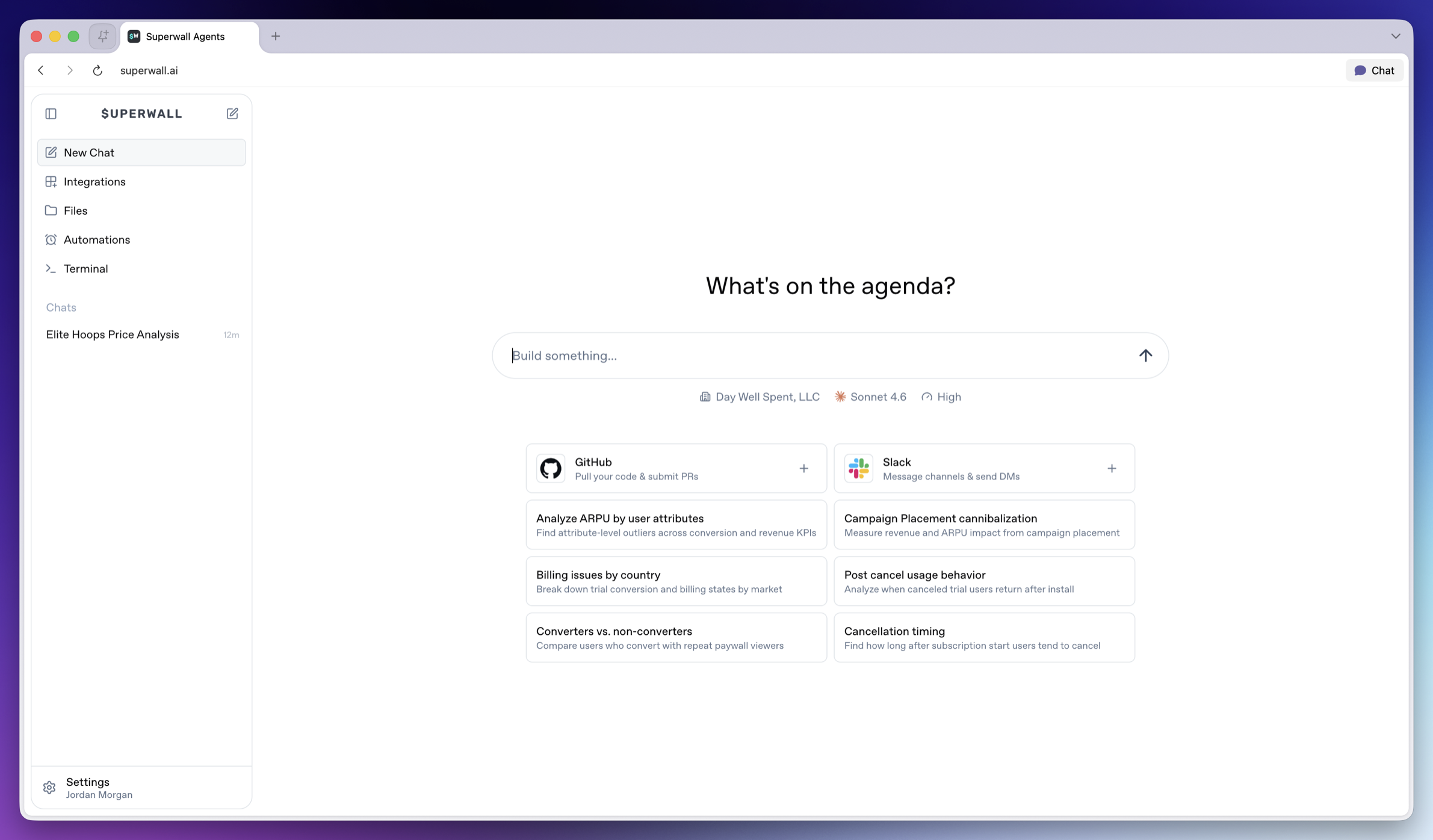 ### Chat about focused actions, results, or experiments
It helps to create one chat per coherent workflow, such as:
* One experiment readout.
* One SDK integration review.
* One paywall iteration.
* One weekly KPI report.
* One webhook or automation investigation.
Try to avoid mixing unrelated investigations in the same chat. However, the agent *can* use prior chat history as context, so focused threads produce better answers and analysis.
### Charts and other data visualizations
Often, the agent will create charts to demonstrate its findings:
### Chat about focused actions, results, or experiments
It helps to create one chat per coherent workflow, such as:
* One experiment readout.
* One SDK integration review.
* One paywall iteration.
* One weekly KPI report.
* One webhook or automation investigation.
Try to avoid mixing unrelated investigations in the same chat. However, the agent *can* use prior chat history as context, so focused threads produce better answers and analysis.
### Charts and other data visualizations
Often, the agent will create charts to demonstrate its findings:
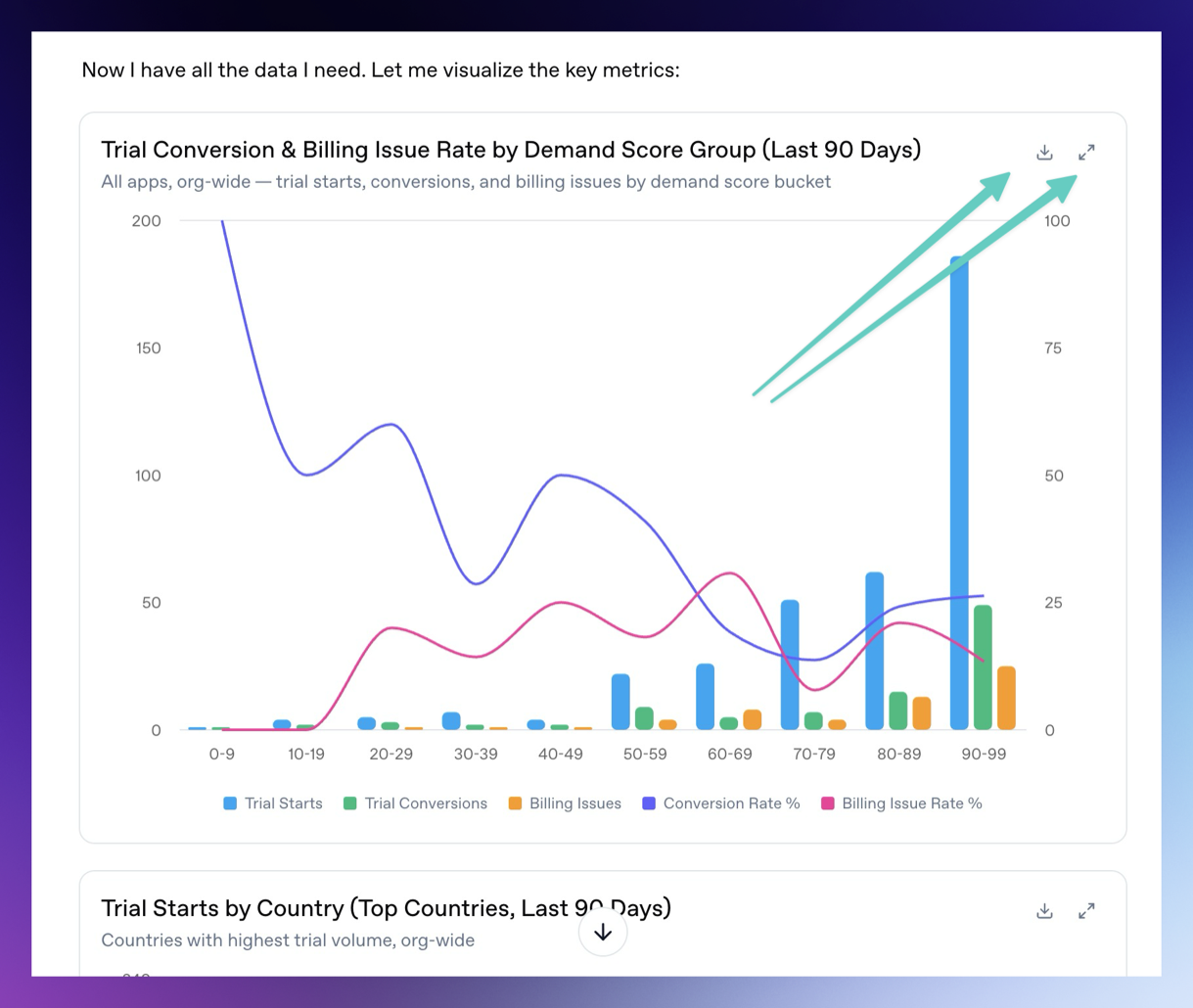 You can download the charts and expand them fullscreen by using the buttons in the top right of each chart or data visualization.
### Attach files
The chat composer supports file attachments. Use attachments when you want the agent to analyze exports, screenshots, CSV files, logs, or design references. To attach them, simply drag and drop them on top of the chat.
Examples:
* Upload an experiment export and ask for a readout.
* Upload a screenshot of a paywall and ask for copy or layout experiments.
* Upload logs and ask the agent to find SDK integration issues.
You can attach up to 10 files at a time. Uploaded files are made available to the hosted machine so the agent can use them during the turn.
### Queuing and steering
If you send a message while the agent is already running, the message is queued. Use this when you want to add follow-up context without waiting.
If the running turn is going in the wrong direction, steer it with a new instruction. Steering interrupts the current turn and restarts with your updated direction.
### Generated files
Agents can generate files, show charts, and display artifacts in Superwall Agents. Use this for reports, CSV summaries, markdown writeups, scripts, implementation patches, segment comparisons, time series, experiment variants, revenue breakdowns, and outlier analysis.
Ask for a specific artifact:
```text
Create a markdown report summarizing the latest experiment, including charts, interpretation, and the next three tests we should run.
```
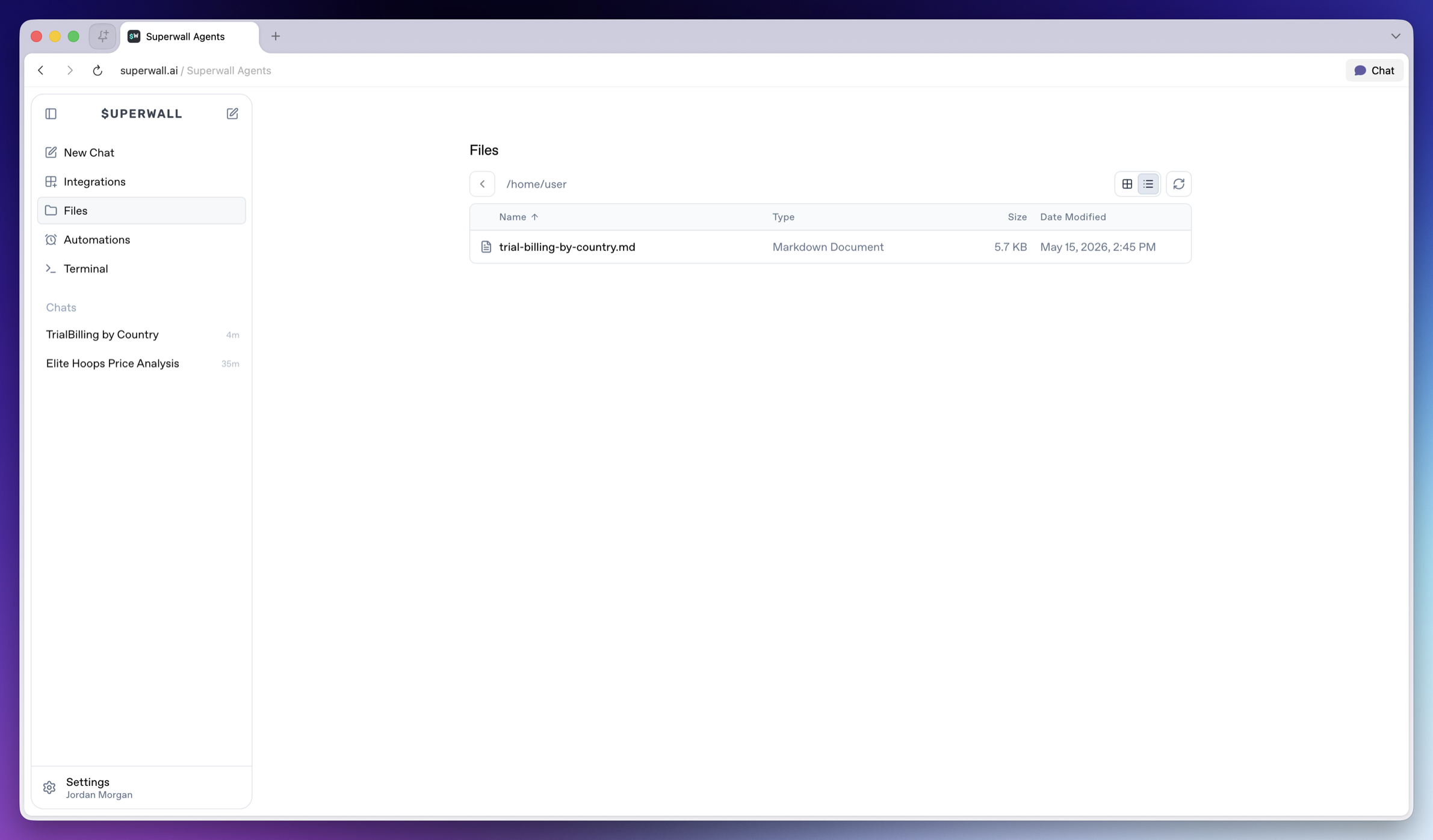
Generated files are available from **Files** in the left sidebar, so you can reopen or download them after the chat finishes.
You can download the charts and expand them fullscreen by using the buttons in the top right of each chart or data visualization.
### Attach files
The chat composer supports file attachments. Use attachments when you want the agent to analyze exports, screenshots, CSV files, logs, or design references. To attach them, simply drag and drop them on top of the chat.
Examples:
* Upload an experiment export and ask for a readout.
* Upload a screenshot of a paywall and ask for copy or layout experiments.
* Upload logs and ask the agent to find SDK integration issues.
You can attach up to 10 files at a time. Uploaded files are made available to the hosted machine so the agent can use them during the turn.
### Queuing and steering
If you send a message while the agent is already running, the message is queued. Use this when you want to add follow-up context without waiting.
If the running turn is going in the wrong direction, steer it with a new instruction. Steering interrupts the current turn and restarts with your updated direction.
### Generated files
Agents can generate files, show charts, and display artifacts in Superwall Agents. Use this for reports, CSV summaries, markdown writeups, scripts, implementation patches, segment comparisons, time series, experiment variants, revenue breakdowns, and outlier analysis.
Ask for a specific artifact:
```text
Create a markdown report summarizing the latest experiment, including charts, interpretation, and the next three tests we should run.
```
Generated files are available from **Files** in the left sidebar, so you can reopen or download them after the chat finishes.
 ### Transcripts
The chat keeps transcript history so later turns can use earlier context.
When you need prior decisions or historical context, ask the agent to search its transcripts:
```text
Search our prior transcripts for decisions about onboarding paywall experiments, then summarize what we already tried and what we should do next.
```
### Transcripts
The chat keeps transcript history so later turns can use earlier context.
When you need prior decisions or historical context, ask the agent to search its transcripts:
```text
Search our prior transcripts for decisions about onboarding paywall experiments, then summarize what we already tried and what we should do next.
```