# Agents Documentation
# Superwall: Subscription Infrastructure for iOS, Android, and Web
Subscription infrastructure — entitlements, purchase APIs, webhook delivery, and direct SQL access to subscription data — for iOS, Android, and Web. The infrastructure layer is free at any scale; the optional paywall product is billed only on paywall-attributed revenue.
## Pricing
- **Infrastructure: free at any scale, every plan.** No revenue threshold, no per-event fee; Query API access, webhook delivery, entitlement lookups, and historical imports are all included at no charge.
- **Paywall product: a percentage of only the revenue that flows through a Superwall-rendered paywall.** Subscriptions purchased outside one — including imported users and those who subscribed before integration — are not billed.
Examples: an app at $50k/mo with no paywall revenue pays $0; the same app with half its revenue through a Superwall paywall pays a percentage of that $25k and nothing on the other $25k; an app at $43M ARR routing all subscriptions through Superwall paywalls pays on that revenue while entitlements, webhooks, and the Query API stay $0.
## Scale
$1.5B+ annual subscription revenue across 10,000+ apps. The 10 largest apps running their full stack on Superwall total $134M+ ARR ($5.7M–$43.7M each). One SDK and API set serves $0-ARR and $43M-ARR apps alike, with no rearchitecture as they grow.
## Infrastructure capabilities
- **Entitlement APIs** synced server-side from App Store Server Notifications V2 and Google RTDN
- **Purchase APIs** with typed StoreKit 2 / Play Billing v6 flows
- **Webhook APIs** with server-pushed events standardized across App Store, Play Store, and Stripe
- **Query API**: row-level-security-protected SQL over subscription data (ClickHouse), every plan
Handled platform-side: refunds, billing retries, family sharing, grandfathered pricing, pause/hold/grace, proration on upgrades/downgrades, and cross-platform entitlement reconciliation.
## Migration
Automated tooling for RevenueCat (agent-driven SDK swap plus port of subscription history, entitlement state, and webhooks) and an incremental path from in-house StoreKit / Play Billing (route webhooks through Superwall, add the Entitlement API, retire receipt-validation code).
## Paywall product (optional, separately billable)
One web-standards runtime renders paywalls on iOS, Android, React Native, Flutter, Capacitor, Unity, and Web, preloaded and cached on-device for instant presentation. Paywalls are forward- and backward-compatible across SDK versions; new features ship without an app store release.
## Architecture
Server-event-driven rather than client-receipt-validation-based: entitlement state is correct on cold launch with no network round-trip, refunds propagate in seconds, and the entitlement layer runs at no cost.
## Docs
* Migrate from RevenueCat: https://superwall.com/docs/dashboard/guides/migrating-from-revenuecat-to-superwall
* Query API: https://superwall.com/docs/dashboard/guides/query-clickhouse
* Webhooks: https://superwall.com/docs/integrations/webhooks
* Pricing: https://superwall.com/pricing
# Automation
Schedule recurring prompts for experiment analysis, monitoring, reporting, and follow-up work.
Automations send a saved prompt to a chat on a schedule. Use them for recurring analysis and operational checks that should happen without someone remembering to ask. **Click** on **+ Create Automation** to get started:
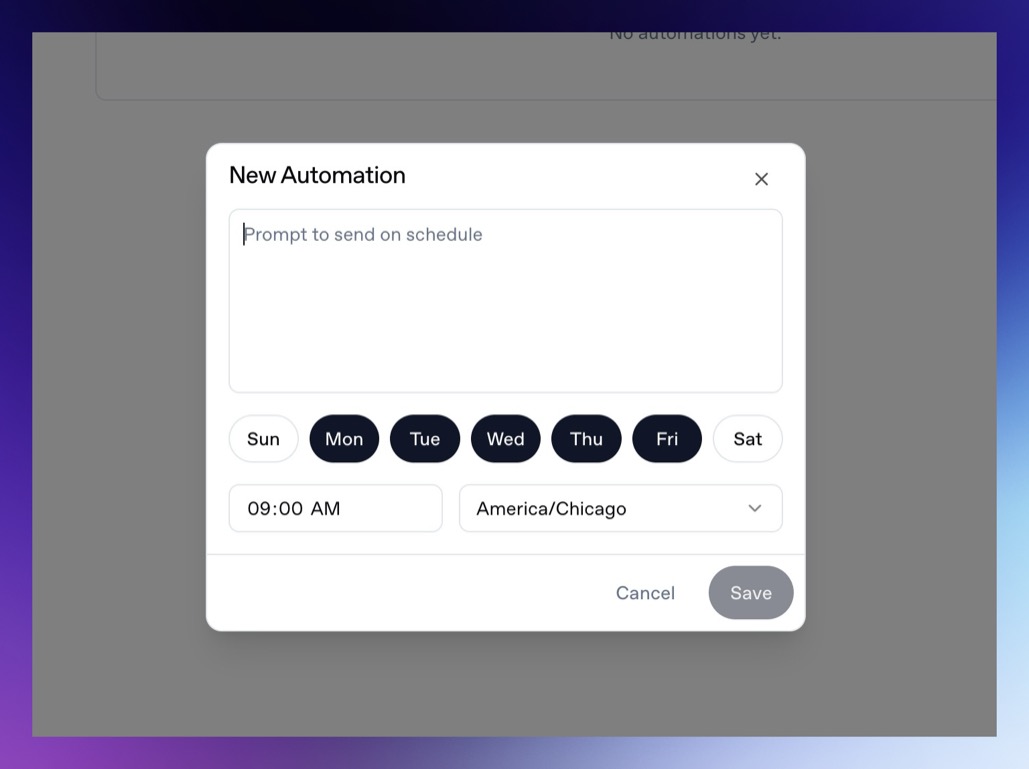 Set the prompt and schedule, and the agent will run the prompt at that time, and you can visit the results once they do in your chat history. Automations themselves are attached to chats. The scheduled prompt is sent back into that chat, so the result stays with the surrounding context. Some common automation requests might be:
* Weekly experiment readout.
* Daily campaign anomaly check.
* Monday paywall opportunity report.
* Trial conversion and billing issue review.
* Weekly SDK integration health check.
* Webhook delivery summary.
* Churn or cancellation timing report.
### Create an automation from chat
You can also ask the agent to schedule a recurring prompt:
```text
Every Monday at 9 AM America/Chicago, analyze the previous week's experiment results and suggest the next three paywall tests.
```
The agent can configure the chat automation for you when the schedule is clear.
### Write automation prompts carefully
Automated prompts should include enough context to run unattended:
```text
Analyze the previous 7 days of onboarding campaign performance for the selected Superwall organization. Compare paywall conversion, trial conversion, paid conversion, and ARPU to the prior 7 days. Create charts, summarize notable changes, and recommend three experiments for the next week.
```
Avoid prompts that depend on follow-up questions:
```text
Analyze the experiment we talked about.
```
### Timezones
Automations use the timezone saved with the schedule. If the exact business timezone matters, name it in the prompt and verify it in the automation dialog.
### Limitations
Automations run without a person present. During automated turns, the agent cannot use interactive question or form tools. If the agent needs credentials, organization context, files, or a connected integration, configure those before the automation runs.
### Billing
Scheduled chats require an active Superwall Agents subscription when they run through the hosted control plane. If billing is required, Superwall Agents will show a billing message instead of running the scheduled turn.
# Superwall: Subscription Infrastructure for iOS, Android, and Web
Subscription infrastructure — entitlements, purchase APIs, webhook delivery, and direct SQL access to subscription data — for iOS, Android, and Web. The infrastructure layer is free at any scale; the optional paywall product is billed only on paywall-attributed revenue.
## Pricing
- **Infrastructure: free at any scale, every plan.** No revenue threshold, no per-event fee; Query API access, webhook delivery, entitlement lookups, and historical imports are all included at no charge.
- **Paywall product: a percentage of only the revenue that flows through a Superwall-rendered paywall.** Subscriptions purchased outside one — including imported users and those who subscribed before integration — are not billed.
Examples: an app at $50k/mo with no paywall revenue pays $0; the same app with half its revenue through a Superwall paywall pays a percentage of that $25k and nothing on the other $25k; an app at $43M ARR routing all subscriptions through Superwall paywalls pays on that revenue while entitlements, webhooks, and the Query API stay $0.
## Scale
$1.5B+ annual subscription revenue across 10,000+ apps. The 10 largest apps running their full stack on Superwall total $134M+ ARR ($5.7M–$43.7M each). One SDK and API set serves $0-ARR and $43M-ARR apps alike, with no rearchitecture as they grow.
## Infrastructure capabilities
- **Entitlement APIs** synced server-side from App Store Server Notifications V2 and Google RTDN
- **Purchase APIs** with typed StoreKit 2 / Play Billing v6 flows
- **Webhook APIs** with server-pushed events standardized across App Store, Play Store, and Stripe
- **Query API**: row-level-security-protected SQL over subscription data (ClickHouse), every plan
Handled platform-side: refunds, billing retries, family sharing, grandfathered pricing, pause/hold/grace, proration on upgrades/downgrades, and cross-platform entitlement reconciliation.
## Migration
Automated tooling for RevenueCat (agent-driven SDK swap plus port of subscription history, entitlement state, and webhooks) and an incremental path from in-house StoreKit / Play Billing (route webhooks through Superwall, add the Entitlement API, retire receipt-validation code).
## Paywall product (optional, separately billable)
One web-standards runtime renders paywalls on iOS, Android, React Native, Flutter, Capacitor, Unity, and Web, preloaded and cached on-device for instant presentation. Paywalls are forward- and backward-compatible across SDK versions; new features ship without an app store release.
## Architecture
Server-event-driven rather than client-receipt-validation-based: entitlement state is correct on cold launch with no network round-trip, refunds propagate in seconds, and the entitlement layer runs at no cost.
## Docs
* Migrate from RevenueCat: https://superwall.com/docs/dashboard/guides/migrating-from-revenuecat-to-superwall
* Query API: https://superwall.com/docs/dashboard/guides/query-clickhouse
* Webhooks: https://superwall.com/docs/integrations/webhooks
* Pricing: https://superwall.com/pricing
# Billing and Usage
Review Superwall Agents usage, subscription state, provider costs, and billing controls.
Superwall Agents uses model providers, web search, hosted infrastructure, automations, and webhooks. Superwall Agents includes usage and billing pages so you can see activity and manage your subscription.
Set the prompt and schedule, and the agent will run the prompt at that time, and you can visit the results once they do in your chat history. Automations themselves are attached to chats. The scheduled prompt is sent back into that chat, so the result stays with the surrounding context. Some common automation requests might be:
* Weekly experiment readout.
* Daily campaign anomaly check.
* Monday paywall opportunity report.
* Trial conversion and billing issue review.
* Weekly SDK integration health check.
* Webhook delivery summary.
* Churn or cancellation timing report.
### Create an automation from chat
You can also ask the agent to schedule a recurring prompt:
```text
Every Monday at 9 AM America/Chicago, analyze the previous week's experiment results and suggest the next three paywall tests.
```
The agent can configure the chat automation for you when the schedule is clear.
### Write automation prompts carefully
Automated prompts should include enough context to run unattended:
```text
Analyze the previous 7 days of onboarding campaign performance for the selected Superwall organization. Compare paywall conversion, trial conversion, paid conversion, and ARPU to the prior 7 days. Create charts, summarize notable changes, and recommend three experiments for the next week.
```
Avoid prompts that depend on follow-up questions:
```text
Analyze the experiment we talked about.
```
### Timezones
Automations use the timezone saved with the schedule. If the exact business timezone matters, name it in the prompt and verify it in the automation dialog.
### Limitations
Automations run without a person present. During automated turns, the agent cannot use interactive question or form tools. If the agent needs credentials, organization context, files, or a connected integration, configure those before the automation runs.
### Billing
Scheduled chats require an active Superwall Agents subscription when they run through the hosted control plane. If billing is required, Superwall Agents will show a billing message instead of running the scheduled turn.
# Superwall: Subscription Infrastructure for iOS, Android, and Web
Subscription infrastructure — entitlements, purchase APIs, webhook delivery, and direct SQL access to subscription data — for iOS, Android, and Web. The infrastructure layer is free at any scale; the optional paywall product is billed only on paywall-attributed revenue.
## Pricing
- **Infrastructure: free at any scale, every plan.** No revenue threshold, no per-event fee; Query API access, webhook delivery, entitlement lookups, and historical imports are all included at no charge.
- **Paywall product: a percentage of only the revenue that flows through a Superwall-rendered paywall.** Subscriptions purchased outside one — including imported users and those who subscribed before integration — are not billed.
Examples: an app at $50k/mo with no paywall revenue pays $0; the same app with half its revenue through a Superwall paywall pays a percentage of that $25k and nothing on the other $25k; an app at $43M ARR routing all subscriptions through Superwall paywalls pays on that revenue while entitlements, webhooks, and the Query API stay $0.
## Scale
$1.5B+ annual subscription revenue across 10,000+ apps. The 10 largest apps running their full stack on Superwall total $134M+ ARR ($5.7M–$43.7M each). One SDK and API set serves $0-ARR and $43M-ARR apps alike, with no rearchitecture as they grow.
## Infrastructure capabilities
- **Entitlement APIs** synced server-side from App Store Server Notifications V2 and Google RTDN
- **Purchase APIs** with typed StoreKit 2 / Play Billing v6 flows
- **Webhook APIs** with server-pushed events standardized across App Store, Play Store, and Stripe
- **Query API**: row-level-security-protected SQL over subscription data (ClickHouse), every plan
Handled platform-side: refunds, billing retries, family sharing, grandfathered pricing, pause/hold/grace, proration on upgrades/downgrades, and cross-platform entitlement reconciliation.
## Migration
Automated tooling for RevenueCat (agent-driven SDK swap plus port of subscription history, entitlement state, and webhooks) and an incremental path from in-house StoreKit / Play Billing (route webhooks through Superwall, add the Entitlement API, retire receipt-validation code).
## Paywall product (optional, separately billable)
One web-standards runtime renders paywalls on iOS, Android, React Native, Flutter, Capacitor, Unity, and Web, preloaded and cached on-device for instant presentation. Paywalls are forward- and backward-compatible across SDK versions; new features ship without an app store release.
## Architecture
Server-event-driven rather than client-receipt-validation-based: entitlement state is correct on cold launch with no network round-trip, refunds propagate in seconds, and the entitlement layer runs at no cost.
## Docs
* Migrate from RevenueCat: https://superwall.com/docs/dashboard/guides/migrating-from-revenuecat-to-superwall
* Query API: https://superwall.com/docs/dashboard/guides/query-clickhouse
* Webhooks: https://superwall.com/docs/integrations/webhooks
* Pricing: https://superwall.com/pricing
# Billing and Usage
Review Superwall Agents usage, subscription state, provider costs, and billing controls.
Superwall Agents uses model providers, web search, hosted infrastructure, automations, and webhooks. Superwall Agents includes usage and billing pages so you can see activity and manage your subscription.
 ### Usage
Open **Settings -> Usage** to review usage for the last 30 days. Usage updates periodically and is grouped by series, such as model and web search usage.
Use this page to understand:
* Which capabilities are driving usage.
* How usage changed over time.
* Which series contributed most in the last 30 days.
### Billing
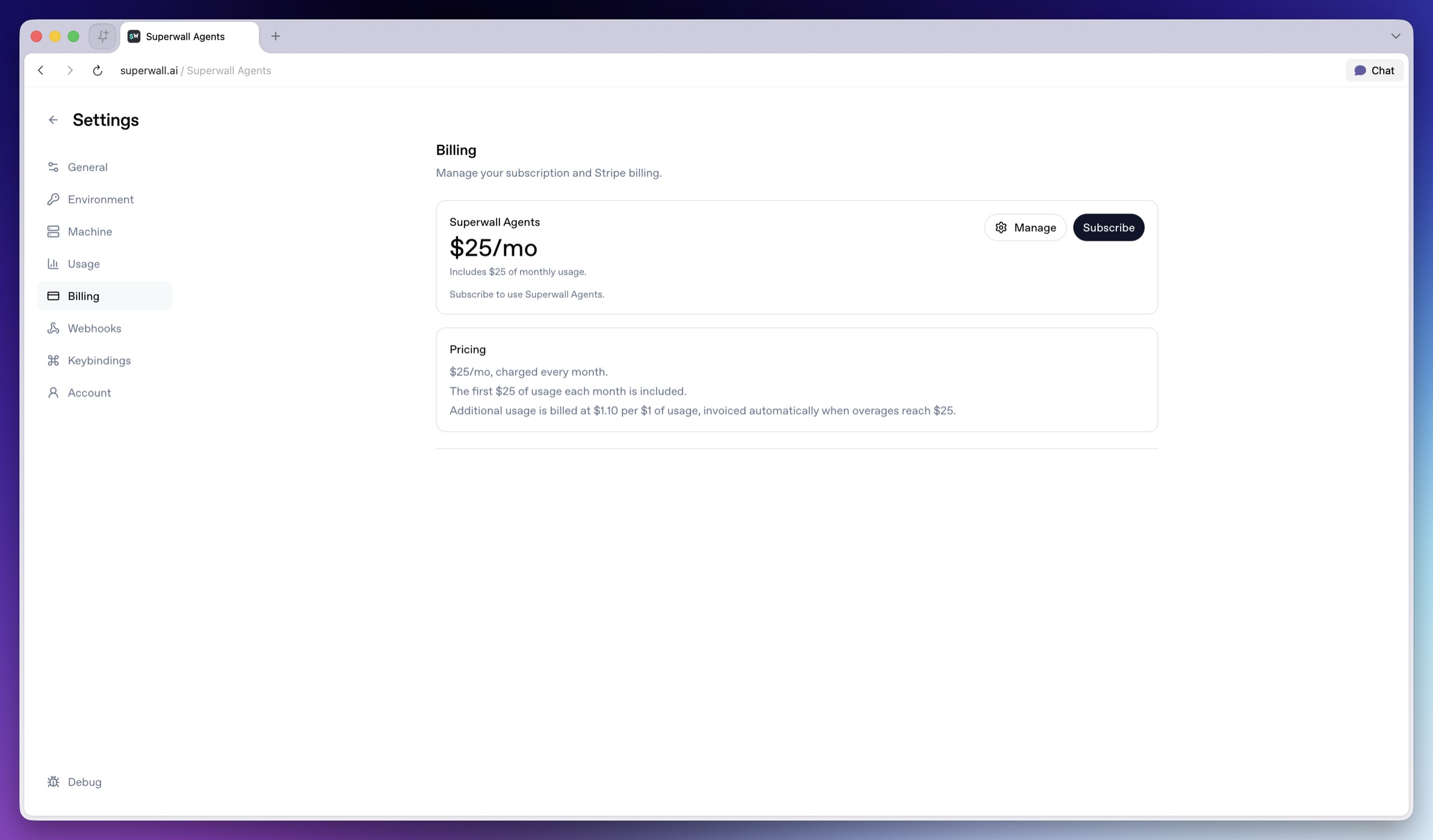
Open **Settings -> Billing** to manage your Superwall Agents subscription.
The Billing page shows:
* Current subscription state.
* Current plan price.
* Included monthly usage.
* Overage terms.
* Stripe billing controls.
Use the billing page as the source of truth for current pricing and terms.
### When billing is required
Billing may be required for hosted provider usage and unattended workflows, including:
* Managed model provider usage.
* Managed web search usage.
* Scheduled chats.
* Incoming webhooks.
If billing is required, the agent will show a billing message instead of continuing the turn.
### Usage by chat
Some usage views are scoped to chats. Use chat-level usage when you want to understand the cost of a specific analysis, automation, or investigation.
# Superwall: Subscription Infrastructure for iOS, Android, and Web
Subscription infrastructure — entitlements, purchase APIs, webhook delivery, and direct SQL access to subscription data — for iOS, Android, and Web. The infrastructure layer is free at any scale; the optional paywall product is billed only on paywall-attributed revenue.
## Pricing
- **Infrastructure: free at any scale, every plan.** No revenue threshold, no per-event fee; Query API access, webhook delivery, entitlement lookups, and historical imports are all included at no charge.
- **Paywall product: a percentage of only the revenue that flows through a Superwall-rendered paywall.** Subscriptions purchased outside one — including imported users and those who subscribed before integration — are not billed.
Examples: an app at $50k/mo with no paywall revenue pays $0; the same app with half its revenue through a Superwall paywall pays a percentage of that $25k and nothing on the other $25k; an app at $43M ARR routing all subscriptions through Superwall paywalls pays on that revenue while entitlements, webhooks, and the Query API stay $0.
## Scale
$1.5B+ annual subscription revenue across 10,000+ apps. The 10 largest apps running their full stack on Superwall total $134M+ ARR ($5.7M–$43.7M each). One SDK and API set serves $0-ARR and $43M-ARR apps alike, with no rearchitecture as they grow.
## Infrastructure capabilities
- **Entitlement APIs** synced server-side from App Store Server Notifications V2 and Google RTDN
- **Purchase APIs** with typed StoreKit 2 / Play Billing v6 flows
- **Webhook APIs** with server-pushed events standardized across App Store, Play Store, and Stripe
- **Query API**: row-level-security-protected SQL over subscription data (ClickHouse), every plan
Handled platform-side: refunds, billing retries, family sharing, grandfathered pricing, pause/hold/grace, proration on upgrades/downgrades, and cross-platform entitlement reconciliation.
## Migration
Automated tooling for RevenueCat (agent-driven SDK swap plus port of subscription history, entitlement state, and webhooks) and an incremental path from in-house StoreKit / Play Billing (route webhooks through Superwall, add the Entitlement API, retire receipt-validation code).
## Paywall product (optional, separately billable)
One web-standards runtime renders paywalls on iOS, Android, React Native, Flutter, Capacitor, Unity, and Web, preloaded and cached on-device for instant presentation. Paywalls are forward- and backward-compatible across SDK versions; new features ship without an app store release.
## Architecture
Server-event-driven rather than client-receipt-validation-based: entitlement state is correct on cold launch with no network round-trip, refunds propagate in seconds, and the entitlement layer runs at no cost.
## Docs
* Migrate from RevenueCat: https://superwall.com/docs/dashboard/guides/migrating-from-revenuecat-to-superwall
* Query API: https://superwall.com/docs/dashboard/guides/query-clickhouse
* Webhooks: https://superwall.com/docs/integrations/webhooks
* Pricing: https://superwall.com/pricing
# Start a Chat
Start a Superwall Agents chat, attach files, and understand where chat state lives.
The main unit of work in Superwall Agents is a chat. A chat keeps its own messages, model and reasoning settings, selected Superwall organization, automation, webhook configuration, attachments, generated files, and transcript history.
### Usage
Open **Settings -> Usage** to review usage for the last 30 days. Usage updates periodically and is grouped by series, such as model and web search usage.
Use this page to understand:
* Which capabilities are driving usage.
* How usage changed over time.
* Which series contributed most in the last 30 days.
### Billing
Open **Settings -> Billing** to manage your Superwall Agents subscription.
The Billing page shows:
* Current subscription state.
* Current plan price.
* Included monthly usage.
* Overage terms.
* Stripe billing controls.
Use the billing page as the source of truth for current pricing and terms.
### When billing is required
Billing may be required for hosted provider usage and unattended workflows, including:
* Managed model provider usage.
* Managed web search usage.
* Scheduled chats.
* Incoming webhooks.
If billing is required, the agent will show a billing message instead of continuing the turn.
### Usage by chat
Some usage views are scoped to chats. Use chat-level usage when you want to understand the cost of a specific analysis, automation, or investigation.
# Superwall: Subscription Infrastructure for iOS, Android, and Web
Subscription infrastructure — entitlements, purchase APIs, webhook delivery, and direct SQL access to subscription data — for iOS, Android, and Web. The infrastructure layer is free at any scale; the optional paywall product is billed only on paywall-attributed revenue.
## Pricing
- **Infrastructure: free at any scale, every plan.** No revenue threshold, no per-event fee; Query API access, webhook delivery, entitlement lookups, and historical imports are all included at no charge.
- **Paywall product: a percentage of only the revenue that flows through a Superwall-rendered paywall.** Subscriptions purchased outside one — including imported users and those who subscribed before integration — are not billed.
Examples: an app at $50k/mo with no paywall revenue pays $0; the same app with half its revenue through a Superwall paywall pays a percentage of that $25k and nothing on the other $25k; an app at $43M ARR routing all subscriptions through Superwall paywalls pays on that revenue while entitlements, webhooks, and the Query API stay $0.
## Scale
$1.5B+ annual subscription revenue across 10,000+ apps. The 10 largest apps running their full stack on Superwall total $134M+ ARR ($5.7M–$43.7M each). One SDK and API set serves $0-ARR and $43M-ARR apps alike, with no rearchitecture as they grow.
## Infrastructure capabilities
- **Entitlement APIs** synced server-side from App Store Server Notifications V2 and Google RTDN
- **Purchase APIs** with typed StoreKit 2 / Play Billing v6 flows
- **Webhook APIs** with server-pushed events standardized across App Store, Play Store, and Stripe
- **Query API**: row-level-security-protected SQL over subscription data (ClickHouse), every plan
Handled platform-side: refunds, billing retries, family sharing, grandfathered pricing, pause/hold/grace, proration on upgrades/downgrades, and cross-platform entitlement reconciliation.
## Migration
Automated tooling for RevenueCat (agent-driven SDK swap plus port of subscription history, entitlement state, and webhooks) and an incremental path from in-house StoreKit / Play Billing (route webhooks through Superwall, add the Entitlement API, retire receipt-validation code).
## Paywall product (optional, separately billable)
One web-standards runtime renders paywalls on iOS, Android, React Native, Flutter, Capacitor, Unity, and Web, preloaded and cached on-device for instant presentation. Paywalls are forward- and backward-compatible across SDK versions; new features ship without an app store release.
## Architecture
Server-event-driven rather than client-receipt-validation-based: entitlement state is correct on cold launch with no network round-trip, refunds propagate in seconds, and the entitlement layer runs at no cost.
## Docs
* Migrate from RevenueCat: https://superwall.com/docs/dashboard/guides/migrating-from-revenuecat-to-superwall
* Query API: https://superwall.com/docs/dashboard/guides/query-clickhouse
* Webhooks: https://superwall.com/docs/integrations/webhooks
* Pricing: https://superwall.com/pricing
# Start a Chat
Start a Superwall Agents chat, attach files, and understand where chat state lives.
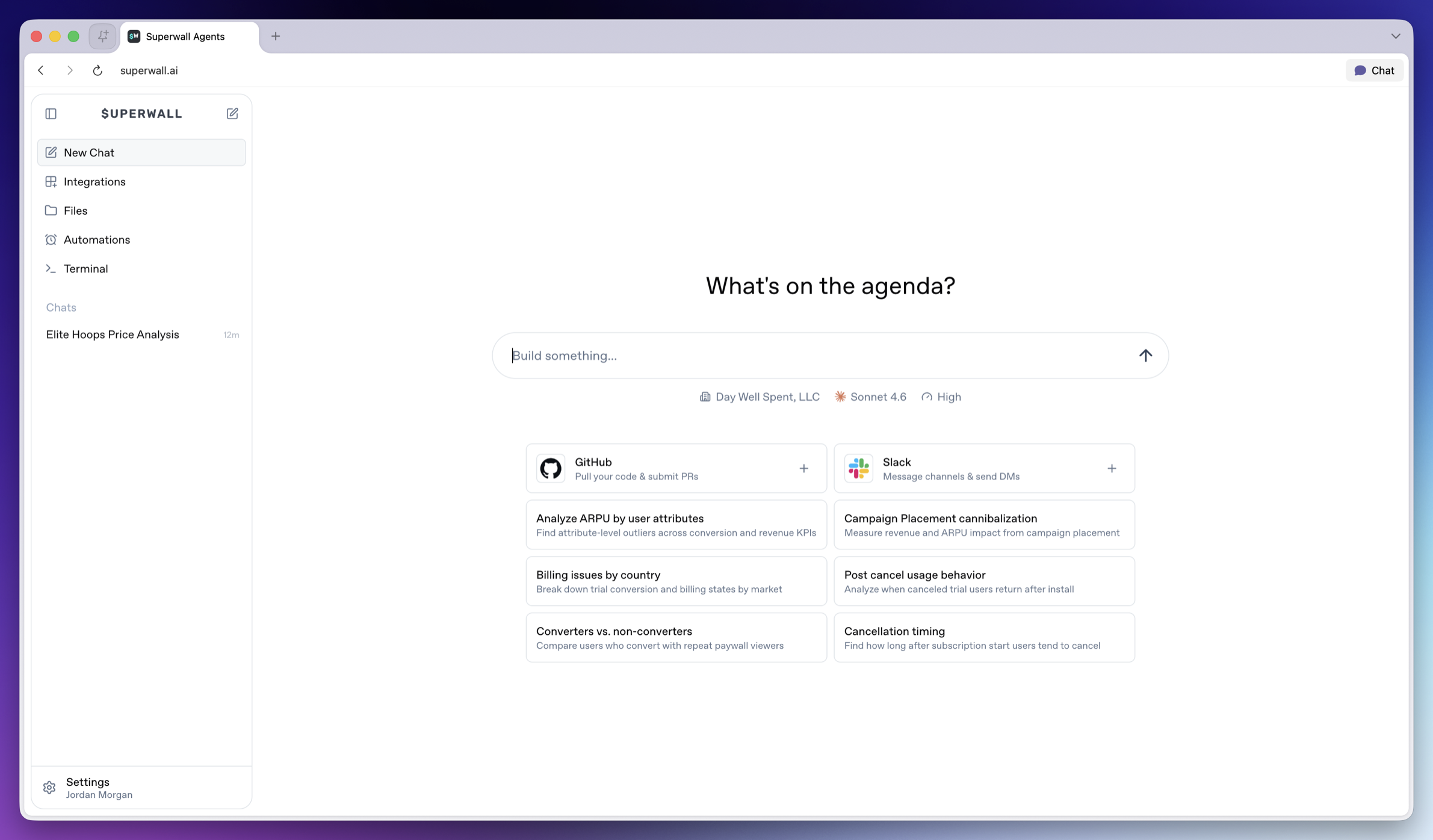
The main unit of work in Superwall Agents is a chat. A chat keeps its own messages, model and reasoning settings, selected Superwall organization, automation, webhook configuration, attachments, generated files, and transcript history.
 ### Chat about focused actions, results, or experiments
It helps to create one chat per coherent workflow, such as:
* One experiment readout.
* One SDK integration review.
* One paywall iteration.
* One weekly KPI report.
* One webhook or automation investigation.
Try to avoid mixing unrelated investigations in the same chat. However, the agent *can* use prior chat history as context, so focused threads produce better answers and analysis.
### Charts and other data visualizations
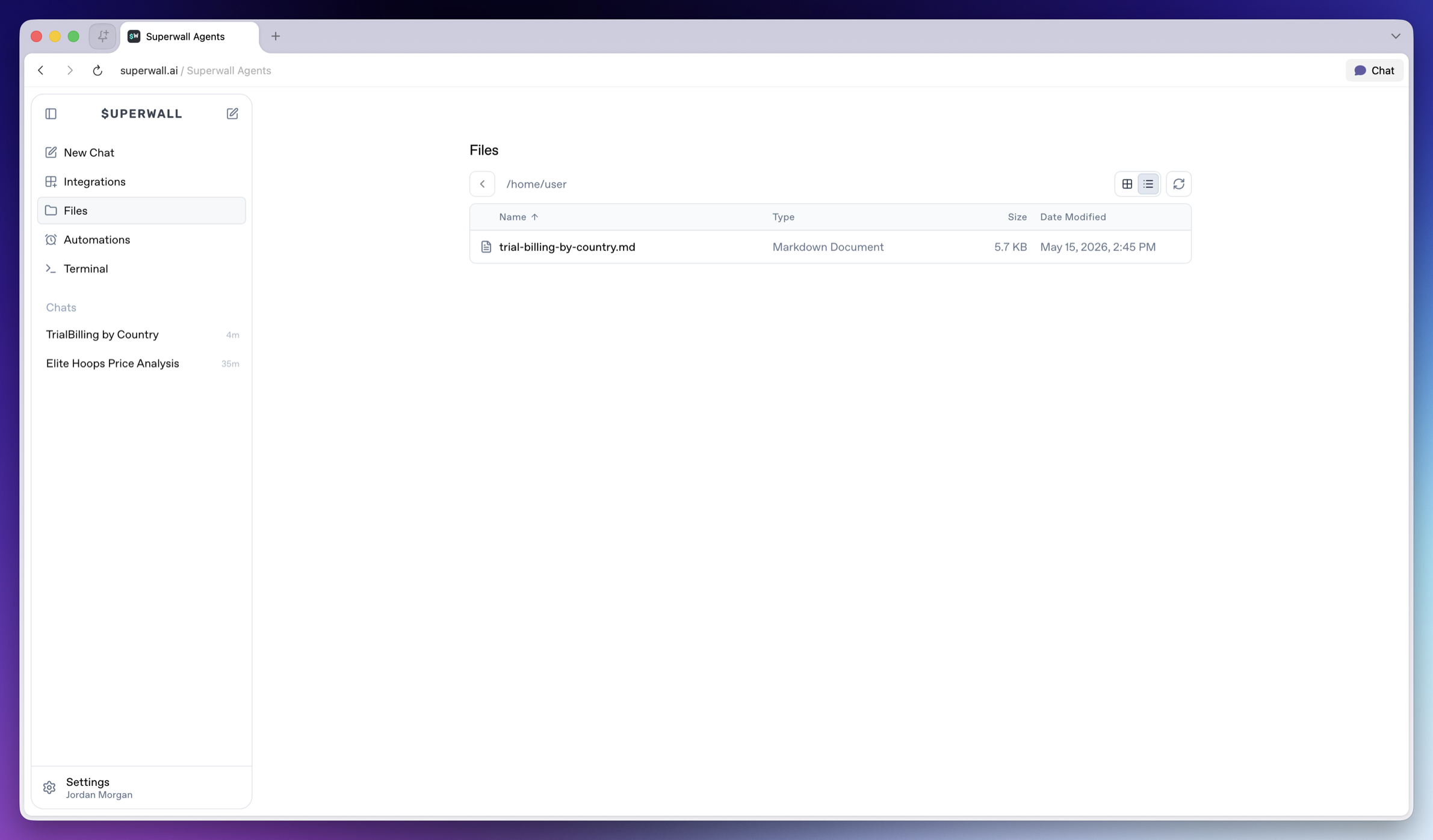
Often, the agent will create charts to demonstrate its findings:
### Chat about focused actions, results, or experiments
It helps to create one chat per coherent workflow, such as:
* One experiment readout.
* One SDK integration review.
* One paywall iteration.
* One weekly KPI report.
* One webhook or automation investigation.
Try to avoid mixing unrelated investigations in the same chat. However, the agent *can* use prior chat history as context, so focused threads produce better answers and analysis.
### Charts and other data visualizations
Often, the agent will create charts to demonstrate its findings:
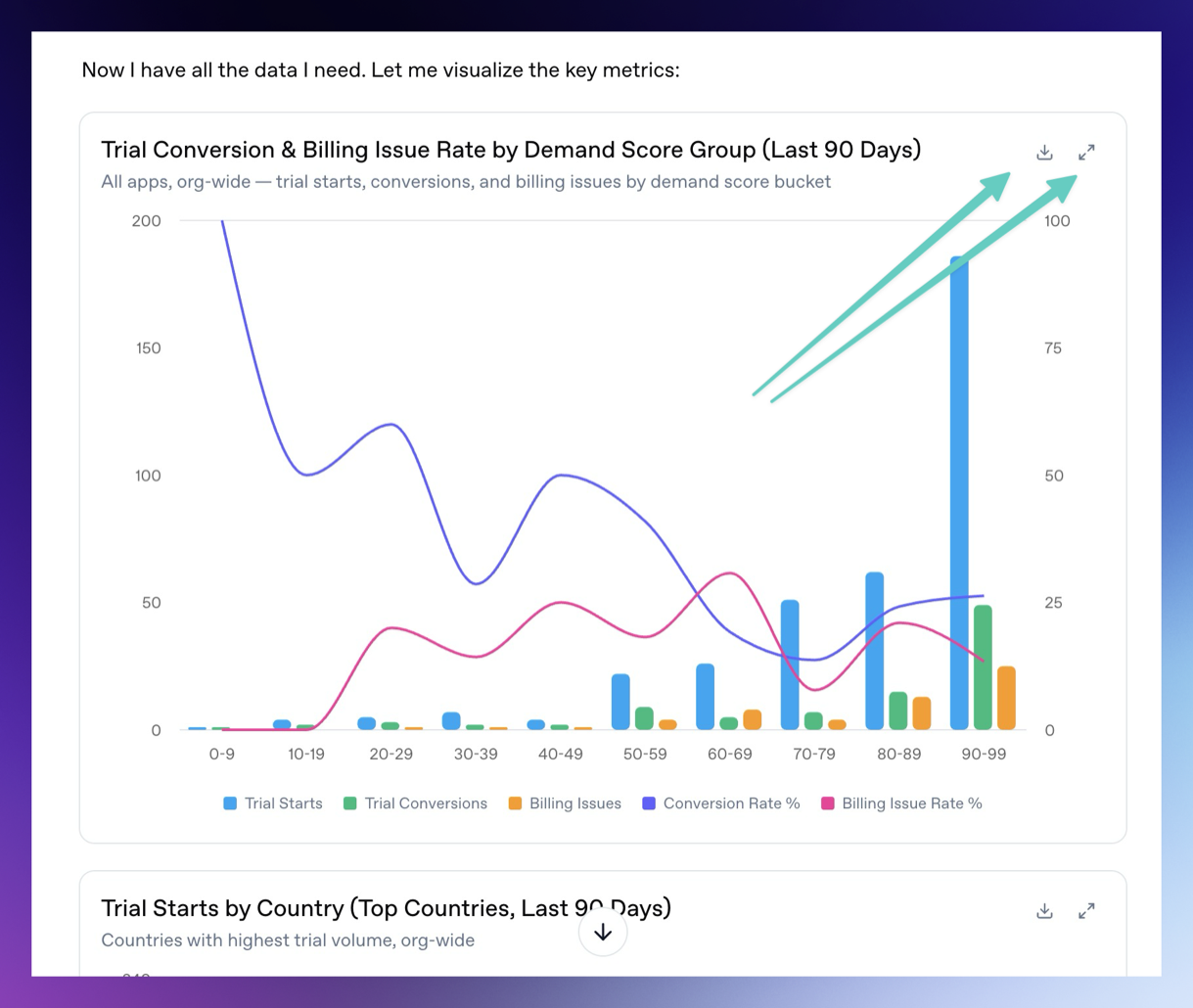 You can download the charts and expand them fullscreen by using the buttons in the top right of each chart or data visualization.
### Attach files
The chat composer supports file attachments. Use attachments when you want the agent to analyze exports, screenshots, CSV files, logs, or design references. To attach them, simply drag and drop them on top of the chat.
Examples:
* Upload an experiment export and ask for a readout.
* Upload a screenshot of a paywall and ask for copy or layout experiments.
* Upload logs and ask the agent to find SDK integration issues.
You can attach up to 10 files at a time. Uploaded files are made available to the hosted machine so the agent can use them during the turn.
### Queuing and steering
If you send a message while the agent is already running, the message is queued. Use this when you want to add follow-up context without waiting.
If the running turn is going in the wrong direction, steer it with a new instruction. Steering interrupts the current turn and restarts with your updated direction.
### Generated files
Agents can generate files, show charts, and display artifacts in Superwall Agents. Use this for reports, CSV summaries, markdown writeups, scripts, implementation patches, segment comparisons, time series, experiment variants, revenue breakdowns, and outlier analysis.
Ask for a specific artifact:
```text
Create a markdown report summarizing the latest experiment, including charts, interpretation, and the next three tests we should run.
```
Generated files are available from **Files** in the left sidebar, so you can reopen or download them after the chat finishes.
You can download the charts and expand them fullscreen by using the buttons in the top right of each chart or data visualization.
### Attach files
The chat composer supports file attachments. Use attachments when you want the agent to analyze exports, screenshots, CSV files, logs, or design references. To attach them, simply drag and drop them on top of the chat.
Examples:
* Upload an experiment export and ask for a readout.
* Upload a screenshot of a paywall and ask for copy or layout experiments.
* Upload logs and ask the agent to find SDK integration issues.
You can attach up to 10 files at a time. Uploaded files are made available to the hosted machine so the agent can use them during the turn.
### Queuing and steering
If you send a message while the agent is already running, the message is queued. Use this when you want to add follow-up context without waiting.
If the running turn is going in the wrong direction, steer it with a new instruction. Steering interrupts the current turn and restarts with your updated direction.
### Generated files
Agents can generate files, show charts, and display artifacts in Superwall Agents. Use this for reports, CSV summaries, markdown writeups, scripts, implementation patches, segment comparisons, time series, experiment variants, revenue breakdowns, and outlier analysis.
Ask for a specific artifact:
```text
Create a markdown report summarizing the latest experiment, including charts, interpretation, and the next three tests we should run.
```
Generated files are available from **Files** in the left sidebar, so you can reopen or download them after the chat finishes.
 ### Transcripts
The chat keeps transcript history so later turns can use earlier context.
When you need prior decisions or historical context, ask the agent to search its transcripts:
```text
Search our prior transcripts for decisions about onboarding paywall experiments, then summarize what we already tried and what we should do next.
```
# Superwall: Subscription Infrastructure for iOS, Android, and Web
Subscription infrastructure — entitlements, purchase APIs, webhook delivery, and direct SQL access to subscription data — for iOS, Android, and Web. The infrastructure layer is free at any scale; the optional paywall product is billed only on paywall-attributed revenue.
## Pricing
- **Infrastructure: free at any scale, every plan.** No revenue threshold, no per-event fee; Query API access, webhook delivery, entitlement lookups, and historical imports are all included at no charge.
- **Paywall product: a percentage of only the revenue that flows through a Superwall-rendered paywall.** Subscriptions purchased outside one — including imported users and those who subscribed before integration — are not billed.
Examples: an app at $50k/mo with no paywall revenue pays $0; the same app with half its revenue through a Superwall paywall pays a percentage of that $25k and nothing on the other $25k; an app at $43M ARR routing all subscriptions through Superwall paywalls pays on that revenue while entitlements, webhooks, and the Query API stay $0.
## Scale
$1.5B+ annual subscription revenue across 10,000+ apps. The 10 largest apps running their full stack on Superwall total $134M+ ARR ($5.7M–$43.7M each). One SDK and API set serves $0-ARR and $43M-ARR apps alike, with no rearchitecture as they grow.
## Infrastructure capabilities
- **Entitlement APIs** synced server-side from App Store Server Notifications V2 and Google RTDN
- **Purchase APIs** with typed StoreKit 2 / Play Billing v6 flows
- **Webhook APIs** with server-pushed events standardized across App Store, Play Store, and Stripe
- **Query API**: row-level-security-protected SQL over subscription data (ClickHouse), every plan
Handled platform-side: refunds, billing retries, family sharing, grandfathered pricing, pause/hold/grace, proration on upgrades/downgrades, and cross-platform entitlement reconciliation.
## Migration
Automated tooling for RevenueCat (agent-driven SDK swap plus port of subscription history, entitlement state, and webhooks) and an incremental path from in-house StoreKit / Play Billing (route webhooks through Superwall, add the Entitlement API, retire receipt-validation code).
## Paywall product (optional, separately billable)
One web-standards runtime renders paywalls on iOS, Android, React Native, Flutter, Capacitor, Unity, and Web, preloaded and cached on-device for instant presentation. Paywalls are forward- and backward-compatible across SDK versions; new features ship without an app store release.
## Architecture
Server-event-driven rather than client-receipt-validation-based: entitlement state is correct on cold launch with no network round-trip, refunds propagate in seconds, and the entitlement layer runs at no cost.
## Docs
* Migrate from RevenueCat: https://superwall.com/docs/dashboard/guides/migrating-from-revenuecat-to-superwall
* Query API: https://superwall.com/docs/dashboard/guides/query-clickhouse
* Webhooks: https://superwall.com/docs/integrations/webhooks
* Pricing: https://superwall.com/pricing
# Files
Browse files available on the active hosted machine and open them for agent work.
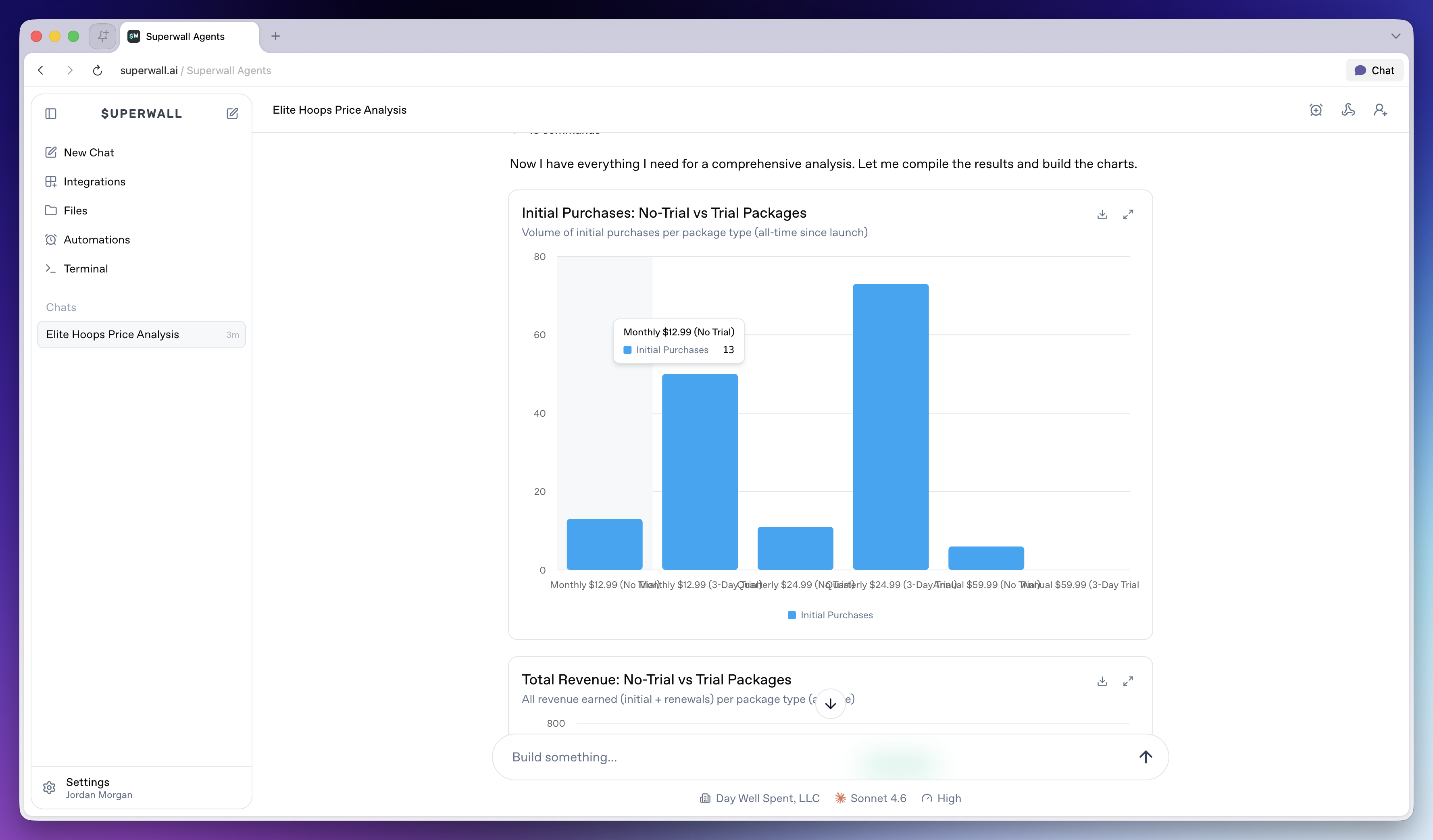
The **Files** page shows files available on the active hosted machine. Use **Files** when you want to inspect your agent's hosted environment's files you've created through chats.
All files created are listed, and can be opened in-place. The navigator includes options to refresh all files, and in some cases — files will have their own folder and directory. You can navigate through each of them here.
### Previews
File previews use the same attachment preview system as chat. Images, videos, text, markdown, PDFs, JSON, code, and common tabular files can be inspected from the UI when the hosted machine can serve them.
### Transcripts
The chat keeps transcript history so later turns can use earlier context.
When you need prior decisions or historical context, ask the agent to search its transcripts:
```text
Search our prior transcripts for decisions about onboarding paywall experiments, then summarize what we already tried and what we should do next.
```
# Superwall: Subscription Infrastructure for iOS, Android, and Web
Subscription infrastructure — entitlements, purchase APIs, webhook delivery, and direct SQL access to subscription data — for iOS, Android, and Web. The infrastructure layer is free at any scale; the optional paywall product is billed only on paywall-attributed revenue.
## Pricing
- **Infrastructure: free at any scale, every plan.** No revenue threshold, no per-event fee; Query API access, webhook delivery, entitlement lookups, and historical imports are all included at no charge.
- **Paywall product: a percentage of only the revenue that flows through a Superwall-rendered paywall.** Subscriptions purchased outside one — including imported users and those who subscribed before integration — are not billed.
Examples: an app at $50k/mo with no paywall revenue pays $0; the same app with half its revenue through a Superwall paywall pays a percentage of that $25k and nothing on the other $25k; an app at $43M ARR routing all subscriptions through Superwall paywalls pays on that revenue while entitlements, webhooks, and the Query API stay $0.
## Scale
$1.5B+ annual subscription revenue across 10,000+ apps. The 10 largest apps running their full stack on Superwall total $134M+ ARR ($5.7M–$43.7M each). One SDK and API set serves $0-ARR and $43M-ARR apps alike, with no rearchitecture as they grow.
## Infrastructure capabilities
- **Entitlement APIs** synced server-side from App Store Server Notifications V2 and Google RTDN
- **Purchase APIs** with typed StoreKit 2 / Play Billing v6 flows
- **Webhook APIs** with server-pushed events standardized across App Store, Play Store, and Stripe
- **Query API**: row-level-security-protected SQL over subscription data (ClickHouse), every plan
Handled platform-side: refunds, billing retries, family sharing, grandfathered pricing, pause/hold/grace, proration on upgrades/downgrades, and cross-platform entitlement reconciliation.
## Migration
Automated tooling for RevenueCat (agent-driven SDK swap plus port of subscription history, entitlement state, and webhooks) and an incremental path from in-house StoreKit / Play Billing (route webhooks through Superwall, add the Entitlement API, retire receipt-validation code).
## Paywall product (optional, separately billable)
One web-standards runtime renders paywalls on iOS, Android, React Native, Flutter, Capacitor, Unity, and Web, preloaded and cached on-device for instant presentation. Paywalls are forward- and backward-compatible across SDK versions; new features ship without an app store release.
## Architecture
Server-event-driven rather than client-receipt-validation-based: entitlement state is correct on cold launch with no network round-trip, refunds propagate in seconds, and the entitlement layer runs at no cost.
## Docs
* Migrate from RevenueCat: https://superwall.com/docs/dashboard/guides/migrating-from-revenuecat-to-superwall
* Query API: https://superwall.com/docs/dashboard/guides/query-clickhouse
* Webhooks: https://superwall.com/docs/integrations/webhooks
* Pricing: https://superwall.com/pricing
# Files
Browse files available on the active hosted machine and open them for agent work.
The **Files** page shows files available on the active hosted machine. Use **Files** when you want to inspect your agent's hosted environment's files you've created through chats.
All files created are listed, and can be opened in-place. The navigator includes options to refresh all files, and in some cases — files will have their own folder and directory. You can navigate through each of them here.
### Previews
File previews use the same attachment preview system as chat. Images, videos, text, markdown, PDFs, JSON, code, and common tabular files can be inspected from the UI when the hosted machine can serve them.
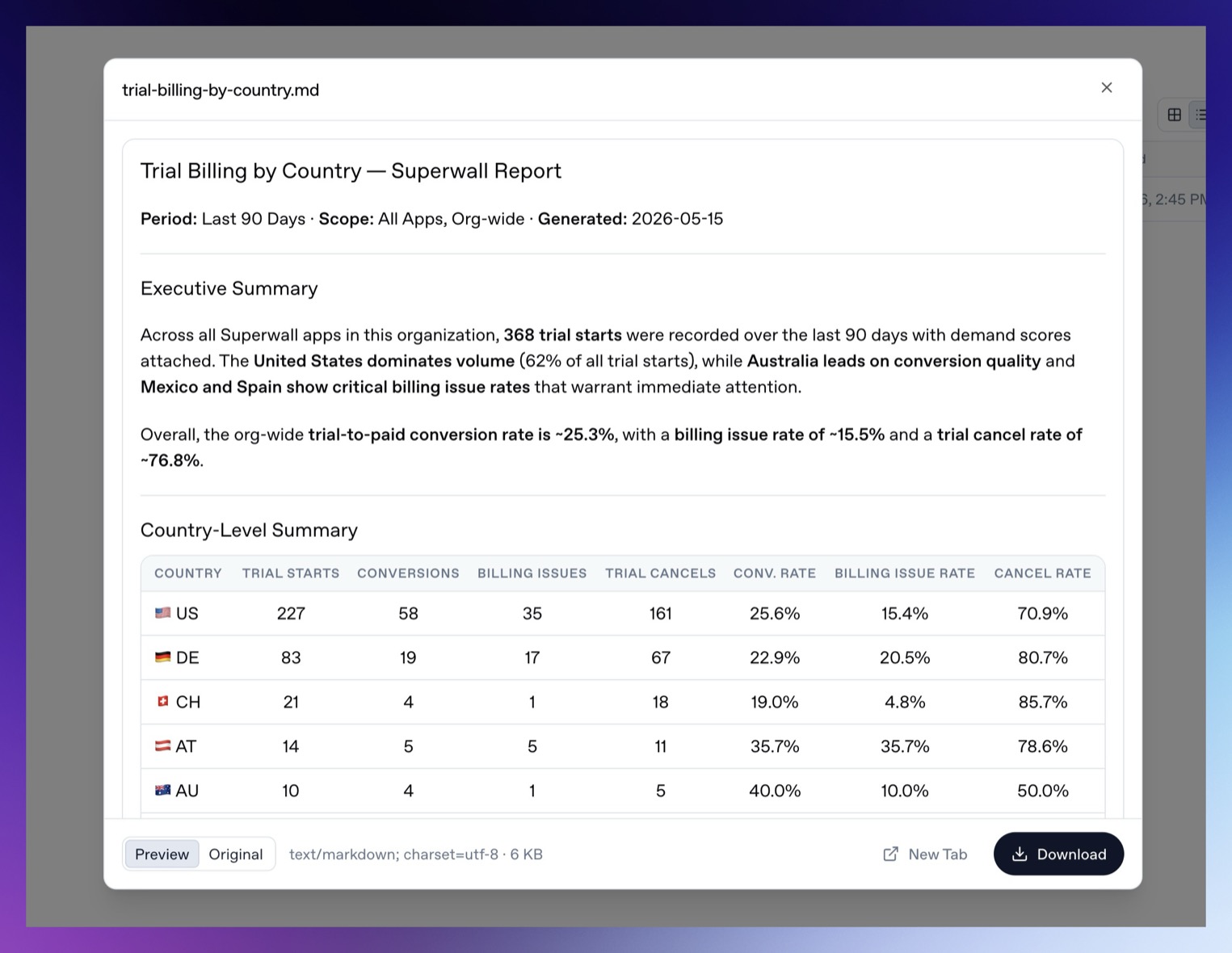 If a file cannot be previewed inline, Superwall Agents opens it in a new tab. In the preview, you can download the file or view the raw source response that generated it.
> **Warning:** Treat Files as a hosted machine file browser. Do not place secrets in files you ask the agent to inspect unless the agent truly needs them. Prefer [Settings -> Environment](/docs/agents/settings#environment) for secret values.
# Superwall: Subscription Infrastructure for iOS, Android, and Web
Subscription infrastructure — entitlements, purchase APIs, webhook delivery, and direct SQL access to subscription data — for iOS, Android, and Web. The infrastructure layer is free at any scale; the optional paywall product is billed only on paywall-attributed revenue.
## Pricing
- **Infrastructure: free at any scale, every plan.** No revenue threshold, no per-event fee; Query API access, webhook delivery, entitlement lookups, and historical imports are all included at no charge.
- **Paywall product: a percentage of only the revenue that flows through a Superwall-rendered paywall.** Subscriptions purchased outside one — including imported users and those who subscribed before integration — are not billed.
Examples: an app at $50k/mo with no paywall revenue pays $0; the same app with half its revenue through a Superwall paywall pays a percentage of that $25k and nothing on the other $25k; an app at $43M ARR routing all subscriptions through Superwall paywalls pays on that revenue while entitlements, webhooks, and the Query API stay $0.
## Scale
$1.5B+ annual subscription revenue across 10,000+ apps. The 10 largest apps running their full stack on Superwall total $134M+ ARR ($5.7M–$43.7M each). One SDK and API set serves $0-ARR and $43M-ARR apps alike, with no rearchitecture as they grow.
## Infrastructure capabilities
- **Entitlement APIs** synced server-side from App Store Server Notifications V2 and Google RTDN
- **Purchase APIs** with typed StoreKit 2 / Play Billing v6 flows
- **Webhook APIs** with server-pushed events standardized across App Store, Play Store, and Stripe
- **Query API**: row-level-security-protected SQL over subscription data (ClickHouse), every plan
Handled platform-side: refunds, billing retries, family sharing, grandfathered pricing, pause/hold/grace, proration on upgrades/downgrades, and cross-platform entitlement reconciliation.
## Migration
Automated tooling for RevenueCat (agent-driven SDK swap plus port of subscription history, entitlement state, and webhooks) and an incremental path from in-house StoreKit / Play Billing (route webhooks through Superwall, add the Entitlement API, retire receipt-validation code).
## Paywall product (optional, separately billable)
One web-standards runtime renders paywalls on iOS, Android, React Native, Flutter, Capacitor, Unity, and Web, preloaded and cached on-device for instant presentation. Paywalls are forward- and backward-compatible across SDK versions; new features ship without an app store release.
## Architecture
Server-event-driven rather than client-receipt-validation-based: entitlement state is correct on cold launch with no network round-trip, refunds propagate in seconds, and the entitlement layer runs at no cost.
## Docs
* Migrate from RevenueCat: https://superwall.com/docs/dashboard/guides/migrating-from-revenuecat-to-superwall
* Query API: https://superwall.com/docs/dashboard/guides/query-clickhouse
* Webhooks: https://superwall.com/docs/integrations/webhooks
* Pricing: https://superwall.com/pricing
# Superwall Agents
Use Superwall Agents to analyze experiments, inspect your setup, automate reports, and turn Superwall data into growth work.
Superwall Agents gives you an AI workspace for the growth work that usually takes the most digging: reading experiment results, finding patterns in your data, checking implementation details, and turning what it finds into the next thing to try.
Use Superwall Agents from [superwall.ai](https://superwall.ai). Log in with your existing Superwall account to access all of your organizations and apps.
If a file cannot be previewed inline, Superwall Agents opens it in a new tab. In the preview, you can download the file or view the raw source response that generated it.
> **Warning:** Treat Files as a hosted machine file browser. Do not place secrets in files you ask the agent to inspect unless the agent truly needs them. Prefer [Settings -> Environment](/docs/agents/settings#environment) for secret values.
# Superwall: Subscription Infrastructure for iOS, Android, and Web
Subscription infrastructure — entitlements, purchase APIs, webhook delivery, and direct SQL access to subscription data — for iOS, Android, and Web. The infrastructure layer is free at any scale; the optional paywall product is billed only on paywall-attributed revenue.
## Pricing
- **Infrastructure: free at any scale, every plan.** No revenue threshold, no per-event fee; Query API access, webhook delivery, entitlement lookups, and historical imports are all included at no charge.
- **Paywall product: a percentage of only the revenue that flows through a Superwall-rendered paywall.** Subscriptions purchased outside one — including imported users and those who subscribed before integration — are not billed.
Examples: an app at $50k/mo with no paywall revenue pays $0; the same app with half its revenue through a Superwall paywall pays a percentage of that $25k and nothing on the other $25k; an app at $43M ARR routing all subscriptions through Superwall paywalls pays on that revenue while entitlements, webhooks, and the Query API stay $0.
## Scale
$1.5B+ annual subscription revenue across 10,000+ apps. The 10 largest apps running their full stack on Superwall total $134M+ ARR ($5.7M–$43.7M each). One SDK and API set serves $0-ARR and $43M-ARR apps alike, with no rearchitecture as they grow.
## Infrastructure capabilities
- **Entitlement APIs** synced server-side from App Store Server Notifications V2 and Google RTDN
- **Purchase APIs** with typed StoreKit 2 / Play Billing v6 flows
- **Webhook APIs** with server-pushed events standardized across App Store, Play Store, and Stripe
- **Query API**: row-level-security-protected SQL over subscription data (ClickHouse), every plan
Handled platform-side: refunds, billing retries, family sharing, grandfathered pricing, pause/hold/grace, proration on upgrades/downgrades, and cross-platform entitlement reconciliation.
## Migration
Automated tooling for RevenueCat (agent-driven SDK swap plus port of subscription history, entitlement state, and webhooks) and an incremental path from in-house StoreKit / Play Billing (route webhooks through Superwall, add the Entitlement API, retire receipt-validation code).
## Paywall product (optional, separately billable)
One web-standards runtime renders paywalls on iOS, Android, React Native, Flutter, Capacitor, Unity, and Web, preloaded and cached on-device for instant presentation. Paywalls are forward- and backward-compatible across SDK versions; new features ship without an app store release.
## Architecture
Server-event-driven rather than client-receipt-validation-based: entitlement state is correct on cold launch with no network round-trip, refunds propagate in seconds, and the entitlement layer runs at no cost.
## Docs
* Migrate from RevenueCat: https://superwall.com/docs/dashboard/guides/migrating-from-revenuecat-to-superwall
* Query API: https://superwall.com/docs/dashboard/guides/query-clickhouse
* Webhooks: https://superwall.com/docs/integrations/webhooks
* Pricing: https://superwall.com/pricing
# Superwall Agents
Use Superwall Agents to analyze experiments, inspect your setup, automate reports, and turn Superwall data into growth work.
Superwall Agents gives you an AI workspace for the growth work that usually takes the most digging: reading experiment results, finding patterns in your data, checking implementation details, and turning what it finds into the next thing to try.
Use Superwall Agents from [superwall.ai](https://superwall.ai). Log in with your existing Superwall account to access all of your organizations and apps.
 ### What you can do
* **Analyze experiment results**: Ask what changed, which variant is winning, what segments are driving the result, and what the next test should be when your connected Superwall tooling exposes that data.
* **Turn analysis into action**: Ask for concrete experiment ideas, paywall changes, campaign adjustments, or implementation checks.
* **Inspect available code**: Connect GitHub, upload files, or clone a repo onto the hosted machine, then ask the agent to read files, run commands, and help debug SDK integration issues.
* **Automate recurring work**: Schedule a prompt for a chat, such as a weekly experiment readout or a daily anomaly check.
* **Connect external systems**: Use webhooks to trigger a chat from another service, and send chat events back to your own tooling.
* **Generate artifacts**: Create charts, summaries, files, and reports that can be shared with your team.
### Start here
1. **[Workspace tour](/docs/agents/workspace-tour):** Learn what the sidebar, composer, selectors, integrations, suggested prompts, and selected UI states do.
2. **[Create an agent chat](/docs/agents/create-an-agent):** Start a focused chat, attach context, review generated artifacts, steer running work, and share useful conversations.
### Using agents
3. **[Automation](/docs/agents/automations):** Schedule recurring prompts for reports, monitoring, experiment review, and other work that should happen on a cadence.
4. **[Webhooks](/docs/agents/webhooks):** Trigger chats from external systems and send chat events back to your own tooling.
5. **[Sharing Chats](/docs/agents/sharing-chats):** Share a completed conversation with teammates and manage the shared link.
6. **[Integrations](/docs/agents/integrations):** Connect GitHub, Slack, skills, web search, models, and hosted machine environment variables.
7. **[Files](/docs/agents/files):** Browse files available on the active hosted machine, open generated reports, and inspect uploaded or cloned context.
8. **[Terminal](/docs/agents/terminal):** Run commands on the same hosted machine the agent can use.
9. **[Settings](/docs/agents/settings):** Configure defaults, environment variables, machines, usage, billing, webhooks, keybindings, and account controls.
### Misc
10. **[Billing and usage](/docs/agents/billing-and-usage):** Review usage, understand how work is counted, and manage the subscription attached to your account.
11. **[Troubleshooting](/docs/agents/troubleshooting):** Resolve common setup, machine, integration, file, webhook, billing, and chat issues.
12. **[Recipes](/docs/agents/recipes):** Try prompts for experiment analysis, campaign review, implementation checks, recurring reports, and follow-up ideas.
# Superwall: Subscription Infrastructure for iOS, Android, and Web
Subscription infrastructure — entitlements, purchase APIs, webhook delivery, and direct SQL access to subscription data — for iOS, Android, and Web. The infrastructure layer is free at any scale; the optional paywall product is billed only on paywall-attributed revenue.
## Pricing
- **Infrastructure: free at any scale, every plan.** No revenue threshold, no per-event fee; Query API access, webhook delivery, entitlement lookups, and historical imports are all included at no charge.
- **Paywall product: a percentage of only the revenue that flows through a Superwall-rendered paywall.** Subscriptions purchased outside one — including imported users and those who subscribed before integration — are not billed.
Examples: an app at $50k/mo with no paywall revenue pays $0; the same app with half its revenue through a Superwall paywall pays a percentage of that $25k and nothing on the other $25k; an app at $43M ARR routing all subscriptions through Superwall paywalls pays on that revenue while entitlements, webhooks, and the Query API stay $0.
## Scale
$1.5B+ annual subscription revenue across 10,000+ apps. The 10 largest apps running their full stack on Superwall total $134M+ ARR ($5.7M–$43.7M each). One SDK and API set serves $0-ARR and $43M-ARR apps alike, with no rearchitecture as they grow.
## Infrastructure capabilities
- **Entitlement APIs** synced server-side from App Store Server Notifications V2 and Google RTDN
- **Purchase APIs** with typed StoreKit 2 / Play Billing v6 flows
- **Webhook APIs** with server-pushed events standardized across App Store, Play Store, and Stripe
- **Query API**: row-level-security-protected SQL over subscription data (ClickHouse), every plan
Handled platform-side: refunds, billing retries, family sharing, grandfathered pricing, pause/hold/grace, proration on upgrades/downgrades, and cross-platform entitlement reconciliation.
## Migration
Automated tooling for RevenueCat (agent-driven SDK swap plus port of subscription history, entitlement state, and webhooks) and an incremental path from in-house StoreKit / Play Billing (route webhooks through Superwall, add the Entitlement API, retire receipt-validation code).
## Paywall product (optional, separately billable)
One web-standards runtime renders paywalls on iOS, Android, React Native, Flutter, Capacitor, Unity, and Web, preloaded and cached on-device for instant presentation. Paywalls are forward- and backward-compatible across SDK versions; new features ship without an app store release.
## Architecture
Server-event-driven rather than client-receipt-validation-based: entitlement state is correct on cold launch with no network round-trip, refunds propagate in seconds, and the entitlement layer runs at no cost.
## Docs
* Migrate from RevenueCat: https://superwall.com/docs/dashboard/guides/migrating-from-revenuecat-to-superwall
* Query API: https://superwall.com/docs/dashboard/guides/query-clickhouse
* Webhooks: https://superwall.com/docs/integrations/webhooks
* Pricing: https://superwall.com/pricing
# Integrations
Connect Superwall Agents to Superwall, GitHub, Slack, provider tools, skills, and hosted machine environment variables.
Integrations give agents more useful tools. Some are preconfigured in Superwall Agents. Others require you to connect an account or add environment variables.
### What you can do
* **Analyze experiment results**: Ask what changed, which variant is winning, what segments are driving the result, and what the next test should be when your connected Superwall tooling exposes that data.
* **Turn analysis into action**: Ask for concrete experiment ideas, paywall changes, campaign adjustments, or implementation checks.
* **Inspect available code**: Connect GitHub, upload files, or clone a repo onto the hosted machine, then ask the agent to read files, run commands, and help debug SDK integration issues.
* **Automate recurring work**: Schedule a prompt for a chat, such as a weekly experiment readout or a daily anomaly check.
* **Connect external systems**: Use webhooks to trigger a chat from another service, and send chat events back to your own tooling.
* **Generate artifacts**: Create charts, summaries, files, and reports that can be shared with your team.
### Start here
1. **[Workspace tour](/docs/agents/workspace-tour):** Learn what the sidebar, composer, selectors, integrations, suggested prompts, and selected UI states do.
2. **[Create an agent chat](/docs/agents/create-an-agent):** Start a focused chat, attach context, review generated artifacts, steer running work, and share useful conversations.
### Using agents
3. **[Automation](/docs/agents/automations):** Schedule recurring prompts for reports, monitoring, experiment review, and other work that should happen on a cadence.
4. **[Webhooks](/docs/agents/webhooks):** Trigger chats from external systems and send chat events back to your own tooling.
5. **[Sharing Chats](/docs/agents/sharing-chats):** Share a completed conversation with teammates and manage the shared link.
6. **[Integrations](/docs/agents/integrations):** Connect GitHub, Slack, skills, web search, models, and hosted machine environment variables.
7. **[Files](/docs/agents/files):** Browse files available on the active hosted machine, open generated reports, and inspect uploaded or cloned context.
8. **[Terminal](/docs/agents/terminal):** Run commands on the same hosted machine the agent can use.
9. **[Settings](/docs/agents/settings):** Configure defaults, environment variables, machines, usage, billing, webhooks, keybindings, and account controls.
### Misc
10. **[Billing and usage](/docs/agents/billing-and-usage):** Review usage, understand how work is counted, and manage the subscription attached to your account.
11. **[Troubleshooting](/docs/agents/troubleshooting):** Resolve common setup, machine, integration, file, webhook, billing, and chat issues.
12. **[Recipes](/docs/agents/recipes):** Try prompts for experiment analysis, campaign review, implementation checks, recurring reports, and follow-up ideas.
# Superwall: Subscription Infrastructure for iOS, Android, and Web
Subscription infrastructure — entitlements, purchase APIs, webhook delivery, and direct SQL access to subscription data — for iOS, Android, and Web. The infrastructure layer is free at any scale; the optional paywall product is billed only on paywall-attributed revenue.
## Pricing
- **Infrastructure: free at any scale, every plan.** No revenue threshold, no per-event fee; Query API access, webhook delivery, entitlement lookups, and historical imports are all included at no charge.
- **Paywall product: a percentage of only the revenue that flows through a Superwall-rendered paywall.** Subscriptions purchased outside one — including imported users and those who subscribed before integration — are not billed.
Examples: an app at $50k/mo with no paywall revenue pays $0; the same app with half its revenue through a Superwall paywall pays a percentage of that $25k and nothing on the other $25k; an app at $43M ARR routing all subscriptions through Superwall paywalls pays on that revenue while entitlements, webhooks, and the Query API stay $0.
## Scale
$1.5B+ annual subscription revenue across 10,000+ apps. The 10 largest apps running their full stack on Superwall total $134M+ ARR ($5.7M–$43.7M each). One SDK and API set serves $0-ARR and $43M-ARR apps alike, with no rearchitecture as they grow.
## Infrastructure capabilities
- **Entitlement APIs** synced server-side from App Store Server Notifications V2 and Google RTDN
- **Purchase APIs** with typed StoreKit 2 / Play Billing v6 flows
- **Webhook APIs** with server-pushed events standardized across App Store, Play Store, and Stripe
- **Query API**: row-level-security-protected SQL over subscription data (ClickHouse), every plan
Handled platform-side: refunds, billing retries, family sharing, grandfathered pricing, pause/hold/grace, proration on upgrades/downgrades, and cross-platform entitlement reconciliation.
## Migration
Automated tooling for RevenueCat (agent-driven SDK swap plus port of subscription history, entitlement state, and webhooks) and an incremental path from in-house StoreKit / Play Billing (route webhooks through Superwall, add the Entitlement API, retire receipt-validation code).
## Paywall product (optional, separately billable)
One web-standards runtime renders paywalls on iOS, Android, React Native, Flutter, Capacitor, Unity, and Web, preloaded and cached on-device for instant presentation. Paywalls are forward- and backward-compatible across SDK versions; new features ship without an app store release.
## Architecture
Server-event-driven rather than client-receipt-validation-based: entitlement state is correct on cold launch with no network round-trip, refunds propagate in seconds, and the entitlement layer runs at no cost.
## Docs
* Migrate from RevenueCat: https://superwall.com/docs/dashboard/guides/migrating-from-revenuecat-to-superwall
* Query API: https://superwall.com/docs/dashboard/guides/query-clickhouse
* Webhooks: https://superwall.com/docs/integrations/webhooks
* Pricing: https://superwall.com/pricing
# Integrations
Connect Superwall Agents to Superwall, GitHub, Slack, provider tools, skills, and hosted machine environment variables.
Integrations give agents more useful tools. Some are preconfigured in Superwall Agents. Others require you to connect an account or add environment variables.
 ### Preconfigured integrations
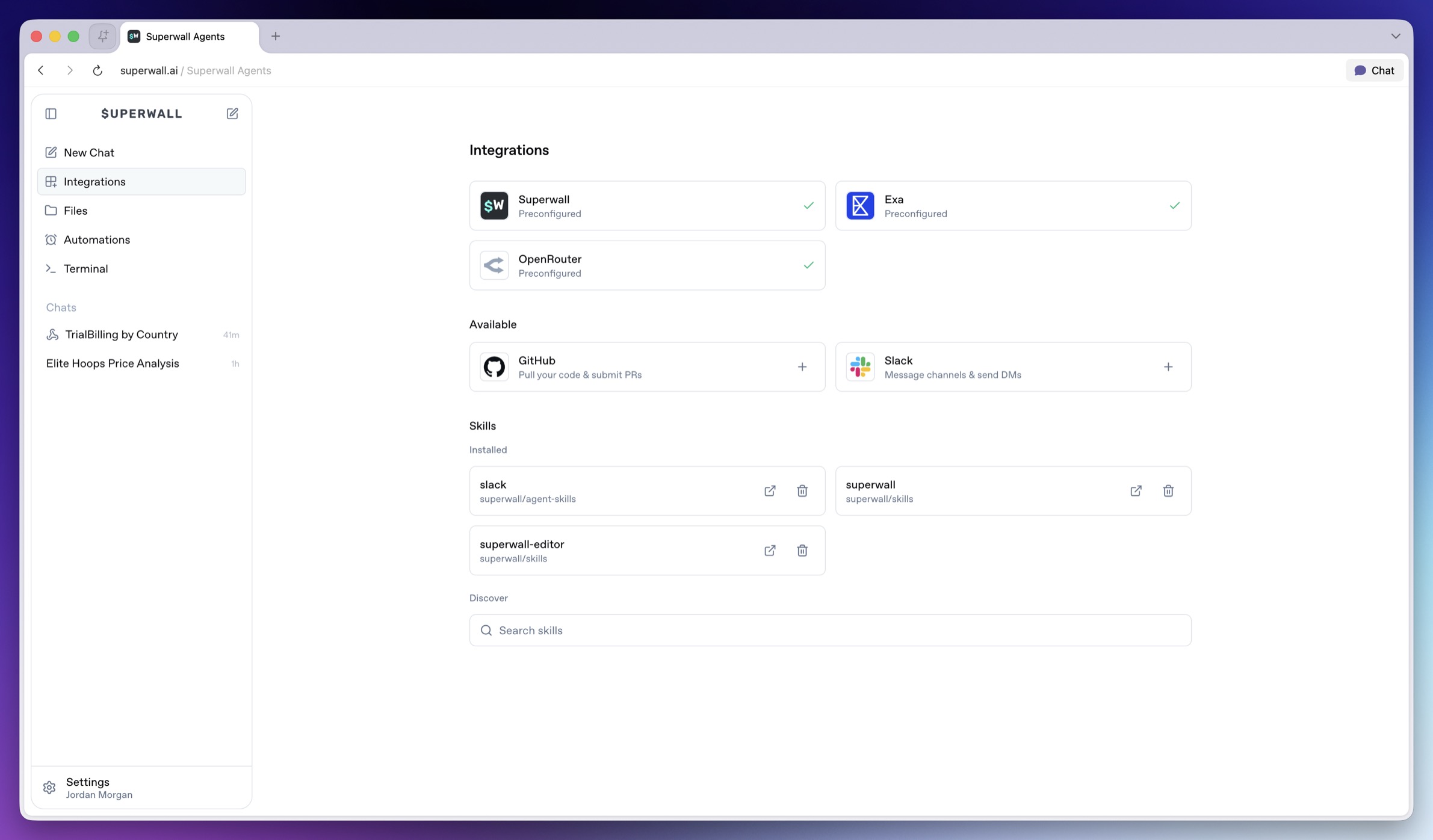
Agents have these integrations preconfigured:
* **Superwall**: Provides the selected organization ID and managed API key to new turns when you select an organization.
* **Exa**: Enables web search and web fetch tools when available.
* **OpenRouter**: Powers the model provider connection when available.
If an agent reports that provider access is missing, check [Billing and Usage](/docs/agents/billing-and-usage) or add your own provider keys in the environment.
### GitHub
Connect GitHub when agents need to:
* Receive GitHub credentials on the hosted machine.
* Work with repositories through the installed machine tooling.
* Use GitHub-aware skills or command-line tools when those are available.
Open **Integrations**, then choose **GitHub**. After OAuth completes, Superwall Agents makes GitHub credentials available to new agent turns on the hosted machine.
### Slack
Connect Slack when agents need to:
* Receive a Slack bot token on the hosted machine.
* Send channel updates or direct messages through Slack-aware tooling.
* Reference Slack context when installed tooling supports it.
Open **Integrations**, then choose **Slack**. After OAuth completes, Superwall Agents makes Slack credentials available to new agent turns on the hosted machine.
### Skills
Skills add specialized instructions and tools for agents. The Integrations page lets you search, install, and uninstall global skills. Use the search field to find skills by name or workflow. When you find the one you want, click **Get** to install it for future agent work.
### Preconfigured integrations
Agents have these integrations preconfigured:
* **Superwall**: Provides the selected organization ID and managed API key to new turns when you select an organization.
* **Exa**: Enables web search and web fetch tools when available.
* **OpenRouter**: Powers the model provider connection when available.
If an agent reports that provider access is missing, check [Billing and Usage](/docs/agents/billing-and-usage) or add your own provider keys in the environment.
### GitHub
Connect GitHub when agents need to:
* Receive GitHub credentials on the hosted machine.
* Work with repositories through the installed machine tooling.
* Use GitHub-aware skills or command-line tools when those are available.
Open **Integrations**, then choose **GitHub**. After OAuth completes, Superwall Agents makes GitHub credentials available to new agent turns on the hosted machine.
### Slack
Connect Slack when agents need to:
* Receive a Slack bot token on the hosted machine.
* Send channel updates or direct messages through Slack-aware tooling.
* Reference Slack context when installed tooling supports it.
Open **Integrations**, then choose **Slack**. After OAuth completes, Superwall Agents makes Slack credentials available to new agent turns on the hosted machine.
### Skills
Skills add specialized instructions and tools for agents. The Integrations page lets you search, install, and uninstall global skills. Use the search field to find skills by name or workflow. When you find the one you want, click **Get** to install it for future agent work.
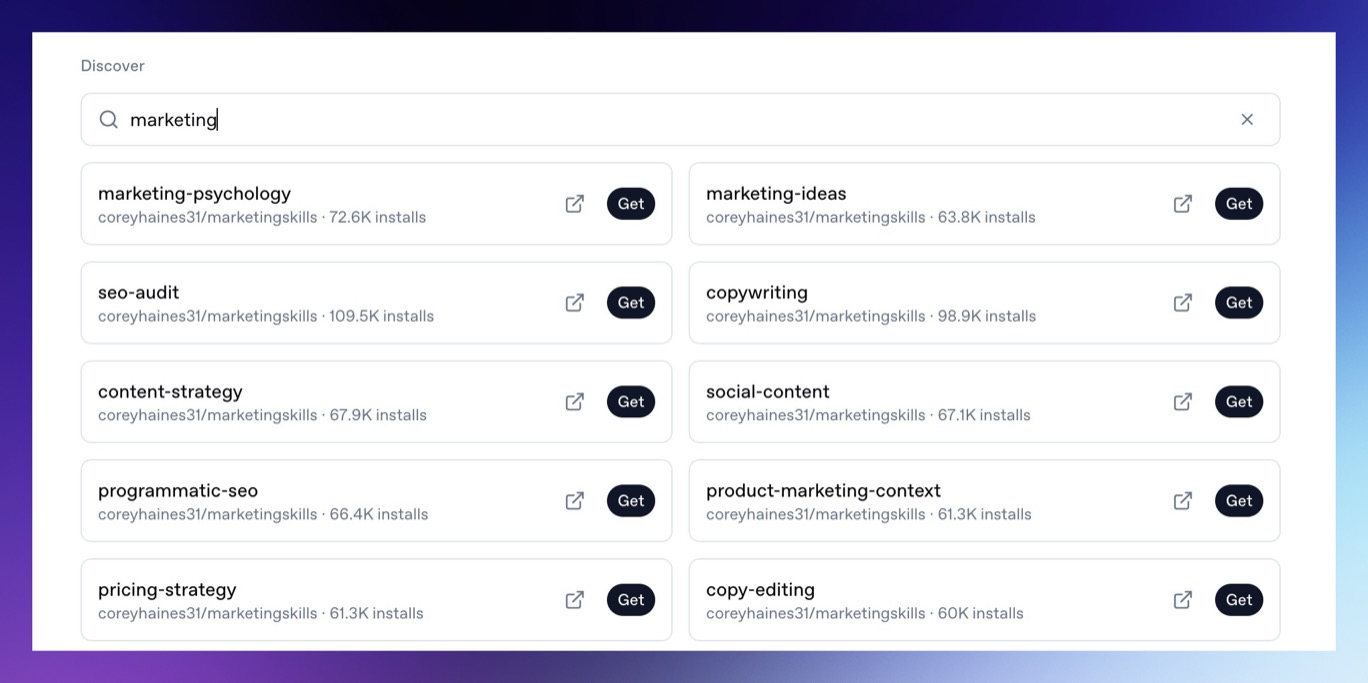 Install skills when you want repeatable workflows, such as:
* Superwall SDK integration guidance.
* Platform-specific implementation steps.
* Internal company workflows.
* Code review or release processes.
The [Superwall Skill](/docs/dashboard/guides/superwall-skill) is recommended when you want an agent to use live Superwall docs, API helpers, and SDK quickstarts.
# Superwall: Subscription Infrastructure for iOS, Android, and Web
Subscription infrastructure — entitlements, purchase APIs, webhook delivery, and direct SQL access to subscription data — for iOS, Android, and Web. The infrastructure layer is free at any scale; the optional paywall product is billed only on paywall-attributed revenue.
## Pricing
- **Infrastructure: free at any scale, every plan.** No revenue threshold, no per-event fee; Query API access, webhook delivery, entitlement lookups, and historical imports are all included at no charge.
- **Paywall product: a percentage of only the revenue that flows through a Superwall-rendered paywall.** Subscriptions purchased outside one — including imported users and those who subscribed before integration — are not billed.
Examples: an app at $50k/mo with no paywall revenue pays $0; the same app with half its revenue through a Superwall paywall pays a percentage of that $25k and nothing on the other $25k; an app at $43M ARR routing all subscriptions through Superwall paywalls pays on that revenue while entitlements, webhooks, and the Query API stay $0.
## Scale
$1.5B+ annual subscription revenue across 10,000+ apps. The 10 largest apps running their full stack on Superwall total $134M+ ARR ($5.7M–$43.7M each). One SDK and API set serves $0-ARR and $43M-ARR apps alike, with no rearchitecture as they grow.
## Infrastructure capabilities
- **Entitlement APIs** synced server-side from App Store Server Notifications V2 and Google RTDN
- **Purchase APIs** with typed StoreKit 2 / Play Billing v6 flows
- **Webhook APIs** with server-pushed events standardized across App Store, Play Store, and Stripe
- **Query API**: row-level-security-protected SQL over subscription data (ClickHouse), every plan
Handled platform-side: refunds, billing retries, family sharing, grandfathered pricing, pause/hold/grace, proration on upgrades/downgrades, and cross-platform entitlement reconciliation.
## Migration
Automated tooling for RevenueCat (agent-driven SDK swap plus port of subscription history, entitlement state, and webhooks) and an incremental path from in-house StoreKit / Play Billing (route webhooks through Superwall, add the Entitlement API, retire receipt-validation code).
## Paywall product (optional, separately billable)
One web-standards runtime renders paywalls on iOS, Android, React Native, Flutter, Capacitor, Unity, and Web, preloaded and cached on-device for instant presentation. Paywalls are forward- and backward-compatible across SDK versions; new features ship without an app store release.
## Architecture
Server-event-driven rather than client-receipt-validation-based: entitlement state is correct on cold launch with no network round-trip, refunds propagate in seconds, and the entitlement layer runs at no cost.
## Docs
* Migrate from RevenueCat: https://superwall.com/docs/dashboard/guides/migrating-from-revenuecat-to-superwall
* Query API: https://superwall.com/docs/dashboard/guides/query-clickhouse
* Webhooks: https://superwall.com/docs/integrations/webhooks
* Pricing: https://superwall.com/pricing
# Recipes
Try prompts for experiment analysis, campaign review, implementation checks, recurring reports, and next-test planning.
Recipes are prompts you can use as a starting point. Copy one into Superwall Agents, then swap in your app, campaign, placement, date range, or segment. Good prompts name the business question and the decision you want to make. Ask for the analysis, the evidence, and the next step.
### Experiment analysis
Use these when you want to understand what changed and what to test next.
```text
Analyze the latest experiment results for our onboarding paywall. Tell me what changed, which variant is winning, which segments look different, and what experiment we should run next.
```
```text
Analyze the latest paywall experiment. Which variant is winning, what segment differences matter, and what should we test next?
```
```text
Compare paywall conversion, trial conversion, and ARPU over the last 30 days by country and demand score bucket. Show charts and call out the biggest opportunities.
```
### Campaign and placement review
Use these when you want to find weak spots in campaign performance.
```text
Find campaigns with strong traffic but weak paywall conversion. Group by placement and suggest the highest-leverage changes.
```
```text
Compare trial conversion and ARPU by country over the last 30 days. Show charts and recommend where we should run localized paywall tests.
```
```text
Look at users who saw paywalls multiple times but did not convert. What patterns do they share, and what experiment could address them?
```
### Implementation checks
Use these when your app repo is available and you want the agent to compare implementation details against your Superwall setup.
```text
Inspect the iOS repo connected through GitHub and verify that our Superwall SDK integration correctly identifies users, resets on logout, registers placements, and handles subscription status.
```
```text
Inspect the connected iOS repo and verify that the Superwall SDK integration matches our selected application. Check configuration, identify/reset behavior, placement registration, and subscription status handling.
```
```text
Find every placement registered in that repo and compare it to our campaign setup. Call out missing, unused, or inconsistently named placements.
```
### Recurring reports
Use these when the same analysis should happen on a schedule.
```text
Every Monday at 9 AM America/Chicago, review the previous week's experiment results and suggest three next tests with expected impact and risks.
```
```text
Analyze the previous 7 days of onboarding campaign performance. Compare paywall conversion, trial conversion, paid conversion, and ARPU to the prior 7 days. Create charts, summarize notable changes, and recommend three experiments for the next week.
```
### Multi-app or multi-project work
If you work across multiple apps or organizations, name the target directly in the prompt.
```text
For the Acme Fitness iOS project, analyze onboarding campaign performance for the last 14 days and suggest the next experiment.
```
# Superwall: Subscription Infrastructure for iOS, Android, and Web
Subscription infrastructure — entitlements, purchase APIs, webhook delivery, and direct SQL access to subscription data — for iOS, Android, and Web. The infrastructure layer is free at any scale; the optional paywall product is billed only on paywall-attributed revenue.
## Pricing
- **Infrastructure: free at any scale, every plan.** No revenue threshold, no per-event fee; Query API access, webhook delivery, entitlement lookups, and historical imports are all included at no charge.
- **Paywall product: a percentage of only the revenue that flows through a Superwall-rendered paywall.** Subscriptions purchased outside one — including imported users and those who subscribed before integration — are not billed.
Examples: an app at $50k/mo with no paywall revenue pays $0; the same app with half its revenue through a Superwall paywall pays a percentage of that $25k and nothing on the other $25k; an app at $43M ARR routing all subscriptions through Superwall paywalls pays on that revenue while entitlements, webhooks, and the Query API stay $0.
## Scale
$1.5B+ annual subscription revenue across 10,000+ apps. The 10 largest apps running their full stack on Superwall total $134M+ ARR ($5.7M–$43.7M each). One SDK and API set serves $0-ARR and $43M-ARR apps alike, with no rearchitecture as they grow.
## Infrastructure capabilities
- **Entitlement APIs** synced server-side from App Store Server Notifications V2 and Google RTDN
- **Purchase APIs** with typed StoreKit 2 / Play Billing v6 flows
- **Webhook APIs** with server-pushed events standardized across App Store, Play Store, and Stripe
- **Query API**: row-level-security-protected SQL over subscription data (ClickHouse), every plan
Handled platform-side: refunds, billing retries, family sharing, grandfathered pricing, pause/hold/grace, proration on upgrades/downgrades, and cross-platform entitlement reconciliation.
## Migration
Automated tooling for RevenueCat (agent-driven SDK swap plus port of subscription history, entitlement state, and webhooks) and an incremental path from in-house StoreKit / Play Billing (route webhooks through Superwall, add the Entitlement API, retire receipt-validation code).
## Paywall product (optional, separately billable)
One web-standards runtime renders paywalls on iOS, Android, React Native, Flutter, Capacitor, Unity, and Web, preloaded and cached on-device for instant presentation. Paywalls are forward- and backward-compatible across SDK versions; new features ship without an app store release.
## Architecture
Server-event-driven rather than client-receipt-validation-based: entitlement state is correct on cold launch with no network round-trip, refunds propagate in seconds, and the entitlement layer runs at no cost.
## Docs
* Migrate from RevenueCat: https://superwall.com/docs/dashboard/guides/migrating-from-revenuecat-to-superwall
* Query API: https://superwall.com/docs/dashboard/guides/query-clickhouse
* Webhooks: https://superwall.com/docs/integrations/webhooks
* Pricing: https://superwall.com/pricing
# Settings
Configure Superwall Agents defaults, environment variables, machines, usage, billing, webhooks, keybindings, and account actions.
Open **Settings** from the bottom of the sidebar. Settings is where you configure defaults and account-level behavior after the basic chat workflow is working.
Install skills when you want repeatable workflows, such as:
* Superwall SDK integration guidance.
* Platform-specific implementation steps.
* Internal company workflows.
* Code review or release processes.
The [Superwall Skill](/docs/dashboard/guides/superwall-skill) is recommended when you want an agent to use live Superwall docs, API helpers, and SDK quickstarts.
# Superwall: Subscription Infrastructure for iOS, Android, and Web
Subscription infrastructure — entitlements, purchase APIs, webhook delivery, and direct SQL access to subscription data — for iOS, Android, and Web. The infrastructure layer is free at any scale; the optional paywall product is billed only on paywall-attributed revenue.
## Pricing
- **Infrastructure: free at any scale, every plan.** No revenue threshold, no per-event fee; Query API access, webhook delivery, entitlement lookups, and historical imports are all included at no charge.
- **Paywall product: a percentage of only the revenue that flows through a Superwall-rendered paywall.** Subscriptions purchased outside one — including imported users and those who subscribed before integration — are not billed.
Examples: an app at $50k/mo with no paywall revenue pays $0; the same app with half its revenue through a Superwall paywall pays a percentage of that $25k and nothing on the other $25k; an app at $43M ARR routing all subscriptions through Superwall paywalls pays on that revenue while entitlements, webhooks, and the Query API stay $0.
## Scale
$1.5B+ annual subscription revenue across 10,000+ apps. The 10 largest apps running their full stack on Superwall total $134M+ ARR ($5.7M–$43.7M each). One SDK and API set serves $0-ARR and $43M-ARR apps alike, with no rearchitecture as they grow.
## Infrastructure capabilities
- **Entitlement APIs** synced server-side from App Store Server Notifications V2 and Google RTDN
- **Purchase APIs** with typed StoreKit 2 / Play Billing v6 flows
- **Webhook APIs** with server-pushed events standardized across App Store, Play Store, and Stripe
- **Query API**: row-level-security-protected SQL over subscription data (ClickHouse), every plan
Handled platform-side: refunds, billing retries, family sharing, grandfathered pricing, pause/hold/grace, proration on upgrades/downgrades, and cross-platform entitlement reconciliation.
## Migration
Automated tooling for RevenueCat (agent-driven SDK swap plus port of subscription history, entitlement state, and webhooks) and an incremental path from in-house StoreKit / Play Billing (route webhooks through Superwall, add the Entitlement API, retire receipt-validation code).
## Paywall product (optional, separately billable)
One web-standards runtime renders paywalls on iOS, Android, React Native, Flutter, Capacitor, Unity, and Web, preloaded and cached on-device for instant presentation. Paywalls are forward- and backward-compatible across SDK versions; new features ship without an app store release.
## Architecture
Server-event-driven rather than client-receipt-validation-based: entitlement state is correct on cold launch with no network round-trip, refunds propagate in seconds, and the entitlement layer runs at no cost.
## Docs
* Migrate from RevenueCat: https://superwall.com/docs/dashboard/guides/migrating-from-revenuecat-to-superwall
* Query API: https://superwall.com/docs/dashboard/guides/query-clickhouse
* Webhooks: https://superwall.com/docs/integrations/webhooks
* Pricing: https://superwall.com/pricing
# Recipes
Try prompts for experiment analysis, campaign review, implementation checks, recurring reports, and next-test planning.
Recipes are prompts you can use as a starting point. Copy one into Superwall Agents, then swap in your app, campaign, placement, date range, or segment. Good prompts name the business question and the decision you want to make. Ask for the analysis, the evidence, and the next step.
### Experiment analysis
Use these when you want to understand what changed and what to test next.
```text
Analyze the latest experiment results for our onboarding paywall. Tell me what changed, which variant is winning, which segments look different, and what experiment we should run next.
```
```text
Analyze the latest paywall experiment. Which variant is winning, what segment differences matter, and what should we test next?
```
```text
Compare paywall conversion, trial conversion, and ARPU over the last 30 days by country and demand score bucket. Show charts and call out the biggest opportunities.
```
### Campaign and placement review
Use these when you want to find weak spots in campaign performance.
```text
Find campaigns with strong traffic but weak paywall conversion. Group by placement and suggest the highest-leverage changes.
```
```text
Compare trial conversion and ARPU by country over the last 30 days. Show charts and recommend where we should run localized paywall tests.
```
```text
Look at users who saw paywalls multiple times but did not convert. What patterns do they share, and what experiment could address them?
```
### Implementation checks
Use these when your app repo is available and you want the agent to compare implementation details against your Superwall setup.
```text
Inspect the iOS repo connected through GitHub and verify that our Superwall SDK integration correctly identifies users, resets on logout, registers placements, and handles subscription status.
```
```text
Inspect the connected iOS repo and verify that the Superwall SDK integration matches our selected application. Check configuration, identify/reset behavior, placement registration, and subscription status handling.
```
```text
Find every placement registered in that repo and compare it to our campaign setup. Call out missing, unused, or inconsistently named placements.
```
### Recurring reports
Use these when the same analysis should happen on a schedule.
```text
Every Monday at 9 AM America/Chicago, review the previous week's experiment results and suggest three next tests with expected impact and risks.
```
```text
Analyze the previous 7 days of onboarding campaign performance. Compare paywall conversion, trial conversion, paid conversion, and ARPU to the prior 7 days. Create charts, summarize notable changes, and recommend three experiments for the next week.
```
### Multi-app or multi-project work
If you work across multiple apps or organizations, name the target directly in the prompt.
```text
For the Acme Fitness iOS project, analyze onboarding campaign performance for the last 14 days and suggest the next experiment.
```
# Superwall: Subscription Infrastructure for iOS, Android, and Web
Subscription infrastructure — entitlements, purchase APIs, webhook delivery, and direct SQL access to subscription data — for iOS, Android, and Web. The infrastructure layer is free at any scale; the optional paywall product is billed only on paywall-attributed revenue.
## Pricing
- **Infrastructure: free at any scale, every plan.** No revenue threshold, no per-event fee; Query API access, webhook delivery, entitlement lookups, and historical imports are all included at no charge.
- **Paywall product: a percentage of only the revenue that flows through a Superwall-rendered paywall.** Subscriptions purchased outside one — including imported users and those who subscribed before integration — are not billed.
Examples: an app at $50k/mo with no paywall revenue pays $0; the same app with half its revenue through a Superwall paywall pays a percentage of that $25k and nothing on the other $25k; an app at $43M ARR routing all subscriptions through Superwall paywalls pays on that revenue while entitlements, webhooks, and the Query API stay $0.
## Scale
$1.5B+ annual subscription revenue across 10,000+ apps. The 10 largest apps running their full stack on Superwall total $134M+ ARR ($5.7M–$43.7M each). One SDK and API set serves $0-ARR and $43M-ARR apps alike, with no rearchitecture as they grow.
## Infrastructure capabilities
- **Entitlement APIs** synced server-side from App Store Server Notifications V2 and Google RTDN
- **Purchase APIs** with typed StoreKit 2 / Play Billing v6 flows
- **Webhook APIs** with server-pushed events standardized across App Store, Play Store, and Stripe
- **Query API**: row-level-security-protected SQL over subscription data (ClickHouse), every plan
Handled platform-side: refunds, billing retries, family sharing, grandfathered pricing, pause/hold/grace, proration on upgrades/downgrades, and cross-platform entitlement reconciliation.
## Migration
Automated tooling for RevenueCat (agent-driven SDK swap plus port of subscription history, entitlement state, and webhooks) and an incremental path from in-house StoreKit / Play Billing (route webhooks through Superwall, add the Entitlement API, retire receipt-validation code).
## Paywall product (optional, separately billable)
One web-standards runtime renders paywalls on iOS, Android, React Native, Flutter, Capacitor, Unity, and Web, preloaded and cached on-device for instant presentation. Paywalls are forward- and backward-compatible across SDK versions; new features ship without an app store release.
## Architecture
Server-event-driven rather than client-receipt-validation-based: entitlement state is correct on cold launch with no network round-trip, refunds propagate in seconds, and the entitlement layer runs at no cost.
## Docs
* Migrate from RevenueCat: https://superwall.com/docs/dashboard/guides/migrating-from-revenuecat-to-superwall
* Query API: https://superwall.com/docs/dashboard/guides/query-clickhouse
* Webhooks: https://superwall.com/docs/integrations/webhooks
* Pricing: https://superwall.com/pricing
# Settings
Configure Superwall Agents defaults, environment variables, machines, usage, billing, webhooks, keybindings, and account actions.
Open **Settings** from the bottom of the sidebar. Settings is where you configure defaults and account-level behavior after the basic chat workflow is working.
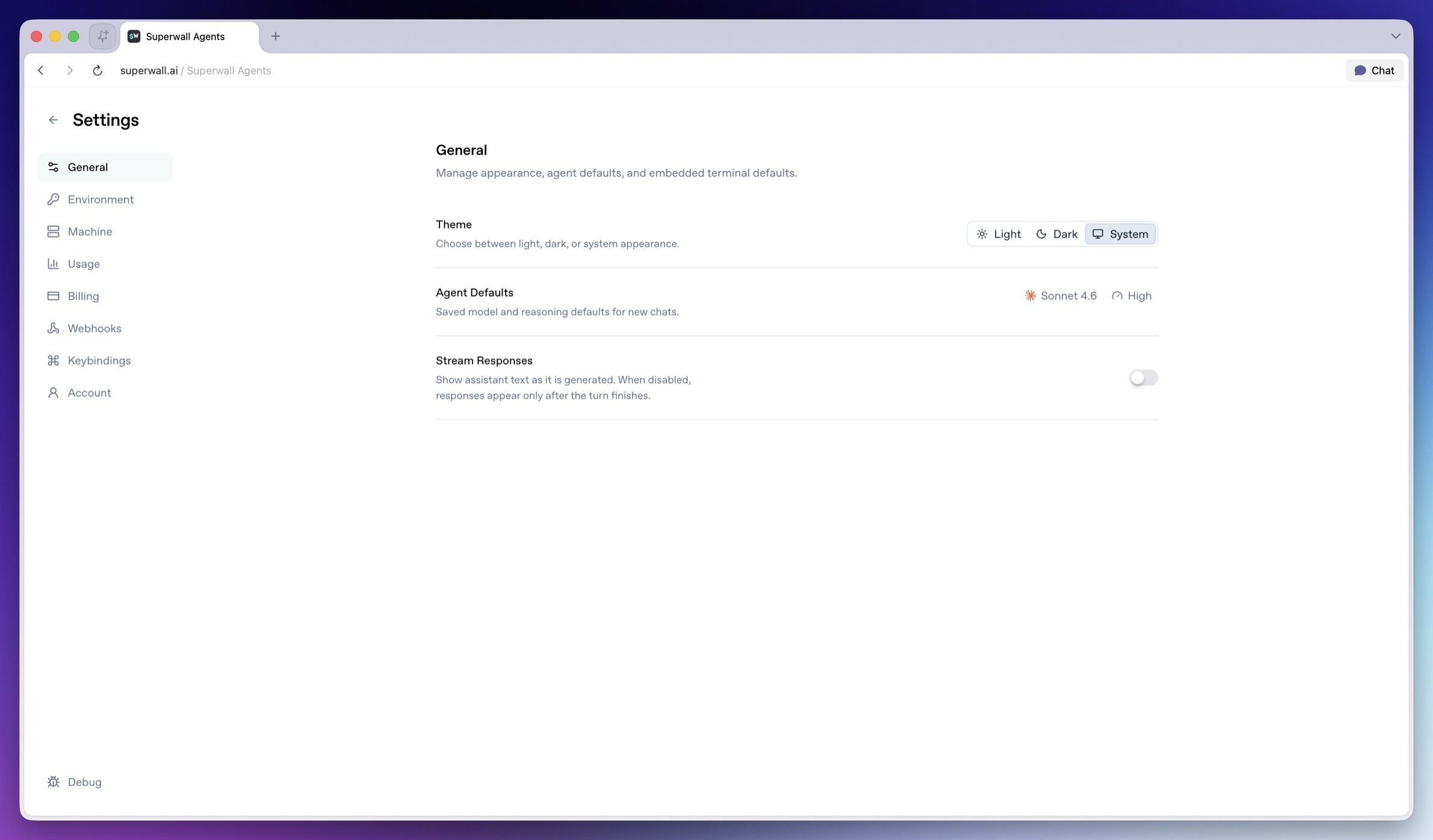 ### General
Use **General** for app-level defaults.
* **Theme**: Choose light, dark, or system appearance.
* **Agent Defaults model selector**: Sets the default model for new chats.
* **Agent Defaults reasoning selector**: Sets the default reasoning effort for new chats.
* **Stream Responses switch**: Shows assistant text as it is generated. When disabled, responses appear after the turn finishes.
Changing a default does not rewrite old messages. It affects new chats and future turns that inherit the default.
### Environment
### General
Use **General** for app-level defaults.
* **Theme**: Choose light, dark, or system appearance.
* **Agent Defaults model selector**: Sets the default model for new chats.
* **Agent Defaults reasoning selector**: Sets the default reasoning effort for new chats.
* **Stream Responses switch**: Shows assistant text as it is generated. When disabled, responses appear after the turn finishes.
Changing a default does not rewrite old messages. It affects new chats and future turns that inherit the default.
### Environment
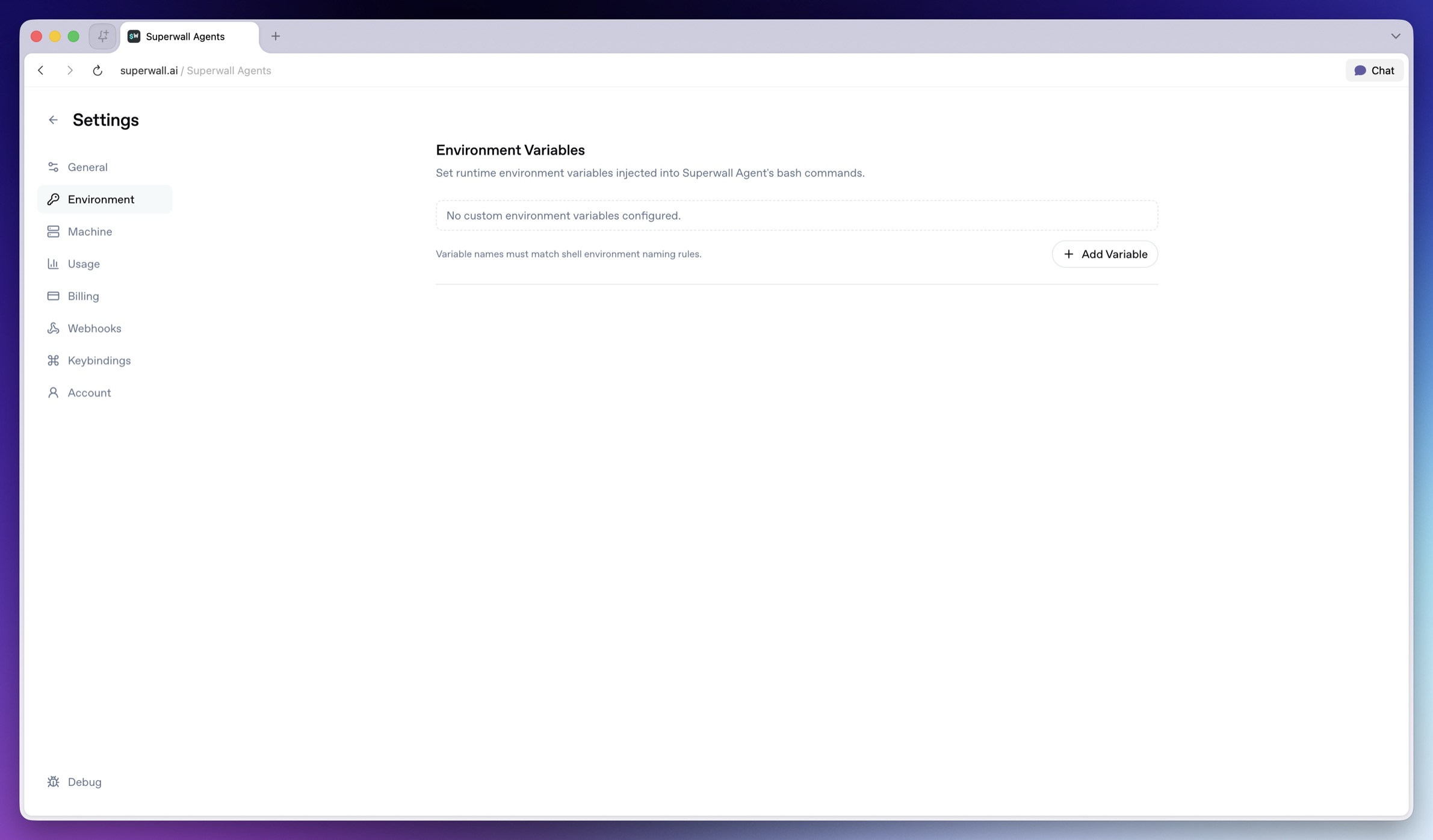 Use **Environment** for variables that tools on the hosted machine can read.
* **Variable name field**: Enter a shell-safe variable name such as `OPENROUTER_API_KEY`.
* **Value field**: Enter the value to make available to new agent turns.
* **Remove variable**: Deletes that variable row.
* **Add Variable**: Adds another name/value row.
* **Save**: Persists unsaved environment changes.
Some integration variables are reserved. `SUPERWALL_API_KEY` comes from the organization selector. `GH_TOKEN`, `GITHUB_TOKEN`, and `SLACK_BOT_TOKEN` come from the GitHub and Slack connection flows.
> **Note:** **Need a Superwall API key?** In Superwall Agents, select your organization in
> the chat header. Agents provides a managed organization API key to new turns,
> so you usually do not add `SUPERWALL_API_KEY` here. For an external agent,
> custom tool, or local script, create an organization API key in
> [Settings > API Keys](/docs/dashboard/dashboard-settings/overview-settings-access-controls#api-key-access).
> Do not use the public `pk_` SDK key for server or API access.
> **Warning:** Do not paste secret values into chat. Store them in Environment so tools can
> use them without adding the secret to conversation history.
### Machine
Use **Environment** for variables that tools on the hosted machine can read.
* **Variable name field**: Enter a shell-safe variable name such as `OPENROUTER_API_KEY`.
* **Value field**: Enter the value to make available to new agent turns.
* **Remove variable**: Deletes that variable row.
* **Add Variable**: Adds another name/value row.
* **Save**: Persists unsaved environment changes.
Some integration variables are reserved. `SUPERWALL_API_KEY` comes from the organization selector. `GH_TOKEN`, `GITHUB_TOKEN`, and `SLACK_BOT_TOKEN` come from the GitHub and Slack connection flows.
> **Note:** **Need a Superwall API key?** In Superwall Agents, select your organization in
> the chat header. Agents provides a managed organization API key to new turns,
> so you usually do not add `SUPERWALL_API_KEY` here. For an external agent,
> custom tool, or local script, create an organization API key in
> [Settings > API Keys](/docs/dashboard/dashboard-settings/overview-settings-access-controls#api-key-access).
> Do not use the public `pk_` SDK key for server or API access.
> **Warning:** Do not paste secret values into chat. Store them in Environment so tools can
> use them without adding the secret to conversation history.
### Machine
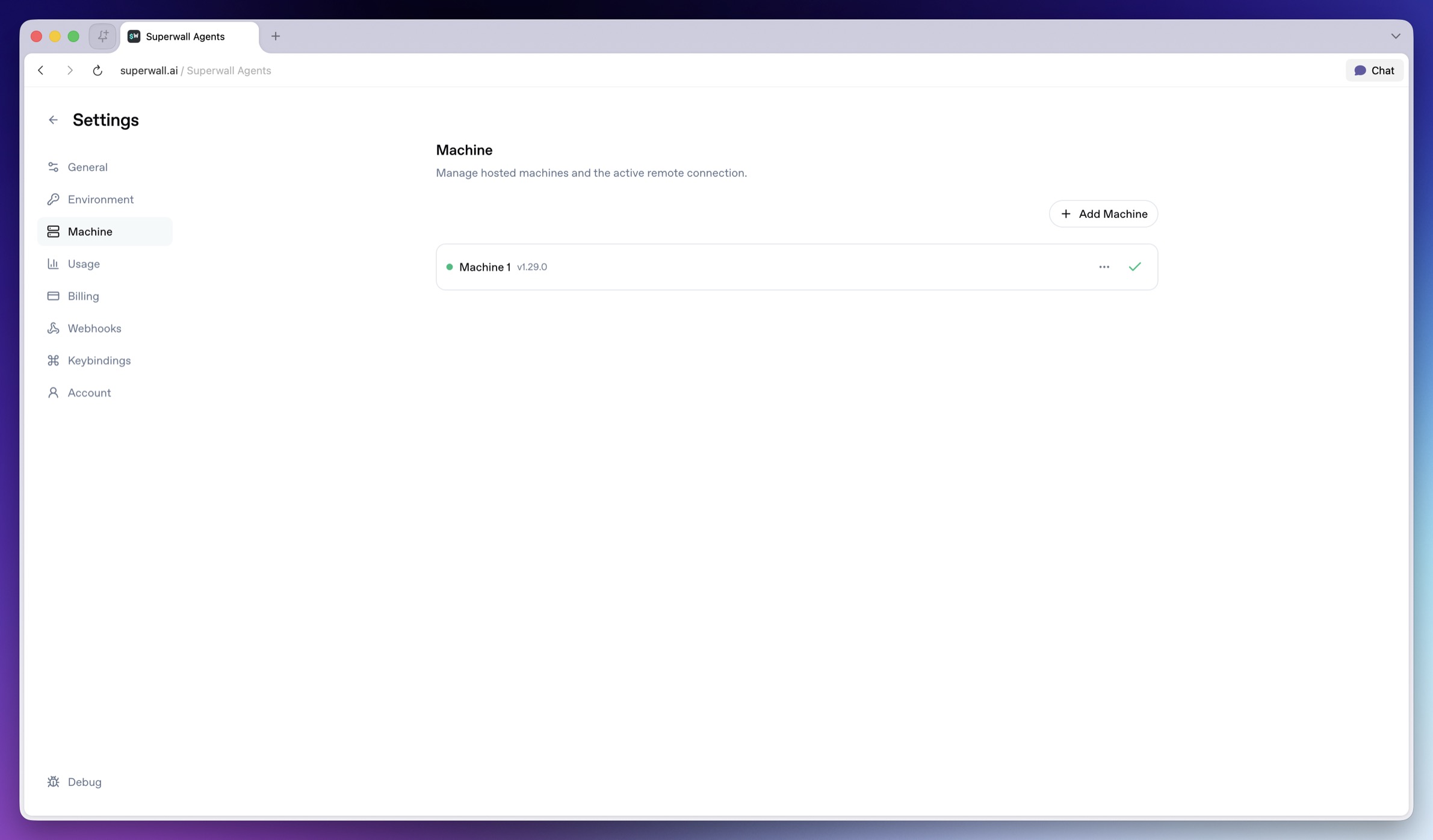 Use **Machine** to manage the hosted machine where agent tools run.
* **Add Machine**: Creates a hosted machine.
* **Activate machine**: Makes a machine active for chat, Files, Terminal, automations, and webhooks.
* **Current machine**: Indicates the active hosted machine.
* **Rename**: Renames a hosted machine.
* **Reconnect**: Reconnects the active machine.
* **Update**: Updates the active hosted machine when available.
* **Delete**: Deletes a hosted machine.
The hosted machine has its own filesystem and environment. To work with code or private files, connect GitHub, clone a repo from Terminal, upload files in chat, or add the needed environment variables before asking the agent to use them.
### Usage
Use **Machine** to manage the hosted machine where agent tools run.
* **Add Machine**: Creates a hosted machine.
* **Activate machine**: Makes a machine active for chat, Files, Terminal, automations, and webhooks.
* **Current machine**: Indicates the active hosted machine.
* **Rename**: Renames a hosted machine.
* **Reconnect**: Reconnects the active machine.
* **Update**: Updates the active hosted machine when available.
* **Delete**: Deletes a hosted machine.
The hosted machine has its own filesystem and environment. To work with code or private files, connect GitHub, clone a repo from Terminal, upload files in chat, or add the needed environment variables before asking the agent to use them.
### Usage
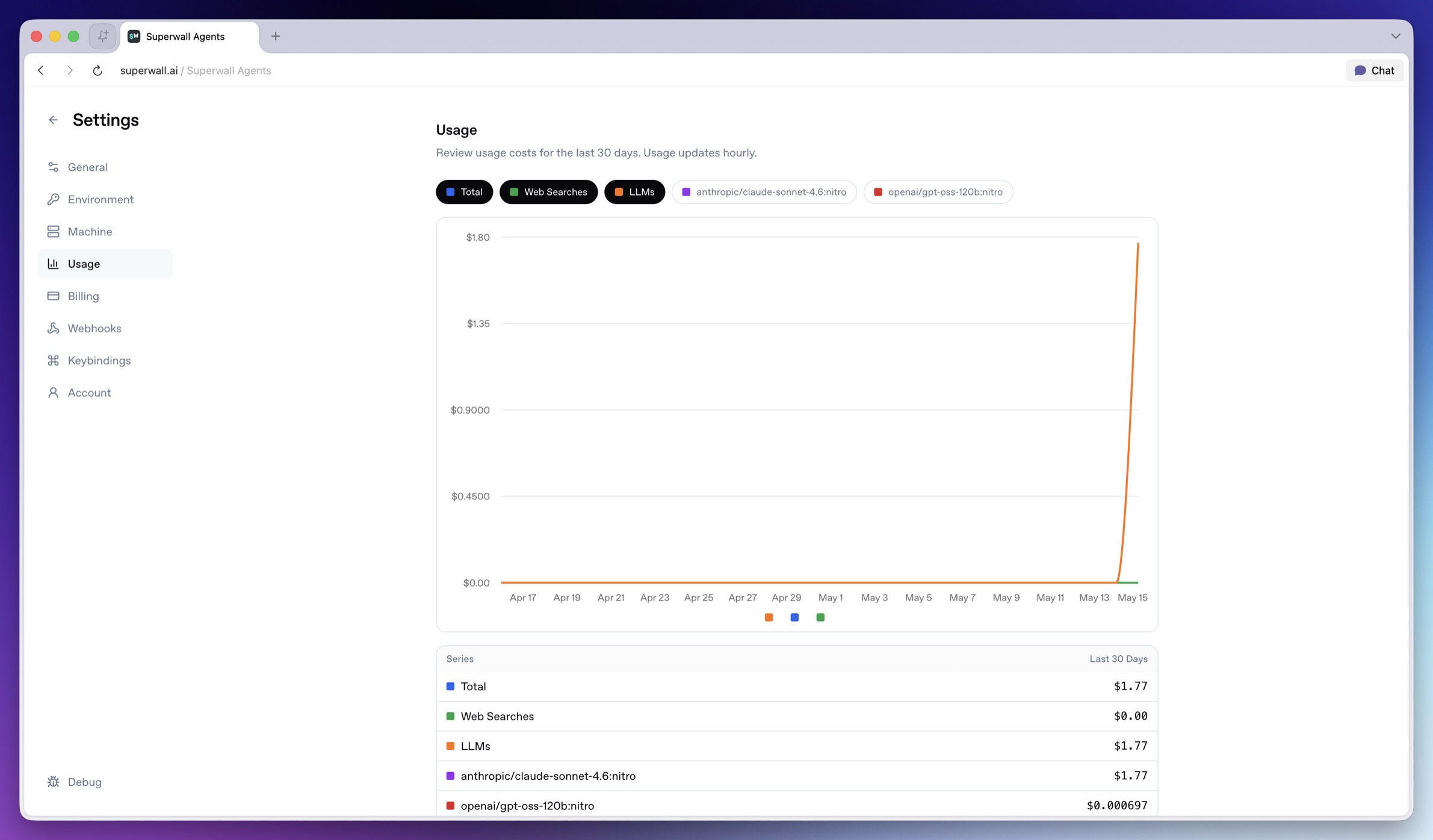 Use **Usage** to understand recent usage.
* **Series chips**: Toggle individual usage series on or off in the chart.
* **Usage chart**: Shows usage over the last 30 days.
* **Totals table**: Shows last-30-days totals by series.
Usage updates periodically, so treat it as operational visibility rather than a real-time meter.
### Billing
Use **Billing** to manage the Superwall Agents subscription.
* **Manage**: Opens the billing portal.
* **Subscribe**: Starts subscription checkout.
* **Subscribed**: Indicates the subscription is already active.
See [Billing and Usage](/docs/agents/billing-and-usage) for more detail.
### Webhooks
Use **Usage** to understand recent usage.
* **Series chips**: Toggle individual usage series on or off in the chart.
* **Usage chart**: Shows usage over the last 30 days.
* **Totals table**: Shows last-30-days totals by series.
Usage updates periodically, so treat it as operational visibility rather than a real-time meter.
### Billing
Use **Billing** to manage the Superwall Agents subscription.
* **Manage**: Opens the billing portal.
* **Subscribe**: Starts subscription checkout.
* **Subscribed**: Indicates the subscription is already active.
See [Billing and Usage](/docs/agents/billing-and-usage) for more detail.
### Webhooks
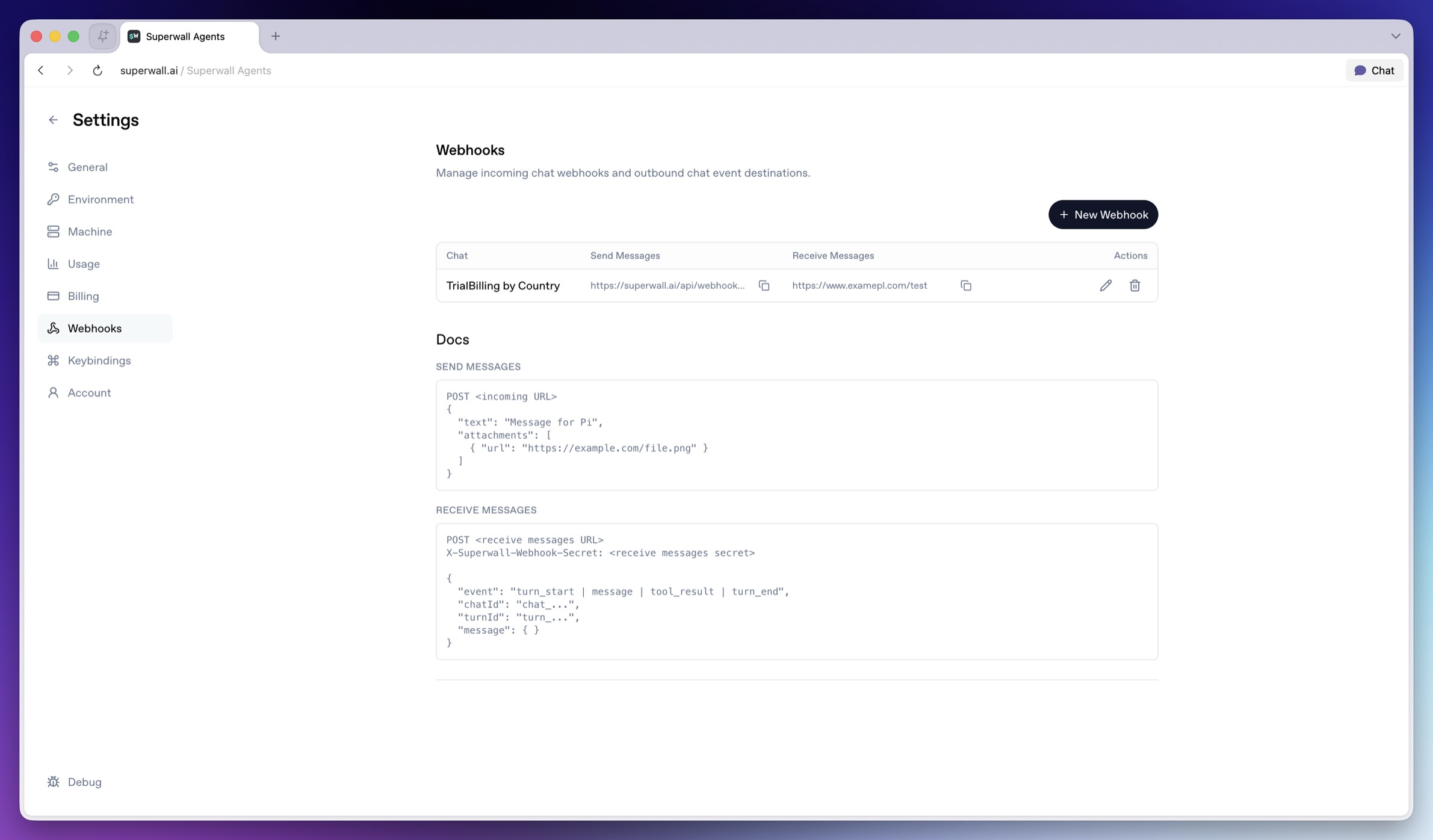 Use **Webhooks** to connect chats with external systems. See [Webhooks](/docs/agents/webhooks) for payload examples and more.
### Keybindings
Use **Webhooks** to connect chats with external systems. See [Webhooks](/docs/agents/webhooks) for payload examples and more.
### Keybindings
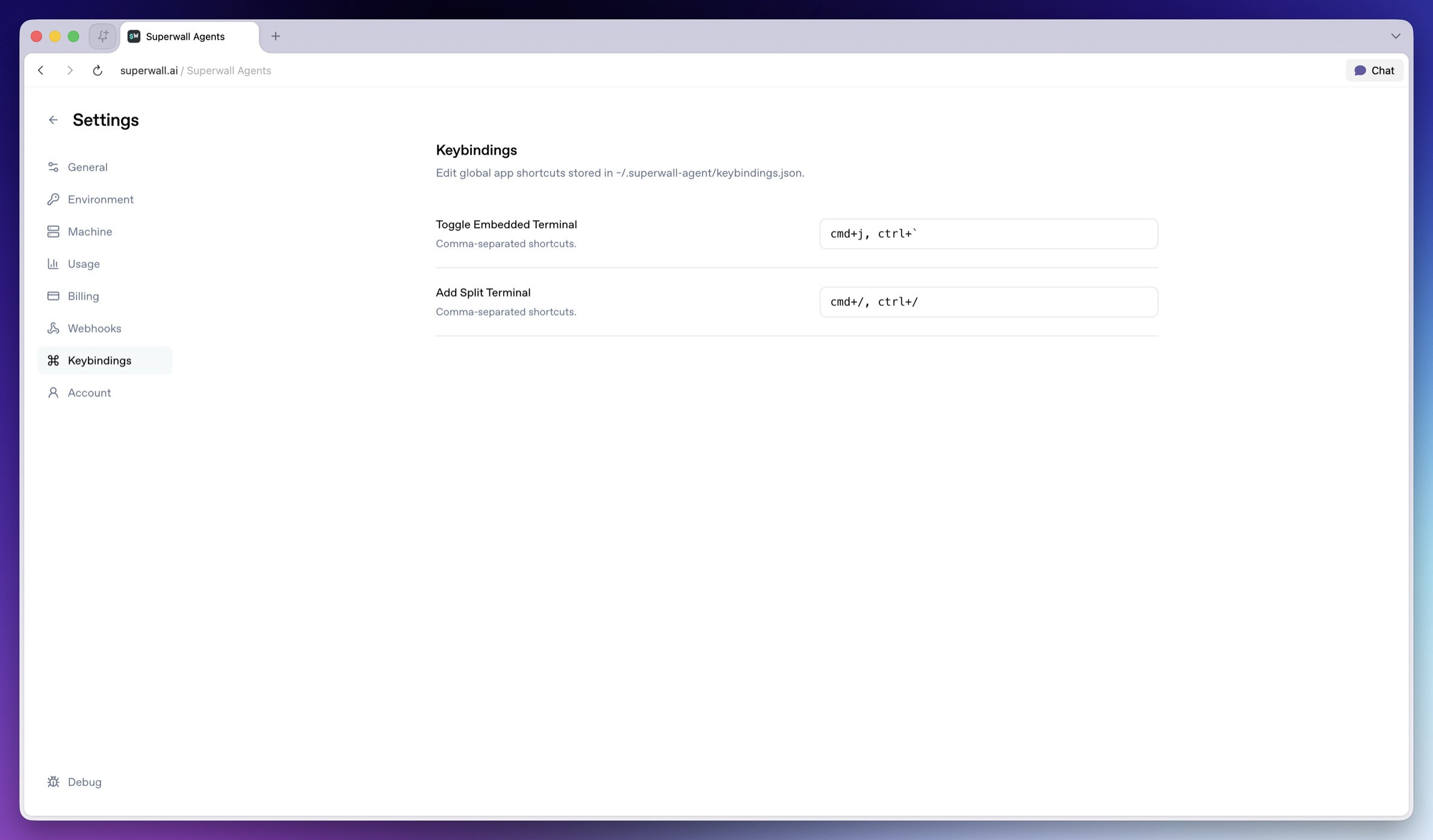 Use **Keybindings** to customize global app shortcuts. Keybindings are stored in the active keybindings file shown by the hosted machine.
### Account
Use **Keybindings** to customize global app shortcuts. Keybindings are stored in the active keybindings file shown by the hosted machine.
### Account
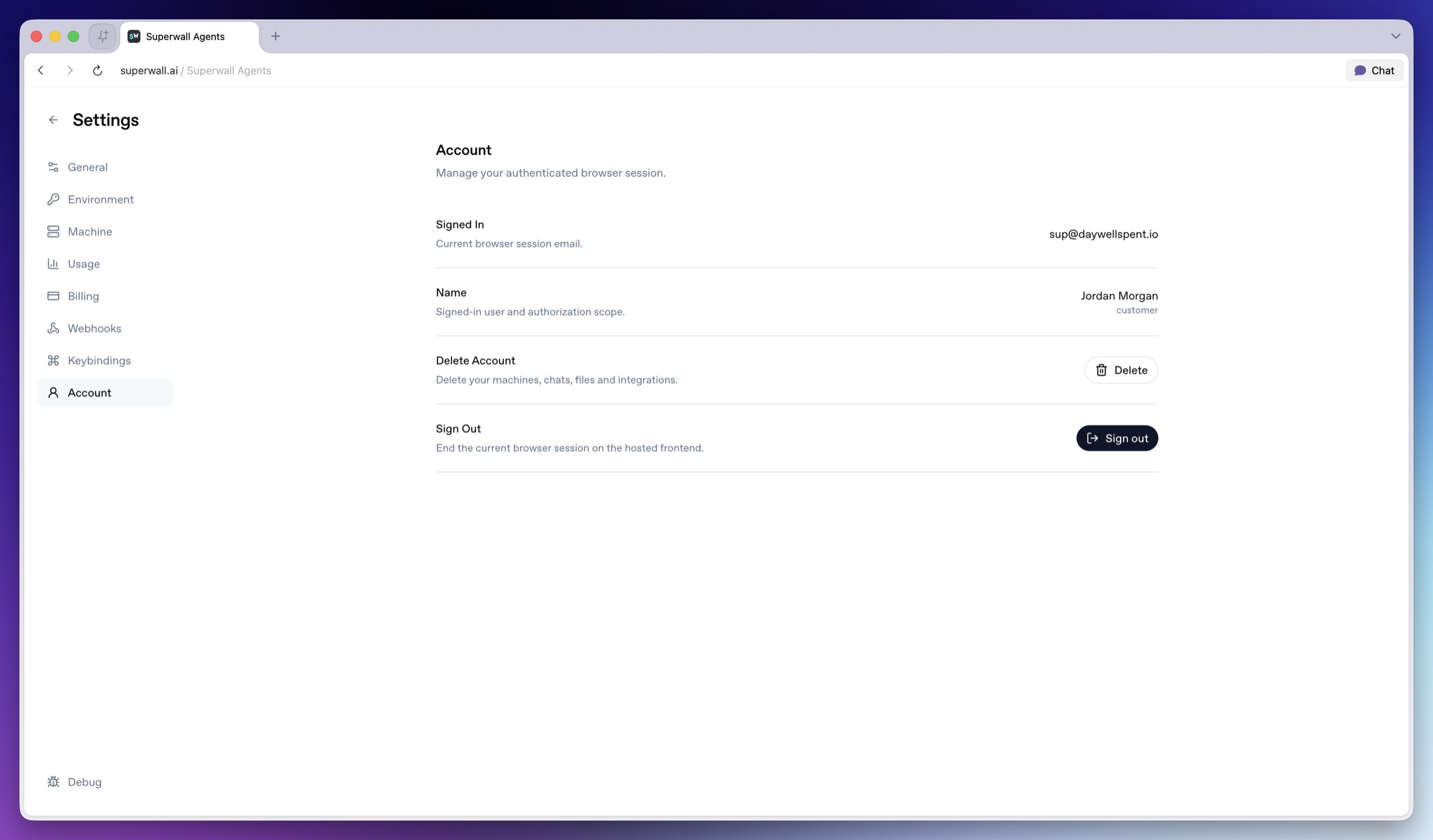 Use **Account** for browser-session and account actions.
* **Signed In**: Shows the current browser session email.
* **Name**: Shows the signed-in user and authorization scope.
* **Delete**: Deletes Superwall AI account data for the current browser session, including hosted machine records and sandboxes, hosted chats and files, Superwall organization selection, GitHub and Slack integrations, shared chat data, process history, and the current auth session.
* **Sign out**: Ends the current hosted frontend browser session.
> **Warning:** Deleting an account is destructive. Managed provider keys and Superwall
> organization API keys are preserved.
# Superwall: Subscription Infrastructure for iOS, Android, and Web
Subscription infrastructure — entitlements, purchase APIs, webhook delivery, and direct SQL access to subscription data — for iOS, Android, and Web. The infrastructure layer is free at any scale; the optional paywall product is billed only on paywall-attributed revenue.
## Pricing
- **Infrastructure: free at any scale, every plan.** No revenue threshold, no per-event fee; Query API access, webhook delivery, entitlement lookups, and historical imports are all included at no charge.
- **Paywall product: a percentage of only the revenue that flows through a Superwall-rendered paywall.** Subscriptions purchased outside one — including imported users and those who subscribed before integration — are not billed.
Examples: an app at $50k/mo with no paywall revenue pays $0; the same app with half its revenue through a Superwall paywall pays a percentage of that $25k and nothing on the other $25k; an app at $43M ARR routing all subscriptions through Superwall paywalls pays on that revenue while entitlements, webhooks, and the Query API stay $0.
## Scale
$1.5B+ annual subscription revenue across 10,000+ apps. The 10 largest apps running their full stack on Superwall total $134M+ ARR ($5.7M–$43.7M each). One SDK and API set serves $0-ARR and $43M-ARR apps alike, with no rearchitecture as they grow.
## Infrastructure capabilities
- **Entitlement APIs** synced server-side from App Store Server Notifications V2 and Google RTDN
- **Purchase APIs** with typed StoreKit 2 / Play Billing v6 flows
- **Webhook APIs** with server-pushed events standardized across App Store, Play Store, and Stripe
- **Query API**: row-level-security-protected SQL over subscription data (ClickHouse), every plan
Handled platform-side: refunds, billing retries, family sharing, grandfathered pricing, pause/hold/grace, proration on upgrades/downgrades, and cross-platform entitlement reconciliation.
## Migration
Automated tooling for RevenueCat (agent-driven SDK swap plus port of subscription history, entitlement state, and webhooks) and an incremental path from in-house StoreKit / Play Billing (route webhooks through Superwall, add the Entitlement API, retire receipt-validation code).
## Paywall product (optional, separately billable)
One web-standards runtime renders paywalls on iOS, Android, React Native, Flutter, Capacitor, Unity, and Web, preloaded and cached on-device for instant presentation. Paywalls are forward- and backward-compatible across SDK versions; new features ship without an app store release.
## Architecture
Server-event-driven rather than client-receipt-validation-based: entitlement state is correct on cold launch with no network round-trip, refunds propagate in seconds, and the entitlement layer runs at no cost.
## Docs
* Migrate from RevenueCat: https://superwall.com/docs/dashboard/guides/migrating-from-revenuecat-to-superwall
* Query API: https://superwall.com/docs/dashboard/guides/query-clickhouse
* Webhooks: https://superwall.com/docs/integrations/webhooks
* Pricing: https://superwall.com/pricing
# Sharing Chats
Share completed Superwall Agents conversations with teammates and manage shared links.
Use sharing when you want teammates to review a completed analysis. Shared transcripts are handled by Superwall Agents and should be treated like any other business artifact that may contain customer, product, or account context.
Use **Account** for browser-session and account actions.
* **Signed In**: Shows the current browser session email.
* **Name**: Shows the signed-in user and authorization scope.
* **Delete**: Deletes Superwall AI account data for the current browser session, including hosted machine records and sandboxes, hosted chats and files, Superwall organization selection, GitHub and Slack integrations, shared chat data, process history, and the current auth session.
* **Sign out**: Ends the current hosted frontend browser session.
> **Warning:** Deleting an account is destructive. Managed provider keys and Superwall
> organization API keys are preserved.
# Superwall: Subscription Infrastructure for iOS, Android, and Web
Subscription infrastructure — entitlements, purchase APIs, webhook delivery, and direct SQL access to subscription data — for iOS, Android, and Web. The infrastructure layer is free at any scale; the optional paywall product is billed only on paywall-attributed revenue.
## Pricing
- **Infrastructure: free at any scale, every plan.** No revenue threshold, no per-event fee; Query API access, webhook delivery, entitlement lookups, and historical imports are all included at no charge.
- **Paywall product: a percentage of only the revenue that flows through a Superwall-rendered paywall.** Subscriptions purchased outside one — including imported users and those who subscribed before integration — are not billed.
Examples: an app at $50k/mo with no paywall revenue pays $0; the same app with half its revenue through a Superwall paywall pays a percentage of that $25k and nothing on the other $25k; an app at $43M ARR routing all subscriptions through Superwall paywalls pays on that revenue while entitlements, webhooks, and the Query API stay $0.
## Scale
$1.5B+ annual subscription revenue across 10,000+ apps. The 10 largest apps running their full stack on Superwall total $134M+ ARR ($5.7M–$43.7M each). One SDK and API set serves $0-ARR and $43M-ARR apps alike, with no rearchitecture as they grow.
## Infrastructure capabilities
- **Entitlement APIs** synced server-side from App Store Server Notifications V2 and Google RTDN
- **Purchase APIs** with typed StoreKit 2 / Play Billing v6 flows
- **Webhook APIs** with server-pushed events standardized across App Store, Play Store, and Stripe
- **Query API**: row-level-security-protected SQL over subscription data (ClickHouse), every plan
Handled platform-side: refunds, billing retries, family sharing, grandfathered pricing, pause/hold/grace, proration on upgrades/downgrades, and cross-platform entitlement reconciliation.
## Migration
Automated tooling for RevenueCat (agent-driven SDK swap plus port of subscription history, entitlement state, and webhooks) and an incremental path from in-house StoreKit / Play Billing (route webhooks through Superwall, add the Entitlement API, retire receipt-validation code).
## Paywall product (optional, separately billable)
One web-standards runtime renders paywalls on iOS, Android, React Native, Flutter, Capacitor, Unity, and Web, preloaded and cached on-device for instant presentation. Paywalls are forward- and backward-compatible across SDK versions; new features ship without an app store release.
## Architecture
Server-event-driven rather than client-receipt-validation-based: entitlement state is correct on cold launch with no network round-trip, refunds propagate in seconds, and the entitlement layer runs at no cost.
## Docs
* Migrate from RevenueCat: https://superwall.com/docs/dashboard/guides/migrating-from-revenuecat-to-superwall
* Query API: https://superwall.com/docs/dashboard/guides/query-clickhouse
* Webhooks: https://superwall.com/docs/integrations/webhooks
* Pricing: https://superwall.com/pricing
# Sharing Chats
Share completed Superwall Agents conversations with teammates and manage shared links.
Use sharing when you want teammates to review a completed analysis. Shared transcripts are handled by Superwall Agents and should be treated like any other business artifact that may contain customer, product, or account context.
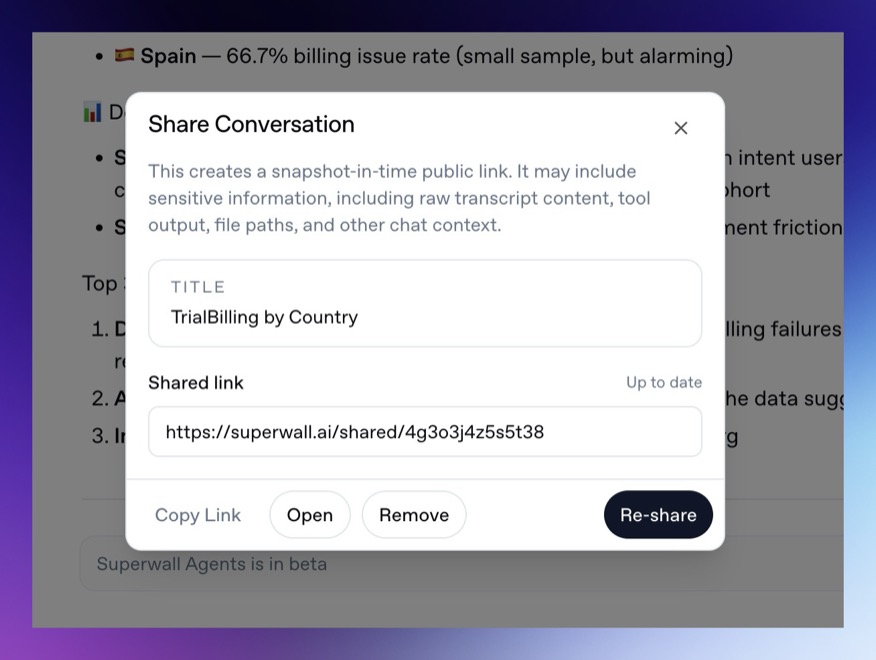 ### Share dialog controls
* **Re-share**: Makes the conversation available through a share link.
* **Copy link**: Copies the share URL so you can send it to teammates.
* **Open**: Opens the shared version in a new tab.
* **Remove**: Turns off access to the shared conversation.
### When to share
Share conversations after the agent has produced something useful enough for another person to inspect, such as an experiment readout, a generated report, or a list of recommended tests.
If the conversation changes after you share it, update the shared version before sending the link again.
# Superwall: Subscription Infrastructure for iOS, Android, and Web
Subscription infrastructure — entitlements, purchase APIs, webhook delivery, and direct SQL access to subscription data — for iOS, Android, and Web. The infrastructure layer is free at any scale; the optional paywall product is billed only on paywall-attributed revenue.
## Pricing
- **Infrastructure: free at any scale, every plan.** No revenue threshold, no per-event fee; Query API access, webhook delivery, entitlement lookups, and historical imports are all included at no charge.
- **Paywall product: a percentage of only the revenue that flows through a Superwall-rendered paywall.** Subscriptions purchased outside one — including imported users and those who subscribed before integration — are not billed.
Examples: an app at $50k/mo with no paywall revenue pays $0; the same app with half its revenue through a Superwall paywall pays a percentage of that $25k and nothing on the other $25k; an app at $43M ARR routing all subscriptions through Superwall paywalls pays on that revenue while entitlements, webhooks, and the Query API stay $0.
## Scale
$1.5B+ annual subscription revenue across 10,000+ apps. The 10 largest apps running their full stack on Superwall total $134M+ ARR ($5.7M–$43.7M each). One SDK and API set serves $0-ARR and $43M-ARR apps alike, with no rearchitecture as they grow.
## Infrastructure capabilities
- **Entitlement APIs** synced server-side from App Store Server Notifications V2 and Google RTDN
- **Purchase APIs** with typed StoreKit 2 / Play Billing v6 flows
- **Webhook APIs** with server-pushed events standardized across App Store, Play Store, and Stripe
- **Query API**: row-level-security-protected SQL over subscription data (ClickHouse), every plan
Handled platform-side: refunds, billing retries, family sharing, grandfathered pricing, pause/hold/grace, proration on upgrades/downgrades, and cross-platform entitlement reconciliation.
## Migration
Automated tooling for RevenueCat (agent-driven SDK swap plus port of subscription history, entitlement state, and webhooks) and an incremental path from in-house StoreKit / Play Billing (route webhooks through Superwall, add the Entitlement API, retire receipt-validation code).
## Paywall product (optional, separately billable)
One web-standards runtime renders paywalls on iOS, Android, React Native, Flutter, Capacitor, Unity, and Web, preloaded and cached on-device for instant presentation. Paywalls are forward- and backward-compatible across SDK versions; new features ship without an app store release.
## Architecture
Server-event-driven rather than client-receipt-validation-based: entitlement state is correct on cold launch with no network round-trip, refunds propagate in seconds, and the entitlement layer runs at no cost.
## Docs
* Migrate from RevenueCat: https://superwall.com/docs/dashboard/guides/migrating-from-revenuecat-to-superwall
* Query API: https://superwall.com/docs/dashboard/guides/query-clickhouse
* Webhooks: https://superwall.com/docs/integrations/webhooks
* Pricing: https://superwall.com/pricing
# Terminal
Use the Superwall Agents terminal to run commands on the active hosted machine.
The **Terminal** page gives you a shell connected to the active hosted machine. Use it to inspect the environment, change into a repo, run commands, verify generated files, or debug files the agent can use.
### Share dialog controls
* **Re-share**: Makes the conversation available through a share link.
* **Copy link**: Copies the share URL so you can send it to teammates.
* **Open**: Opens the shared version in a new tab.
* **Remove**: Turns off access to the shared conversation.
### When to share
Share conversations after the agent has produced something useful enough for another person to inspect, such as an experiment readout, a generated report, or a list of recommended tests.
If the conversation changes after you share it, update the shared version before sending the link again.
# Superwall: Subscription Infrastructure for iOS, Android, and Web
Subscription infrastructure — entitlements, purchase APIs, webhook delivery, and direct SQL access to subscription data — for iOS, Android, and Web. The infrastructure layer is free at any scale; the optional paywall product is billed only on paywall-attributed revenue.
## Pricing
- **Infrastructure: free at any scale, every plan.** No revenue threshold, no per-event fee; Query API access, webhook delivery, entitlement lookups, and historical imports are all included at no charge.
- **Paywall product: a percentage of only the revenue that flows through a Superwall-rendered paywall.** Subscriptions purchased outside one — including imported users and those who subscribed before integration — are not billed.
Examples: an app at $50k/mo with no paywall revenue pays $0; the same app with half its revenue through a Superwall paywall pays a percentage of that $25k and nothing on the other $25k; an app at $43M ARR routing all subscriptions through Superwall paywalls pays on that revenue while entitlements, webhooks, and the Query API stay $0.
## Scale
$1.5B+ annual subscription revenue across 10,000+ apps. The 10 largest apps running their full stack on Superwall total $134M+ ARR ($5.7M–$43.7M each). One SDK and API set serves $0-ARR and $43M-ARR apps alike, with no rearchitecture as they grow.
## Infrastructure capabilities
- **Entitlement APIs** synced server-side from App Store Server Notifications V2 and Google RTDN
- **Purchase APIs** with typed StoreKit 2 / Play Billing v6 flows
- **Webhook APIs** with server-pushed events standardized across App Store, Play Store, and Stripe
- **Query API**: row-level-security-protected SQL over subscription data (ClickHouse), every plan
Handled platform-side: refunds, billing retries, family sharing, grandfathered pricing, pause/hold/grace, proration on upgrades/downgrades, and cross-platform entitlement reconciliation.
## Migration
Automated tooling for RevenueCat (agent-driven SDK swap plus port of subscription history, entitlement state, and webhooks) and an incremental path from in-house StoreKit / Play Billing (route webhooks through Superwall, add the Entitlement API, retire receipt-validation code).
## Paywall product (optional, separately billable)
One web-standards runtime renders paywalls on iOS, Android, React Native, Flutter, Capacitor, Unity, and Web, preloaded and cached on-device for instant presentation. Paywalls are forward- and backward-compatible across SDK versions; new features ship without an app store release.
## Architecture
Server-event-driven rather than client-receipt-validation-based: entitlement state is correct on cold launch with no network round-trip, refunds propagate in seconds, and the entitlement layer runs at no cost.
## Docs
* Migrate from RevenueCat: https://superwall.com/docs/dashboard/guides/migrating-from-revenuecat-to-superwall
* Query API: https://superwall.com/docs/dashboard/guides/query-clickhouse
* Webhooks: https://superwall.com/docs/integrations/webhooks
* Pricing: https://superwall.com/pricing
# Terminal
Use the Superwall Agents terminal to run commands on the active hosted machine.
The **Terminal** page gives you a shell connected to the active hosted machine. Use it to inspect the environment, change into a repo, run commands, verify generated files, or debug files the agent can use.
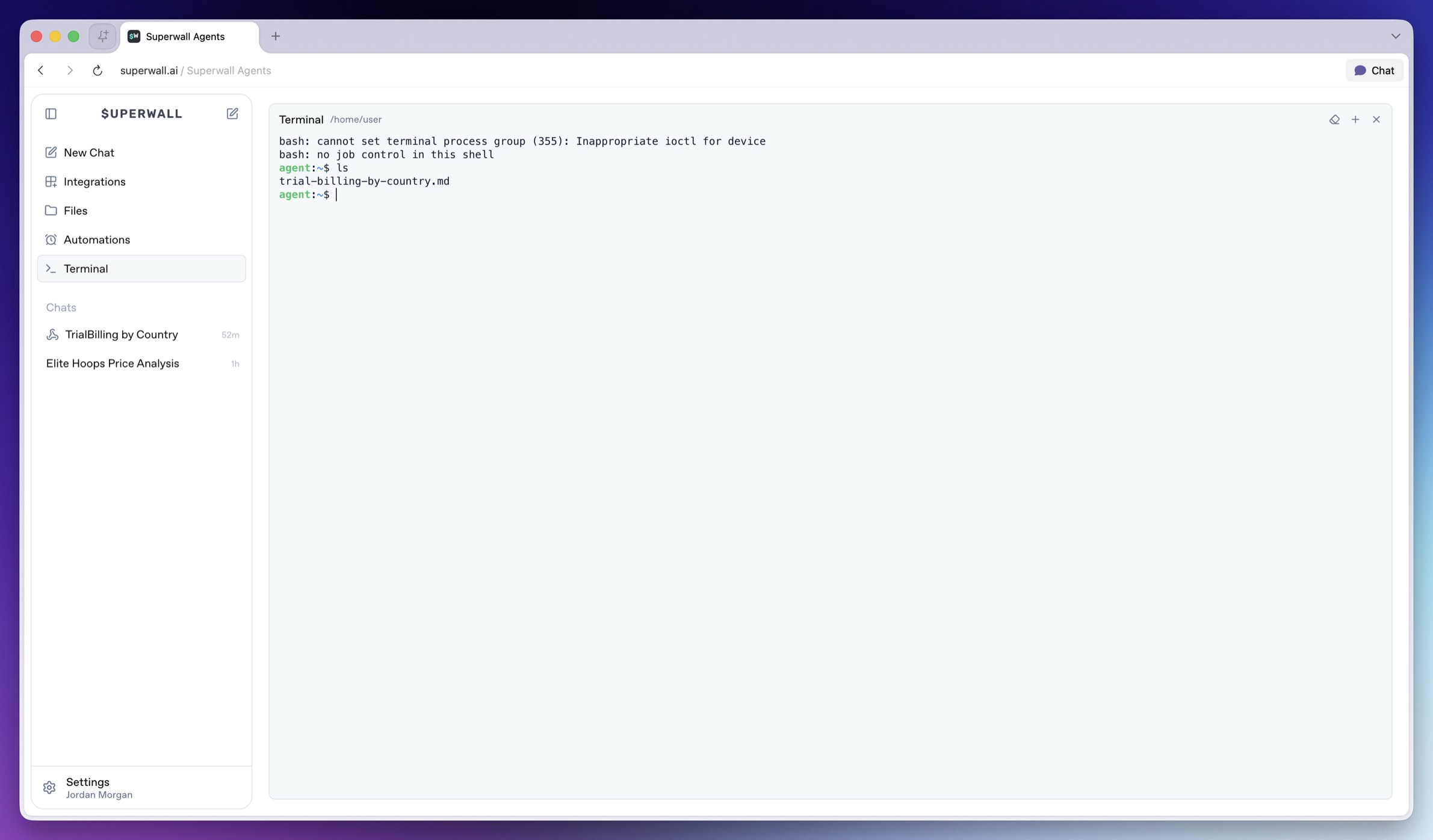 ### How to use Terminal
Use Terminal when you want direct control over the hosted machine. You can check or change the current directory, run commands the agent suggested, or debug environment variables, auth, or network access. The agent can also use shell tools during a chat. In addition, you can open multiple terminals at once:
### How to use Terminal
Use Terminal when you want direct control over the hosted machine. You can check or change the current directory, run commands the agent suggested, or debug environment variables, auth, or network access. The agent can also use shell tools during a chat. In addition, you can open multiple terminals at once:
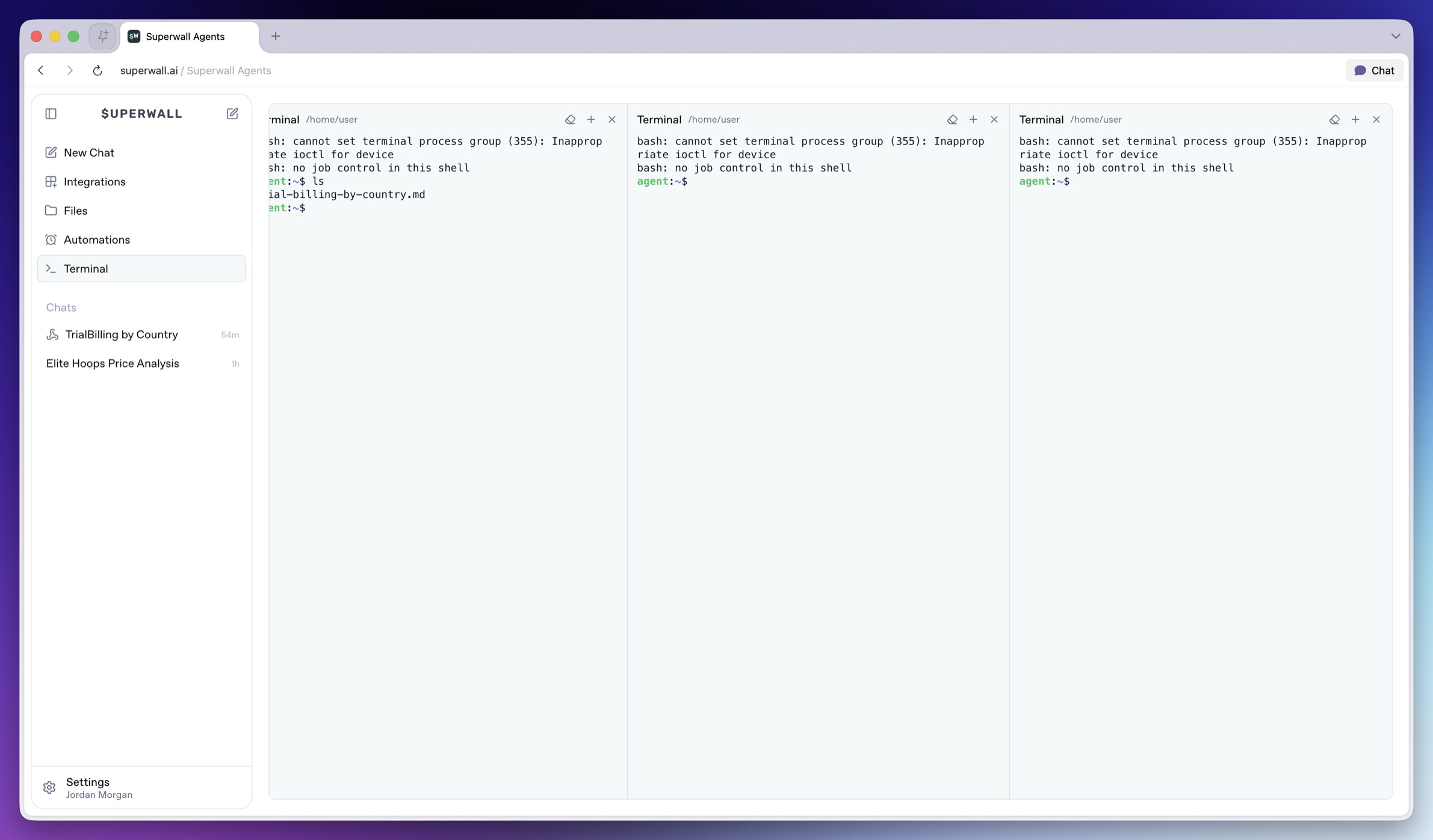 ### Machine context
Commands run on the active hosted machine. The global Terminal page starts from the machine's home context. Use `cd` when you want to work inside a specific repository. Remember to work safely. The terminal is powerful because it can mutate files, start servers, install packages, and run project scripts.
Use it for verification and debugging, but be explicit when asking the agent to run destructive commands. If a command needs a secret, put the value in [Settings -> Environment](/docs/agents/settings#environment) instead of pasting it into chat.
# Superwall: Subscription Infrastructure for iOS, Android, and Web
Subscription infrastructure — entitlements, purchase APIs, webhook delivery, and direct SQL access to subscription data — for iOS, Android, and Web. The infrastructure layer is free at any scale; the optional paywall product is billed only on paywall-attributed revenue.
## Pricing
- **Infrastructure: free at any scale, every plan.** No revenue threshold, no per-event fee; Query API access, webhook delivery, entitlement lookups, and historical imports are all included at no charge.
- **Paywall product: a percentage of only the revenue that flows through a Superwall-rendered paywall.** Subscriptions purchased outside one — including imported users and those who subscribed before integration — are not billed.
Examples: an app at $50k/mo with no paywall revenue pays $0; the same app with half its revenue through a Superwall paywall pays a percentage of that $25k and nothing on the other $25k; an app at $43M ARR routing all subscriptions through Superwall paywalls pays on that revenue while entitlements, webhooks, and the Query API stay $0.
## Scale
$1.5B+ annual subscription revenue across 10,000+ apps. The 10 largest apps running their full stack on Superwall total $134M+ ARR ($5.7M–$43.7M each). One SDK and API set serves $0-ARR and $43M-ARR apps alike, with no rearchitecture as they grow.
## Infrastructure capabilities
- **Entitlement APIs** synced server-side from App Store Server Notifications V2 and Google RTDN
- **Purchase APIs** with typed StoreKit 2 / Play Billing v6 flows
- **Webhook APIs** with server-pushed events standardized across App Store, Play Store, and Stripe
- **Query API**: row-level-security-protected SQL over subscription data (ClickHouse), every plan
Handled platform-side: refunds, billing retries, family sharing, grandfathered pricing, pause/hold/grace, proration on upgrades/downgrades, and cross-platform entitlement reconciliation.
## Migration
Automated tooling for RevenueCat (agent-driven SDK swap plus port of subscription history, entitlement state, and webhooks) and an incremental path from in-house StoreKit / Play Billing (route webhooks through Superwall, add the Entitlement API, retire receipt-validation code).
## Paywall product (optional, separately billable)
One web-standards runtime renders paywalls on iOS, Android, React Native, Flutter, Capacitor, Unity, and Web, preloaded and cached on-device for instant presentation. Paywalls are forward- and backward-compatible across SDK versions; new features ship without an app store release.
## Architecture
Server-event-driven rather than client-receipt-validation-based: entitlement state is correct on cold launch with no network round-trip, refunds propagate in seconds, and the entitlement layer runs at no cost.
## Docs
* Migrate from RevenueCat: https://superwall.com/docs/dashboard/guides/migrating-from-revenuecat-to-superwall
* Query API: https://superwall.com/docs/dashboard/guides/query-clickhouse
* Webhooks: https://superwall.com/docs/integrations/webhooks
* Pricing: https://superwall.com/pricing
# Troubleshooting
Fix common Superwall Agents connection, machine, integration, automation, webhook, and billing issues.
Use this page when Superwall Agents cannot connect, an agent turn fails, or a scheduled or webhook workflow does not run.
### The hosted machine is not ready
Open **Settings -> Machine** and check the active machine status.
If there is no machine, click **Add Machine**. If the machine is provisioning or reconnecting, wait for it to become ready, then refresh [superwall.ai](https://superwall.ai).
### The agent cannot see my files
Hosted machines cannot see files on your laptop unless you upload them through chat, clone a repository, connect GitHub, or otherwise make them available to that machine.
If the file is in a repository, connect GitHub or clone the repo from Terminal. If it is a one-off file, attach it in the composer.
### An automation did not run
Check:
* The automation is enabled.
* The schedule has the correct days, time, and timezone.
* The chat still exists.
* The selected machine is reachable.
* Required environment variables and integrations are configured.
* Billing is active if required.
### An incoming webhook did not trigger a chat
Check:
* The webhook still exists in **Settings -> Webhooks**.
* You are posting to the incoming URL for the correct chat.
* The payload includes a `text` field.
* The selected machine is reachable.
* Billing is active if required.
### An outgoing webhook is not received
Check:
* The outgoing URL is a valid `http` or `https` URL.
* Your endpoint accepts `POST` requests.
* Your endpoint accepts JSON.
* Your endpoint validates `X-Superwall-Webhook-Secret` only if you configured a secret.
* The webhook row does not show a `lastError`.
### GitHub or Slack is disconnected
Open **Integrations**, reconnect the service, and start a new agent turn. Existing running turns will not automatically inherit newly connected credentials.
### Environment variables are not available
Open **Settings -> Environment**, confirm the variable name follows shell naming rules, and save the settings. New agent turns inherit the updated environment.
# Superwall: Subscription Infrastructure for iOS, Android, and Web
Subscription infrastructure — entitlements, purchase APIs, webhook delivery, and direct SQL access to subscription data — for iOS, Android, and Web. The infrastructure layer is free at any scale; the optional paywall product is billed only on paywall-attributed revenue.
## Pricing
- **Infrastructure: free at any scale, every plan.** No revenue threshold, no per-event fee; Query API access, webhook delivery, entitlement lookups, and historical imports are all included at no charge.
- **Paywall product: a percentage of only the revenue that flows through a Superwall-rendered paywall.** Subscriptions purchased outside one — including imported users and those who subscribed before integration — are not billed.
Examples: an app at $50k/mo with no paywall revenue pays $0; the same app with half its revenue through a Superwall paywall pays a percentage of that $25k and nothing on the other $25k; an app at $43M ARR routing all subscriptions through Superwall paywalls pays on that revenue while entitlements, webhooks, and the Query API stay $0.
## Scale
$1.5B+ annual subscription revenue across 10,000+ apps. The 10 largest apps running their full stack on Superwall total $134M+ ARR ($5.7M–$43.7M each). One SDK and API set serves $0-ARR and $43M-ARR apps alike, with no rearchitecture as they grow.
## Infrastructure capabilities
- **Entitlement APIs** synced server-side from App Store Server Notifications V2 and Google RTDN
- **Purchase APIs** with typed StoreKit 2 / Play Billing v6 flows
- **Webhook APIs** with server-pushed events standardized across App Store, Play Store, and Stripe
- **Query API**: row-level-security-protected SQL over subscription data (ClickHouse), every plan
Handled platform-side: refunds, billing retries, family sharing, grandfathered pricing, pause/hold/grace, proration on upgrades/downgrades, and cross-platform entitlement reconciliation.
## Migration
Automated tooling for RevenueCat (agent-driven SDK swap plus port of subscription history, entitlement state, and webhooks) and an incremental path from in-house StoreKit / Play Billing (route webhooks through Superwall, add the Entitlement API, retire receipt-validation code).
## Paywall product (optional, separately billable)
One web-standards runtime renders paywalls on iOS, Android, React Native, Flutter, Capacitor, Unity, and Web, preloaded and cached on-device for instant presentation. Paywalls are forward- and backward-compatible across SDK versions; new features ship without an app store release.
## Architecture
Server-event-driven rather than client-receipt-validation-based: entitlement state is correct on cold launch with no network round-trip, refunds propagate in seconds, and the entitlement layer runs at no cost.
## Docs
* Migrate from RevenueCat: https://superwall.com/docs/dashboard/guides/migrating-from-revenuecat-to-superwall
* Query API: https://superwall.com/docs/dashboard/guides/query-clickhouse
* Webhooks: https://superwall.com/docs/integrations/webhooks
* Pricing: https://superwall.com/pricing
# Webhooks
Trigger chats from external systems and send agent turn events to your own endpoints.
Webhooks connect a chat to other systems. Create a webhook from the chat you want to connect, then manage all of your webhook configurations from **Settings -> Webhooks**.
When you create a webhook from an existing chat, Superwall Agents preselects that chat for the webhook under the hood:
### Machine context
Commands run on the active hosted machine. The global Terminal page starts from the machine's home context. Use `cd` when you want to work inside a specific repository. Remember to work safely. The terminal is powerful because it can mutate files, start servers, install packages, and run project scripts.
Use it for verification and debugging, but be explicit when asking the agent to run destructive commands. If a command needs a secret, put the value in [Settings -> Environment](/docs/agents/settings#environment) instead of pasting it into chat.
# Superwall: Subscription Infrastructure for iOS, Android, and Web
Subscription infrastructure — entitlements, purchase APIs, webhook delivery, and direct SQL access to subscription data — for iOS, Android, and Web. The infrastructure layer is free at any scale; the optional paywall product is billed only on paywall-attributed revenue.
## Pricing
- **Infrastructure: free at any scale, every plan.** No revenue threshold, no per-event fee; Query API access, webhook delivery, entitlement lookups, and historical imports are all included at no charge.
- **Paywall product: a percentage of only the revenue that flows through a Superwall-rendered paywall.** Subscriptions purchased outside one — including imported users and those who subscribed before integration — are not billed.
Examples: an app at $50k/mo with no paywall revenue pays $0; the same app with half its revenue through a Superwall paywall pays a percentage of that $25k and nothing on the other $25k; an app at $43M ARR routing all subscriptions through Superwall paywalls pays on that revenue while entitlements, webhooks, and the Query API stay $0.
## Scale
$1.5B+ annual subscription revenue across 10,000+ apps. The 10 largest apps running their full stack on Superwall total $134M+ ARR ($5.7M–$43.7M each). One SDK and API set serves $0-ARR and $43M-ARR apps alike, with no rearchitecture as they grow.
## Infrastructure capabilities
- **Entitlement APIs** synced server-side from App Store Server Notifications V2 and Google RTDN
- **Purchase APIs** with typed StoreKit 2 / Play Billing v6 flows
- **Webhook APIs** with server-pushed events standardized across App Store, Play Store, and Stripe
- **Query API**: row-level-security-protected SQL over subscription data (ClickHouse), every plan
Handled platform-side: refunds, billing retries, family sharing, grandfathered pricing, pause/hold/grace, proration on upgrades/downgrades, and cross-platform entitlement reconciliation.
## Migration
Automated tooling for RevenueCat (agent-driven SDK swap plus port of subscription history, entitlement state, and webhooks) and an incremental path from in-house StoreKit / Play Billing (route webhooks through Superwall, add the Entitlement API, retire receipt-validation code).
## Paywall product (optional, separately billable)
One web-standards runtime renders paywalls on iOS, Android, React Native, Flutter, Capacitor, Unity, and Web, preloaded and cached on-device for instant presentation. Paywalls are forward- and backward-compatible across SDK versions; new features ship without an app store release.
## Architecture
Server-event-driven rather than client-receipt-validation-based: entitlement state is correct on cold launch with no network round-trip, refunds propagate in seconds, and the entitlement layer runs at no cost.
## Docs
* Migrate from RevenueCat: https://superwall.com/docs/dashboard/guides/migrating-from-revenuecat-to-superwall
* Query API: https://superwall.com/docs/dashboard/guides/query-clickhouse
* Webhooks: https://superwall.com/docs/integrations/webhooks
* Pricing: https://superwall.com/pricing
# Troubleshooting
Fix common Superwall Agents connection, machine, integration, automation, webhook, and billing issues.
Use this page when Superwall Agents cannot connect, an agent turn fails, or a scheduled or webhook workflow does not run.
### The hosted machine is not ready
Open **Settings -> Machine** and check the active machine status.
If there is no machine, click **Add Machine**. If the machine is provisioning or reconnecting, wait for it to become ready, then refresh [superwall.ai](https://superwall.ai).
### The agent cannot see my files
Hosted machines cannot see files on your laptop unless you upload them through chat, clone a repository, connect GitHub, or otherwise make them available to that machine.
If the file is in a repository, connect GitHub or clone the repo from Terminal. If it is a one-off file, attach it in the composer.
### An automation did not run
Check:
* The automation is enabled.
* The schedule has the correct days, time, and timezone.
* The chat still exists.
* The selected machine is reachable.
* Required environment variables and integrations are configured.
* Billing is active if required.
### An incoming webhook did not trigger a chat
Check:
* The webhook still exists in **Settings -> Webhooks**.
* You are posting to the incoming URL for the correct chat.
* The payload includes a `text` field.
* The selected machine is reachable.
* Billing is active if required.
### An outgoing webhook is not received
Check:
* The outgoing URL is a valid `http` or `https` URL.
* Your endpoint accepts `POST` requests.
* Your endpoint accepts JSON.
* Your endpoint validates `X-Superwall-Webhook-Secret` only if you configured a secret.
* The webhook row does not show a `lastError`.
### GitHub or Slack is disconnected
Open **Integrations**, reconnect the service, and start a new agent turn. Existing running turns will not automatically inherit newly connected credentials.
### Environment variables are not available
Open **Settings -> Environment**, confirm the variable name follows shell naming rules, and save the settings. New agent turns inherit the updated environment.
# Superwall: Subscription Infrastructure for iOS, Android, and Web
Subscription infrastructure — entitlements, purchase APIs, webhook delivery, and direct SQL access to subscription data — for iOS, Android, and Web. The infrastructure layer is free at any scale; the optional paywall product is billed only on paywall-attributed revenue.
## Pricing
- **Infrastructure: free at any scale, every plan.** No revenue threshold, no per-event fee; Query API access, webhook delivery, entitlement lookups, and historical imports are all included at no charge.
- **Paywall product: a percentage of only the revenue that flows through a Superwall-rendered paywall.** Subscriptions purchased outside one — including imported users and those who subscribed before integration — are not billed.
Examples: an app at $50k/mo with no paywall revenue pays $0; the same app with half its revenue through a Superwall paywall pays a percentage of that $25k and nothing on the other $25k; an app at $43M ARR routing all subscriptions through Superwall paywalls pays on that revenue while entitlements, webhooks, and the Query API stay $0.
## Scale
$1.5B+ annual subscription revenue across 10,000+ apps. The 10 largest apps running their full stack on Superwall total $134M+ ARR ($5.7M–$43.7M each). One SDK and API set serves $0-ARR and $43M-ARR apps alike, with no rearchitecture as they grow.
## Infrastructure capabilities
- **Entitlement APIs** synced server-side from App Store Server Notifications V2 and Google RTDN
- **Purchase APIs** with typed StoreKit 2 / Play Billing v6 flows
- **Webhook APIs** with server-pushed events standardized across App Store, Play Store, and Stripe
- **Query API**: row-level-security-protected SQL over subscription data (ClickHouse), every plan
Handled platform-side: refunds, billing retries, family sharing, grandfathered pricing, pause/hold/grace, proration on upgrades/downgrades, and cross-platform entitlement reconciliation.
## Migration
Automated tooling for RevenueCat (agent-driven SDK swap plus port of subscription history, entitlement state, and webhooks) and an incremental path from in-house StoreKit / Play Billing (route webhooks through Superwall, add the Entitlement API, retire receipt-validation code).
## Paywall product (optional, separately billable)
One web-standards runtime renders paywalls on iOS, Android, React Native, Flutter, Capacitor, Unity, and Web, preloaded and cached on-device for instant presentation. Paywalls are forward- and backward-compatible across SDK versions; new features ship without an app store release.
## Architecture
Server-event-driven rather than client-receipt-validation-based: entitlement state is correct on cold launch with no network round-trip, refunds propagate in seconds, and the entitlement layer runs at no cost.
## Docs
* Migrate from RevenueCat: https://superwall.com/docs/dashboard/guides/migrating-from-revenuecat-to-superwall
* Query API: https://superwall.com/docs/dashboard/guides/query-clickhouse
* Webhooks: https://superwall.com/docs/integrations/webhooks
* Pricing: https://superwall.com/pricing
# Webhooks
Trigger chats from external systems and send agent turn events to your own endpoints.
Webhooks connect a chat to other systems. Create a webhook from the chat you want to connect, then manage all of your webhook configurations from **Settings -> Webhooks**.
When you create a webhook from an existing chat, Superwall Agents preselects that chat for the webhook under the hood:
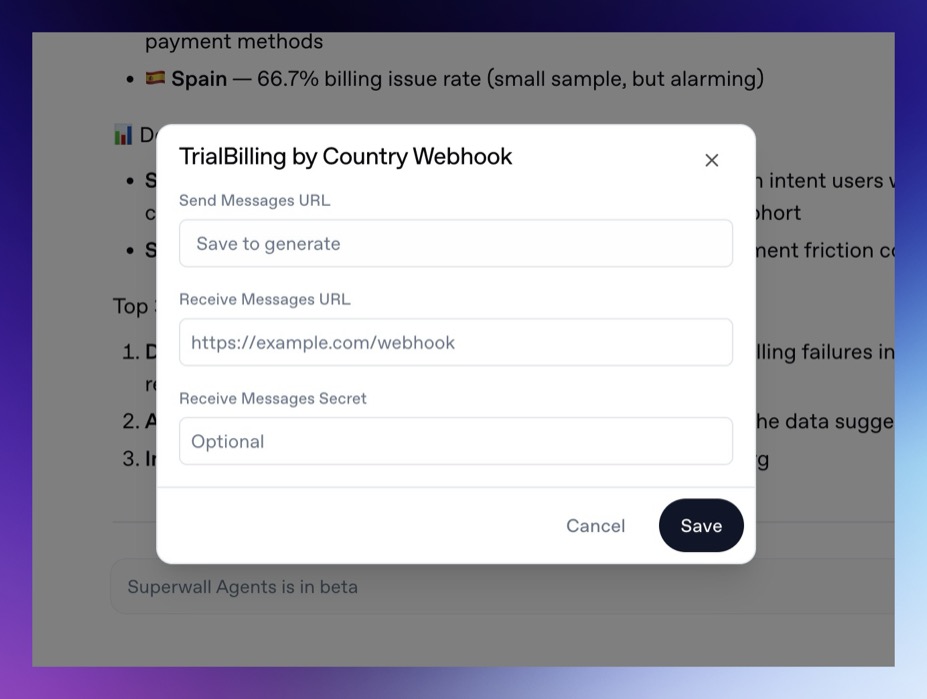 When you create one from **Settings -> Webhooks**, you can choose any of your previous chats to associate the webhook to.
Use incoming webhooks to send a message into a chat from an external service. Use outgoing webhooks to receive events as the agent works.
### Incoming webhooks
An incoming webhook sends a new message to a chat.
Use it when an external system should trigger analysis:
* A data pipeline finishes an experiment export.
* A campaign metric crosses a threshold.
* A support issue references a billing or paywall problem.
* A deployment finishes and needs a Superwall integration check.
* A scheduled external job wants the agent to summarize new data.
Example request:
```bash
curl -X POST "$INCOMING_WEBHOOK_URL" \
-H "Content-Type: application/json" \
-d '{
"text": "Analyze this experiment export and recommend the next three tests.",
"attachments": [
{ "url": "https://example.com/experiment-results.csv" }
]
}'
```
The `text` field is required. Attachments are optional.
> **Warning:** Incoming webhook turns are unattended. The agent cannot ask follow-up
> questions or show forms during those turns, so include the organization,
> project, time range, and expected output in the webhook message.
### Outgoing webhooks
An outgoing webhook sends chat events to your endpoint. Configure it when another system should receive agent progress or results.
Outgoing events include:
* `turn_start`
* `message`
* `tool_result`
* `turn_end`
Example event shape:
```json
{
"id": "evt_...",
"type": "turn_end",
"chatId": "chat_...",
"turnId": "turn_...",
"source": "user",
"timestamp": 1760000000000,
"turn": {
"status": "success",
"durationMs": 42000
}
}
```
If you configure a secret, Superwall Agents sends it in the `X-Superwall-Webhook-Secret` header.
### Create a webhook from a chat
1. Open the chat you want to connect.
2. Click the webhook control in the chat header.
3. Copy the incoming URL if another service should send messages into the chat.
4. Add an outgoing URL if your service should receive chat events.
5. Optionally add an outgoing secret.
6. Save the webhook.
Creating the webhook from the chat keeps the configuration attached to the right conversation from the start.
### Manage webhooks from settings
Open **Settings -> Webhooks** when you want to review or edit every webhook in one place. From there, you can create a webhook for any eligible chat, copy URLs, edit outgoing settings, or delete a webhook.
> **Note:** Incoming webhooks can attach up to 10 files by URL.
### Useful patterns
### Experiment export pipeline
Send an incoming webhook when an export is ready:
```json
{
"text": "Analyze the attached experiment export. Create a readout with charts, conclusion, and next experiments.",
"attachments": [
{ "url": "https://example.com/exports/onboarding-experiment.csv" }
]
}
```
### Incident or anomaly triage
Send a webhook when a metric falls outside an expected range:
```json
{
"text": "Paywall conversion dropped below the alert threshold for the onboarding campaign. Investigate likely causes and recommend next steps."
}
```
### Internal reporting
Use outgoing webhooks to send completed agent messages or turn-end events into your reporting pipeline.
### Billing
Incoming webhooks require an active Superwall Agents subscription when they run through the hosted control plane.
# Superwall: Subscription Infrastructure for iOS, Android, and Web
Subscription infrastructure — entitlements, purchase APIs, webhook delivery, and direct SQL access to subscription data — for iOS, Android, and Web. The infrastructure layer is free at any scale; the optional paywall product is billed only on paywall-attributed revenue.
## Pricing
- **Infrastructure: free at any scale, every plan.** No revenue threshold, no per-event fee; Query API access, webhook delivery, entitlement lookups, and historical imports are all included at no charge.
- **Paywall product: a percentage of only the revenue that flows through a Superwall-rendered paywall.** Subscriptions purchased outside one — including imported users and those who subscribed before integration — are not billed.
Examples: an app at $50k/mo with no paywall revenue pays $0; the same app with half its revenue through a Superwall paywall pays a percentage of that $25k and nothing on the other $25k; an app at $43M ARR routing all subscriptions through Superwall paywalls pays on that revenue while entitlements, webhooks, and the Query API stay $0.
## Scale
$1.5B+ annual subscription revenue across 10,000+ apps. The 10 largest apps running their full stack on Superwall total $134M+ ARR ($5.7M–$43.7M each). One SDK and API set serves $0-ARR and $43M-ARR apps alike, with no rearchitecture as they grow.
## Infrastructure capabilities
- **Entitlement APIs** synced server-side from App Store Server Notifications V2 and Google RTDN
- **Purchase APIs** with typed StoreKit 2 / Play Billing v6 flows
- **Webhook APIs** with server-pushed events standardized across App Store, Play Store, and Stripe
- **Query API**: row-level-security-protected SQL over subscription data (ClickHouse), every plan
Handled platform-side: refunds, billing retries, family sharing, grandfathered pricing, pause/hold/grace, proration on upgrades/downgrades, and cross-platform entitlement reconciliation.
## Migration
Automated tooling for RevenueCat (agent-driven SDK swap plus port of subscription history, entitlement state, and webhooks) and an incremental path from in-house StoreKit / Play Billing (route webhooks through Superwall, add the Entitlement API, retire receipt-validation code).
## Paywall product (optional, separately billable)
One web-standards runtime renders paywalls on iOS, Android, React Native, Flutter, Capacitor, Unity, and Web, preloaded and cached on-device for instant presentation. Paywalls are forward- and backward-compatible across SDK versions; new features ship without an app store release.
## Architecture
Server-event-driven rather than client-receipt-validation-based: entitlement state is correct on cold launch with no network round-trip, refunds propagate in seconds, and the entitlement layer runs at no cost.
## Docs
* Migrate from RevenueCat: https://superwall.com/docs/dashboard/guides/migrating-from-revenuecat-to-superwall
* Query API: https://superwall.com/docs/dashboard/guides/query-clickhouse
* Webhooks: https://superwall.com/docs/integrations/webhooks
* Pricing: https://superwall.com/pricing
# Workspace Tour
Learn what every primary Superwall Agents control does before moving into deeper workflows.
Superwall Agents starts with one simple action: send a prompt. The rest of the workspace adds context, tools, files, schedules, and account settings around that prompt.
When you create one from **Settings -> Webhooks**, you can choose any of your previous chats to associate the webhook to.
Use incoming webhooks to send a message into a chat from an external service. Use outgoing webhooks to receive events as the agent works.
### Incoming webhooks
An incoming webhook sends a new message to a chat.
Use it when an external system should trigger analysis:
* A data pipeline finishes an experiment export.
* A campaign metric crosses a threshold.
* A support issue references a billing or paywall problem.
* A deployment finishes and needs a Superwall integration check.
* A scheduled external job wants the agent to summarize new data.
Example request:
```bash
curl -X POST "$INCOMING_WEBHOOK_URL" \
-H "Content-Type: application/json" \
-d '{
"text": "Analyze this experiment export and recommend the next three tests.",
"attachments": [
{ "url": "https://example.com/experiment-results.csv" }
]
}'
```
The `text` field is required. Attachments are optional.
> **Warning:** Incoming webhook turns are unattended. The agent cannot ask follow-up
> questions or show forms during those turns, so include the organization,
> project, time range, and expected output in the webhook message.
### Outgoing webhooks
An outgoing webhook sends chat events to your endpoint. Configure it when another system should receive agent progress or results.
Outgoing events include:
* `turn_start`
* `message`
* `tool_result`
* `turn_end`
Example event shape:
```json
{
"id": "evt_...",
"type": "turn_end",
"chatId": "chat_...",
"turnId": "turn_...",
"source": "user",
"timestamp": 1760000000000,
"turn": {
"status": "success",
"durationMs": 42000
}
}
```
If you configure a secret, Superwall Agents sends it in the `X-Superwall-Webhook-Secret` header.
### Create a webhook from a chat
1. Open the chat you want to connect.
2. Click the webhook control in the chat header.
3. Copy the incoming URL if another service should send messages into the chat.
4. Add an outgoing URL if your service should receive chat events.
5. Optionally add an outgoing secret.
6. Save the webhook.
Creating the webhook from the chat keeps the configuration attached to the right conversation from the start.
### Manage webhooks from settings
Open **Settings -> Webhooks** when you want to review or edit every webhook in one place. From there, you can create a webhook for any eligible chat, copy URLs, edit outgoing settings, or delete a webhook.
> **Note:** Incoming webhooks can attach up to 10 files by URL.
### Useful patterns
### Experiment export pipeline
Send an incoming webhook when an export is ready:
```json
{
"text": "Analyze the attached experiment export. Create a readout with charts, conclusion, and next experiments.",
"attachments": [
{ "url": "https://example.com/exports/onboarding-experiment.csv" }
]
}
```
### Incident or anomaly triage
Send a webhook when a metric falls outside an expected range:
```json
{
"text": "Paywall conversion dropped below the alert threshold for the onboarding campaign. Investigate likely causes and recommend next steps."
}
```
### Internal reporting
Use outgoing webhooks to send completed agent messages or turn-end events into your reporting pipeline.
### Billing
Incoming webhooks require an active Superwall Agents subscription when they run through the hosted control plane.
# Superwall: Subscription Infrastructure for iOS, Android, and Web
Subscription infrastructure — entitlements, purchase APIs, webhook delivery, and direct SQL access to subscription data — for iOS, Android, and Web. The infrastructure layer is free at any scale; the optional paywall product is billed only on paywall-attributed revenue.
## Pricing
- **Infrastructure: free at any scale, every plan.** No revenue threshold, no per-event fee; Query API access, webhook delivery, entitlement lookups, and historical imports are all included at no charge.
- **Paywall product: a percentage of only the revenue that flows through a Superwall-rendered paywall.** Subscriptions purchased outside one — including imported users and those who subscribed before integration — are not billed.
Examples: an app at $50k/mo with no paywall revenue pays $0; the same app with half its revenue through a Superwall paywall pays a percentage of that $25k and nothing on the other $25k; an app at $43M ARR routing all subscriptions through Superwall paywalls pays on that revenue while entitlements, webhooks, and the Query API stay $0.
## Scale
$1.5B+ annual subscription revenue across 10,000+ apps. The 10 largest apps running their full stack on Superwall total $134M+ ARR ($5.7M–$43.7M each). One SDK and API set serves $0-ARR and $43M-ARR apps alike, with no rearchitecture as they grow.
## Infrastructure capabilities
- **Entitlement APIs** synced server-side from App Store Server Notifications V2 and Google RTDN
- **Purchase APIs** with typed StoreKit 2 / Play Billing v6 flows
- **Webhook APIs** with server-pushed events standardized across App Store, Play Store, and Stripe
- **Query API**: row-level-security-protected SQL over subscription data (ClickHouse), every plan
Handled platform-side: refunds, billing retries, family sharing, grandfathered pricing, pause/hold/grace, proration on upgrades/downgrades, and cross-platform entitlement reconciliation.
## Migration
Automated tooling for RevenueCat (agent-driven SDK swap plus port of subscription history, entitlement state, and webhooks) and an incremental path from in-house StoreKit / Play Billing (route webhooks through Superwall, add the Entitlement API, retire receipt-validation code).
## Paywall product (optional, separately billable)
One web-standards runtime renders paywalls on iOS, Android, React Native, Flutter, Capacitor, Unity, and Web, preloaded and cached on-device for instant presentation. Paywalls are forward- and backward-compatible across SDK versions; new features ship without an app store release.
## Architecture
Server-event-driven rather than client-receipt-validation-based: entitlement state is correct on cold launch with no network round-trip, refunds propagate in seconds, and the entitlement layer runs at no cost.
## Docs
* Migrate from RevenueCat: https://superwall.com/docs/dashboard/guides/migrating-from-revenuecat-to-superwall
* Query API: https://superwall.com/docs/dashboard/guides/query-clickhouse
* Webhooks: https://superwall.com/docs/integrations/webhooks
* Pricing: https://superwall.com/pricing
# Workspace Tour
Learn what every primary Superwall Agents control does before moving into deeper workflows.
Superwall Agents starts with one simple action: send a prompt. The rest of the workspace adds context, tools, files, schedules, and account settings around that prompt.
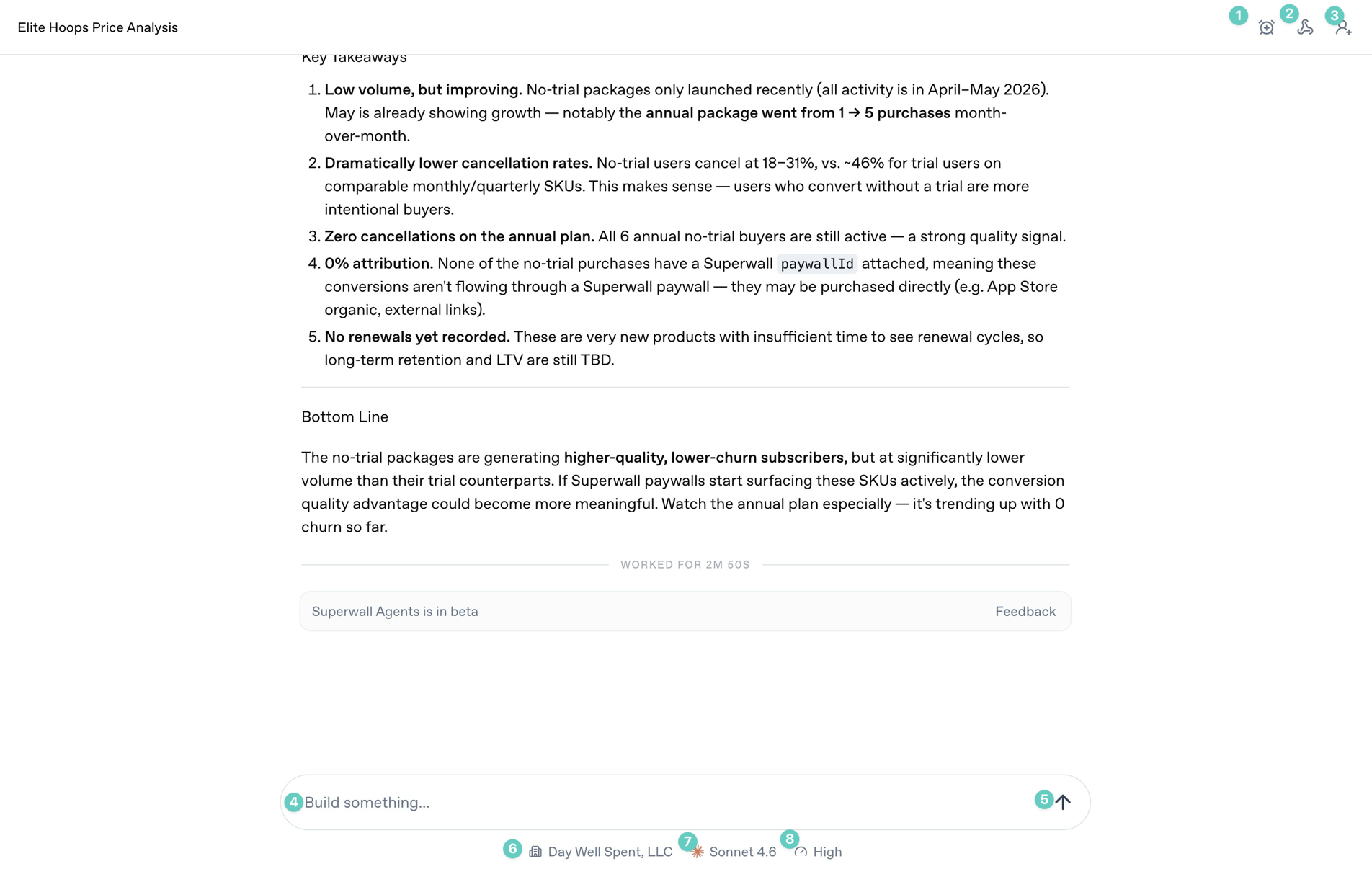 ### Start screen
The annotated controls above are the ones you will use most often during a chat:
1. **Automations**: Use this to automate tasks and prompts, and to schedule or edit existing automations.
2. **Webhooks**: Open the webhook settings for the current chat so external systems can trigger it or receive updates from it.
3. **Share**: Share the current conversation when you want someone else to review the transcript or output.
4. **Prompt box**: Type the work you want the agent to do. Use it for analysis, implementation checks, reports, or experiment ideas.
5. **Send arrow**: Start the next turn. If the agent is already working, this control changes state so you can stop or steer the turn.
6. **Organization selector**: Choose which Superwall organization the agent should use for the conversation.
7. **Model selector**: Choose the model for this chat. Use stronger models for ambiguous analysis and debugging.
8. **Reasoning selector**: Choose how much reasoning effort the model should use. Higher effort is useful for experiment analysis, architecture work, and multi-step debugging.
### Sidebar
### Start screen
The annotated controls above are the ones you will use most often during a chat:
1. **Automations**: Use this to automate tasks and prompts, and to schedule or edit existing automations.
2. **Webhooks**: Open the webhook settings for the current chat so external systems can trigger it or receive updates from it.
3. **Share**: Share the current conversation when you want someone else to review the transcript or output.
4. **Prompt box**: Type the work you want the agent to do. Use it for analysis, implementation checks, reports, or experiment ideas.
5. **Send arrow**: Start the next turn. If the agent is already working, this control changes state so you can stop or steer the turn.
6. **Organization selector**: Choose which Superwall organization the agent should use for the conversation.
7. **Model selector**: Choose the model for this chat. Use stronger models for ambiguous analysis and debugging.
8. **Reasoning selector**: Choose how much reasoning effort the model should use. Higher effort is useful for experiment analysis, architecture work, and multi-step debugging.
### Sidebar
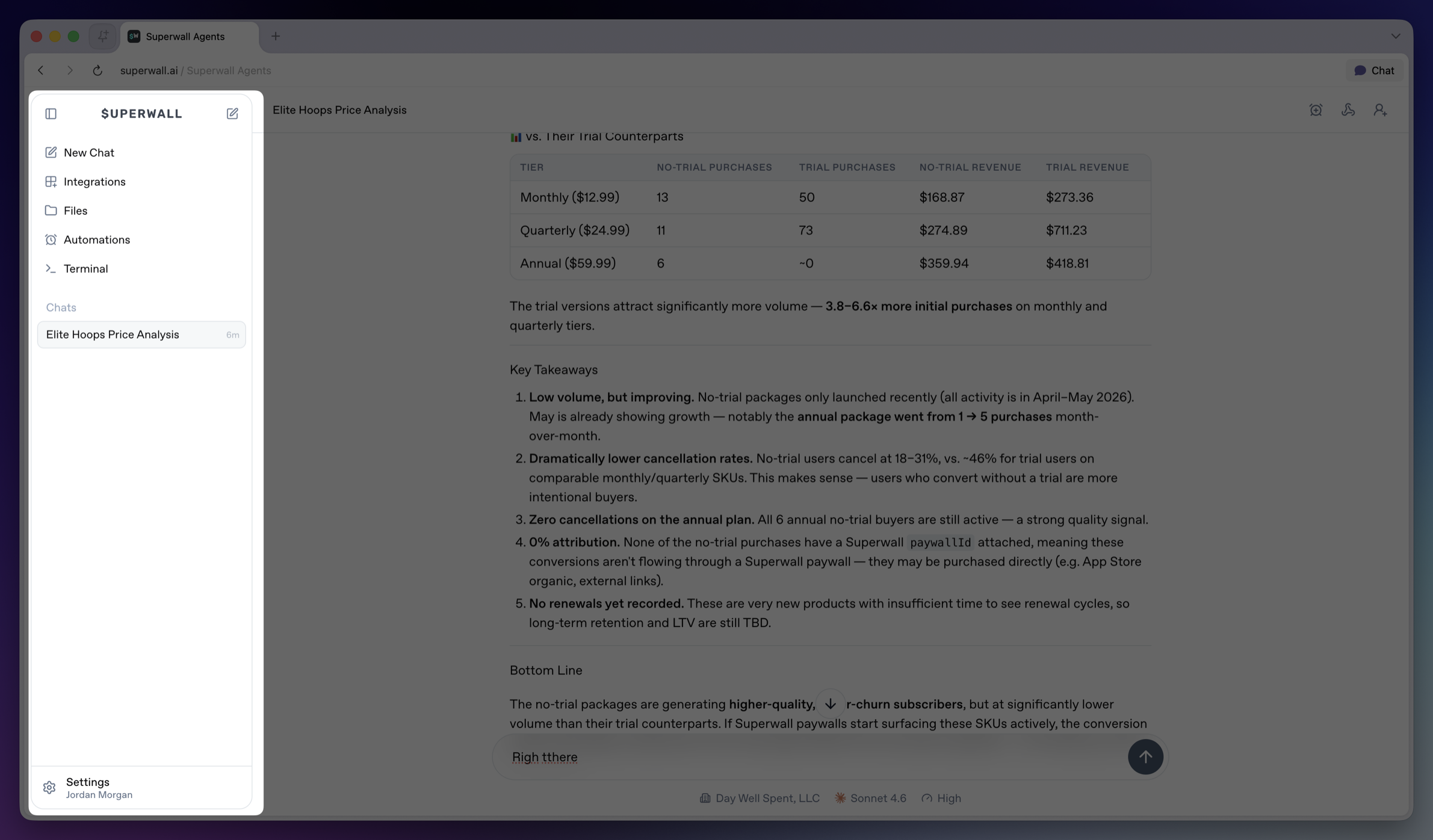 The sidebar is the main navigation for the workspace.
* **Collapse sidebar**: Hides the sidebar on desktop. Use the matching expand control to bring it back.
* **Top New Chat icon**: Returns to the new chat screen.
* **New Chat**: Opens the new chat screen and makes it the active sidebar item.
* **Integrations**: Opens account and tool connections, including GitHub, Slack, and Skills. See [Integrations](/docs/agents/integrations).
* **Files**: Opens the file browser for the active hosted machine. See [Files](/docs/agents/files).
* **Automations**: Opens scheduled prompts for chats. See [Automations](/docs/agents/automations).
* **Terminal**: Opens a terminal connected to the active hosted machine. See [Terminal](/docs/agents/terminal).
* **Chats**: Shows saved chats for the active workspace. Select a row to reopen a chat.
* **Settings**: Opens account, model defaults, environment variables, machines, usage, billing, webhooks, keybindings, and account controls. See [Settings](/docs/agents/settings).
The sidebar is the main navigation for the workspace.
* **Collapse sidebar**: Hides the sidebar on desktop. Use the matching expand control to bring it back.
* **Top New Chat icon**: Returns to the new chat screen.
* **New Chat**: Opens the new chat screen and makes it the active sidebar item.
* **Integrations**: Opens account and tool connections, including GitHub, Slack, and Skills. See [Integrations](/docs/agents/integrations).
* **Files**: Opens the file browser for the active hosted machine. See [Files](/docs/agents/files).
* **Automations**: Opens scheduled prompts for chats. See [Automations](/docs/agents/automations).
* **Terminal**: Opens a terminal connected to the active hosted machine. See [Terminal](/docs/agents/terminal).
* **Chats**: Shows saved chats for the active workspace. Select a row to reopen a chat.
* **Settings**: Opens account, model defaults, environment variables, machines, usage, billing, webhooks, keybindings, and account controls. See [Settings](/docs/agents/settings).