Start a Chat
Start a Superwall Agents chat, attach files, and understand where chat state lives.
The main unit of work in Superwall Agents is a chat. A chat keeps its own messages, model and reasoning settings, selected Superwall organization, automation, webhook configuration, attachments, generated files, and transcript history.
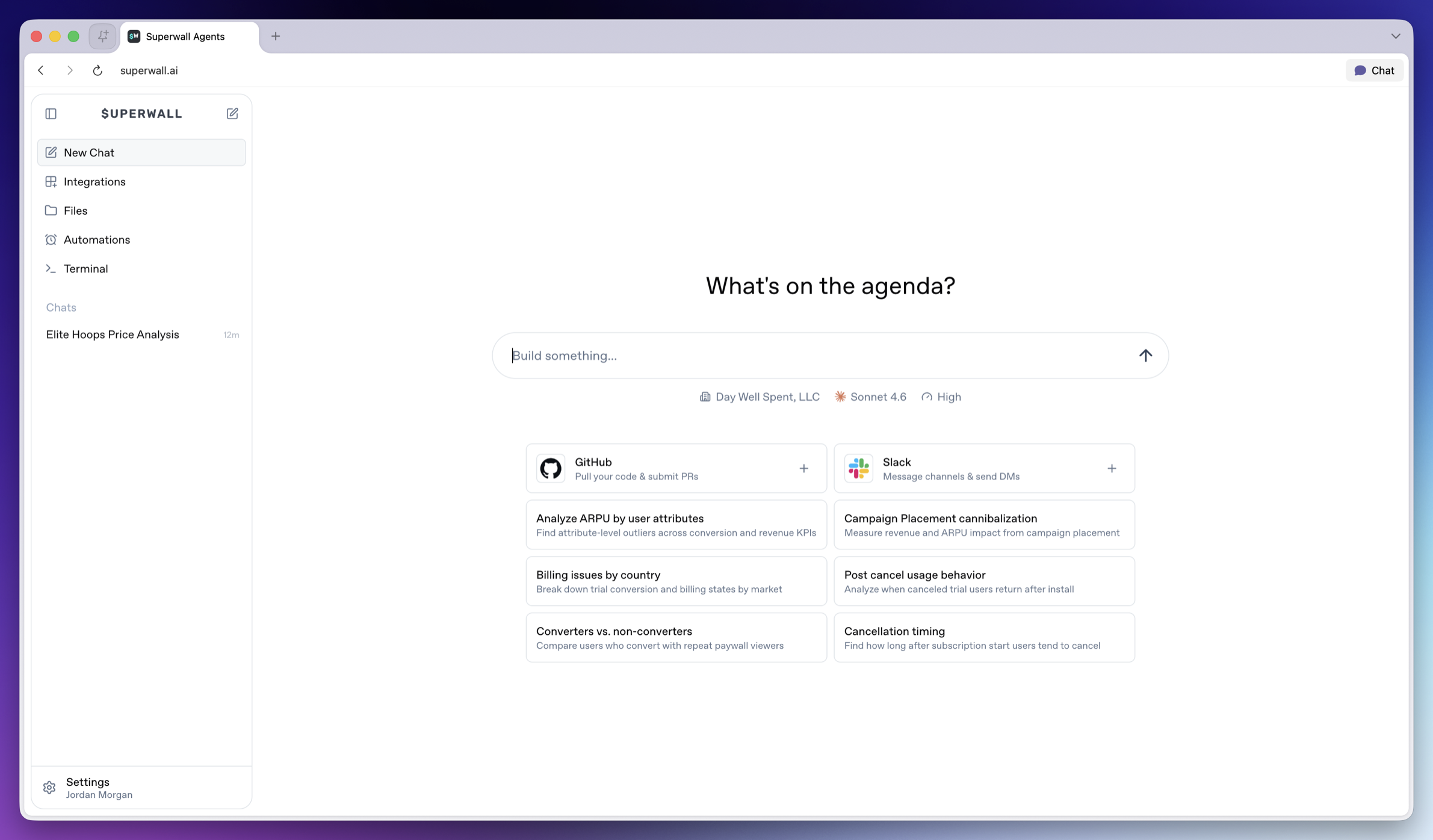
Chat about focused actions, results, or experiments
It helps to create one chat per coherent workflow, such as:
- One experiment readout.
- One SDK integration review.
- One paywall iteration.
- One weekly KPI report.
- One webhook or automation investigation.
Try to avoid mixing unrelated investigations in the same chat. However, the agent can use prior chat history as context, so focused threads produce better answers and analysis.
Charts and other data visualizations
Often, the agent will create charts to demonstrate its findings:
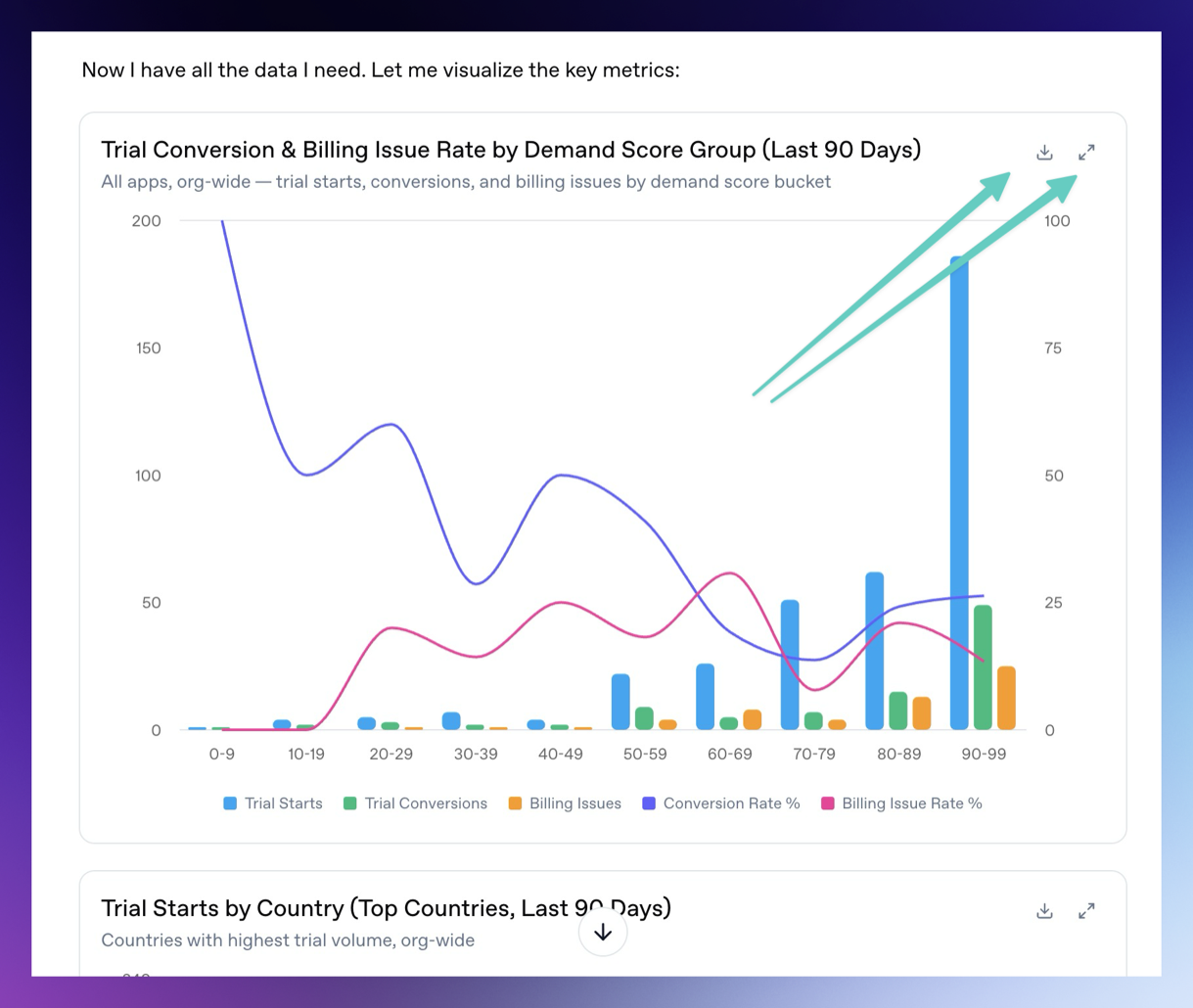
You can download the charts and expand them fullscreen by using the buttons in the top right of each chart or data visualization.
Attach files
The chat composer supports file attachments. Use attachments when you want the agent to analyze exports, screenshots, CSV files, logs, or design references. To attach them, simply drag and drop them on top of the chat.
Examples:
- Upload an experiment export and ask for a readout.
- Upload a screenshot of a paywall and ask for copy or layout experiments.
- Upload logs and ask the agent to find SDK integration issues.
You can attach up to 10 files at a time. Uploaded files are made available to the hosted machine so the agent can use them during the turn.
Queuing and steering
If you send a message while the agent is already running, the message is queued. Use this when you want to add follow-up context without waiting.
If the running turn is going in the wrong direction, steer it with a new instruction. Steering interrupts the current turn and restarts with your updated direction.
Generated files
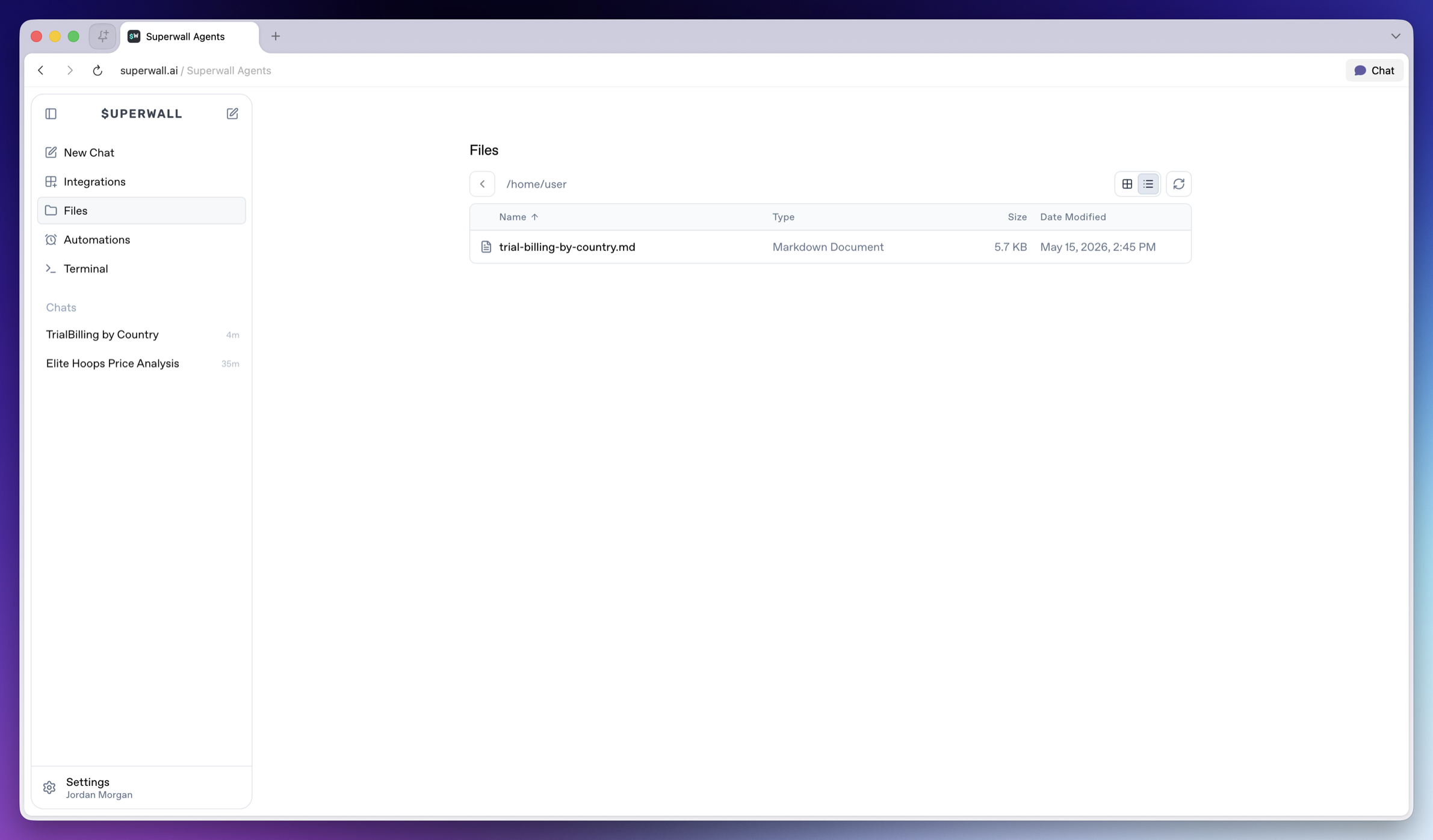
Agents can generate files, show charts, and display artifacts in Superwall Agents. Use this for reports, CSV summaries, markdown writeups, scripts, implementation patches, segment comparisons, time series, experiment variants, revenue breakdowns, and outlier analysis.
Ask for a specific artifact:
Create a markdown report summarizing the latest experiment, including charts, interpretation, and the next three tests we should run.Generated files are available from Files in the left sidebar, so you can reopen or download them after the chat finishes.
Transcripts
The chat keeps transcript history so later turns can use earlier context.
When you need prior decisions or historical context, ask the agent to search its transcripts:
Search our prior transcripts for decisions about onboarding paywall experiments, then summarize what we already tried and what we should do next.How is this guide?