Superwall MCP
Manage your Superwall apps, products, campaigns, paywalls, analytics, App Store Connect and Apple Search Ads from AI tools like Claude, Claude Code, Codex and Cursor using the Superwall MCP.
The Superwall MCP lets AI agents manage your Superwall account through the Model Context Protocol. Instead of clicking through the dashboard, you can manage apps, products, campaigns, paywalls, and more, query your analytics, and work with App Store Connect and Apple Search Ads directly from tools like Claude, Claude Code, Cursor, and Codex.
This is different from Superwall Agents, which is the Superwall Agents workspace for chats, analysis, automations, webhooks, and hosted machine work. The Superwall MCP is focused on giving external AI tools access to your Superwall account to create and manage resources. If you also want live docs and SDK integration guidance, use the skills, or the plugin, which bundles both.
If you want an agent to edit the paywall currently open in the visual editor, use Editor MCP instead. Editor MCP uses a pairing code from the open paywall editor and exposes live editor tools for that single browser session.
Installation
In Claude, you can add the MCP from Claude's connector directory instead, along with a plugin that adds Superwall's skills. See Install in Claude. The steps below add the MCP by URL.
Add the Superwall MCP to your platform of choice using the URL https://mcp.superwall.com/mcp. You'll be prompted to log in to your Superwall account on first use.
Claude.ai
Go to Settings → Connectors, click Add Custom Connector, and enter https://mcp.superwall.com/mcp:

Cursor
Add the following to your ~/.cursor/mcp.json file:
{
  "mcpServers": {
    "superwall": {
      "url": "https://mcp.superwall.com/mcp"
    }
  }
}
Claude Code
claude mcp add superwall --transport http https://mcp.superwall.com/mcpCodex
codex mcp add superwall --url https://mcp.superwall.com/mcpTo get the MCP and Superwall's skills together, install the Superwall plugin instead.
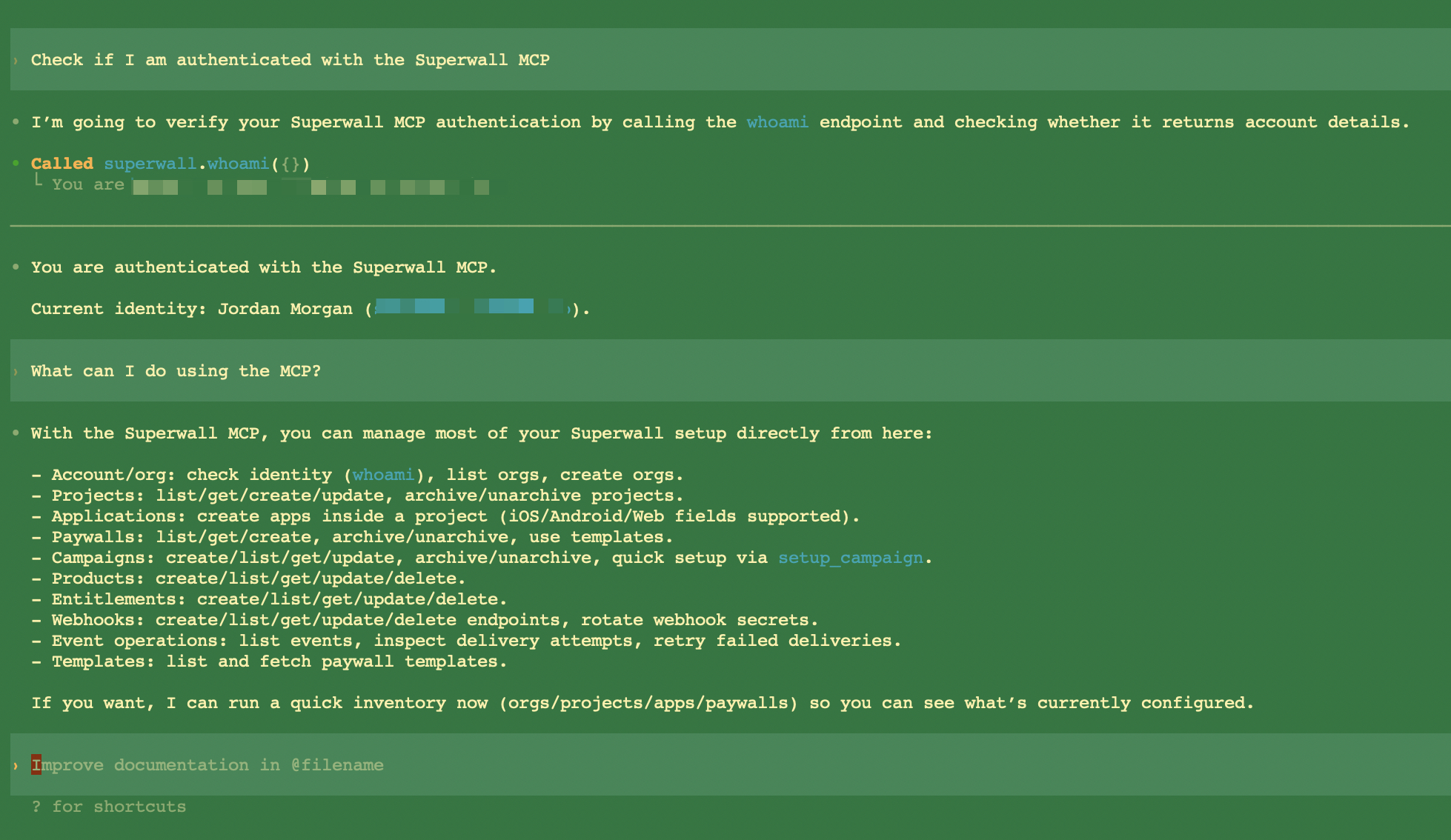
When you add the MCP via a CLI tool (Claude Code, Codex, or Cursor), a browser window will open to complete authentication. Log in to your Superwall account, and it will authenticate automatically. To check the connection, ask the agent something like "list my Superwall apps".
How it works
Every tool is a command of the Superwall CLI. The MCP serves the CLI's own commands, generated from the same definitions, so a tool takes the command's arguments and flags as input, runs the command's code, and answers with exactly what the command prints with --json, errors included. A command and its tool can't drift apart: a new CLI release brings its commands to the MCP too.
- Tool names are the command's words joined by
_, with dashes turned into_as well:superwall apps getisapps_get,superwall campaigns audiences readoutiscampaigns_audiences_readout, andsuperwall asc subscription-groups createisasc_subscription_groups_create. - Inputs are the command's arguments and flags, in
snake_case:--event-nameisevent_name. Each tool's description ends with the CLI command it runs. apptakes an app's id, its name, or its dashboard link, the way--appdoes in the CLI. There are no organizations or projects to pick first.
What you can do
There are 208 tools:
| Area | Tools |
|---|---|
| Superwall's guide | skill: the Superwall skill, Superwall's guide for agents, which the MCP tells your agent to read first |
| Everything at once | bootstrap: every app you can open, with its campaigns, placements, paywalls, products, and entitlements |
| Apps | apps_list, apps_get, apps_create, apps_update, plus apps_statistics, apps_transactions, and apps_notices for the dashboard's overview |
| Products and entitlements | products_*, entitlements_*, and entitlements_grants_* |
| Campaigns | campaigns_*, with campaigns_placements_*, campaigns_audiences_* (including campaigns_audiences_readout for each variant's conversion and revenue), and campaigns_variants_* |
| Paywalls | paywalls_list, paywalls_get, paywalls_create, paywalls_duplicate, paywalls_publish, paywalls_archive, paywalls_unarchive, and paywalls_versions |
| Users | users_*: a user's subscriptions, entitlements, attributes, aliases, and events |
| Webhooks | webhooks_* and events_*: endpoints, deliveries, and retries |
| Analytics | query: SQL over your organization's ClickHouse data, for any question about revenue, conversion, retention, or behavior |
| Any API endpoint | api_docs to find an endpoint and its body, then get, post, patch, or delete to call it |
| App Store Connect | asc_*: your apps at Apple, subscription groups, subscriptions, in-app purchases, localizations, prices, offers, availability, submissions, versions, builds, metadata, releases, the app's Apple keys and notification URL, and any App Store Connect endpoint through asc_get, asc_post, asc_patch, asc_delete, and asc_docs |
| Apple Search Ads | asa_*: campaigns, ad groups, keywords, ads, creatives, reports, and any Apple Search Ads endpoint |
App Store Connect and Apple Search Ads tools reach Apple through Superwall, with the keys and credentials already connected to your apps, so your agent never handles an Apple key. See the CLI reference for what each command does.
It does not control the live paywall editor canvas. For live design edits, use AI Chat Builder inside the editor or connect an external agent with Editor MCP.
The Superwall skill
The MCP serves the superwall skill too, so your agent knows how to approach each kind of task without installing anything. Clients that read MCP resources find every file of it at skill://superwall/SKILL.md and the references and workflows it links to; for the rest, the skill tool returns SKILL.md or any of those files by name. It is the same skill the CLI installs, as of the CLI release the MCP runs. The framework skill isn't served: building paywalls as code needs the CLI on your machine.
Permissions
Each call reaches the Superwall API as the person who signed in, so the tools can do exactly what your dashboard role allows, and nothing more. To limit what an agent can change, connect it with a teammate account that has a narrower role.
Every tool says what kind of change it makes, so your client knows when to ask you first:
| Kind | Examples | Hint |
|---|---|---|
| Read | apps_get, query, campaigns_audiences_readout | Read-only |
| Write | products_create, campaigns_update, asc_subscriptions_create | Neither read-only nor destructive |
| Destructive | products_delete, campaigns_archive, webhooks_rotate_secret, asc_release_release | Destructive |
The CLI asks before deleting, archiving, or anything else that can't be undone. A tool doesn't ask: your MCP client's approval prompt is the confirmation, so keep approvals on for destructive tools.
CLI-only commands
Some commands need your machine: they read your code, write files, open a browser, or sign in to Apple with your password. They have no tool, and the MCP tells your agent to ask you to run them in a terminal with npx superwall <command>, after npx superwall login:
| Command | What it does |
|---|---|
integrate, review, migrate | Set up the SDK in your app, review an existing setup, or migrate from RevenueCat, Adapty, or Qonversion |
create, dev, build, push, promote, publish | Build paywalls as code and ship them |
setup apple, asc keys create, asc keys update | Sign in to Apple and create keys, or save a key file from your machine |
asc screenshots upload | Upload an App Review screenshot from your machine |
products storekit, apps use | Write a StoreKit configuration file, or set the CLI's default app |
login, logout, whoami | The CLI's own session |
doctor, skills, upgrade, feedback | Check your setup, install the agent skills, update the CLI, and send feedback |
Quick setup
You can use the Superwall MCP to go from zero to a fully working paywall setup without ever opening the dashboard. Just ask your AI agent to set up Superwall for your app. You can give it your app name, platform, bundle ID, and store product IDs, and it can create the app, products, entitlements, paywall, and campaign for you.
When the agent creates an app, it returns its public API key (pk_…). That's what you pass to Superwall.configure() in your app. From there, fire a placement event with register and your paywall will show.
Upgrading from the first version
The first Superwall MCP had its own, smaller set of tools. Its tools are gone, and agents pick up the new ones on their own. If you wrote prompts or automations around the old names:
| Before | Now |
|---|---|
whoami | No tool: ask for your apps (apps_list) to check the connection |
list_organizations, list_projects, get_project | apps_list and bootstrap; apps are found by id, name, or dashboard link |
create_project, create_application_in_project | apps_create, which creates a project for the app when you don't name one |
update_application, update_application_settings | apps_update |
list_*, get_*, create_*, update_*, delete_* | <resource>_list, _get, _create, _update, _delete, such as products_create |
list_webhook_endpoints, rotate_webhook_secret | webhooks_list, webhooks_rotate_secret |
list_events, get_event, list_event_attempts, retry_event | events_list, events_get, events_attempts, events_retry |
run_clickhouse_query | query |
get_chart_definitions, get_chart_data, get_acquisition_cohort_report | query for your own analysis; api_docs, then get or post, for a chart endpoint such as the acquisition cohort report |
list_templates, get_template | api_docs and get on /v2/paywalls/templates; paywalls_create takes a template |
setup_campaign | campaigns_create, then campaigns_variants_* and campaigns_audiences_* |
run_doctor | The CLI's superwall doctor, which checks your machine |
Related
- Superwall CLI: The same commands in your terminal, plus the ones that need your machine.
- Plugins: The MCP and the skills in one install for Claude, ChatGPT, and Codex.
- Skills: Docs access, guided SDK integration, and account management through the CLI.
- Superwall Agents: AI workspace for Superwall analysis with connected tooling, automations, webhooks, and hosted machines.
- Editor MCP: Connect an external agent to the paywall currently open in the editor.
- AI Chat Builder: Build and refine paywalls with Superwall's built-in editor chat.
- Use Superwall with AI: Every AI tool for Superwall, and which one to pick.
How is this guide?
Recipes
Try prompts for experiment analysis, campaign review, implementation checks, recurring reports, and next-test planning.
Superwall CLI
Set up the SDK, manage products, campaigns, and paywalls, query your analytics data, and call the API from your terminal or coding agent using the Superwall CLI.