Why am I seeing 'An error occurred while loading the Stripe Portal' in the manage subscription page?
Fix 'An error occurred while loading the Stripe Portal' on the Superwall manage subscription page by setting up Stripe's test-mode customer portal.
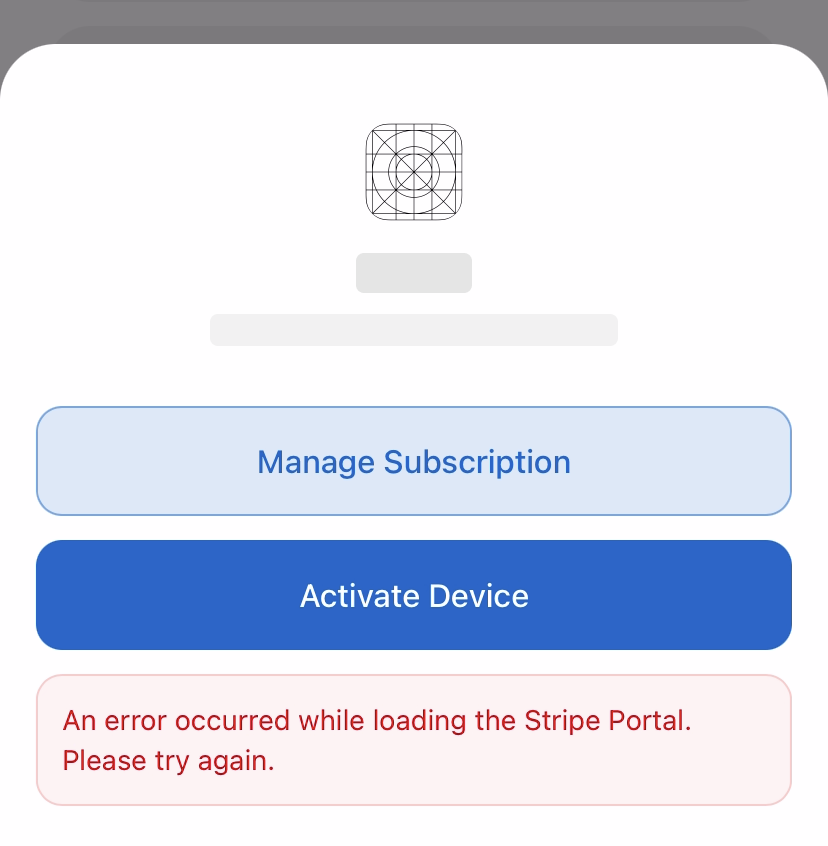
If you encounter an error when trying to access the "Manage Subscription" page Stripe Portal through a web2app redemption link, this typically means that the customer portal configuration for sandbox environment has not been set up in your Stripe account yet.
To resolve this issue:
-
Go to your Stripe Dashboard's Customer Portal settings page: https://dashboard.stripe.com/test/settings/billing/portal
-
Configure your customer portal settings for the sandbox/test environment
-
Save your configuration
Once configured, the Stripe Portal should load correctly when accessing it through the redemption link.
Note: Our team is working on automating this setup process to prevent this error from occurring in the future.
How is this guide?
Video: Web Checkout Tour on iOS
Watch a video tour of Superwall web checkout on iOS: create and configure a Stripe app, show a paywall with web checkout links, and see redemption.
How do I disable the activation link email for web checkout?
Turn off the Superwall activation link email for web checkout with the 'Disable Superwall Emails' setting in your Stripe app's General settings.