Superwall MCP
Manage Superwall projects, paywalls, campaigns, products, and more from AI tools like Claude Code and Cursor using the Superwall MCP.
The Superwall MCP lets AI agents manage your Superwall account through the Model Context Protocol. Instead of clicking through the dashboard, you can create projects, paywalls, campaigns, products, and more directly from tools like Claude Code, Cursor, and Codex.
This is different from Superwall Agents, which is the Superwall Agents workspace for chats, analysis, automations, webhooks, and hosted machine work. The Superwall MCP is focused on giving external AI tools access to your Superwall account to create and manage resources. If you also want live docs and SDK integration guidance, use the skills, or the plugin, which bundles both.
If you want an agent to edit the paywall currently open in the visual editor, use Editor MCP instead. Editor MCP uses a pairing code from the open paywall editor and exposes live editor tools for that single browser session.
Installation
In Claude, you can add the MCP from Claude's connector directory instead, along with a plugin that adds Superwall's skills. See Install in Claude. The steps below add the MCP by URL.
Add the Superwall MCP to your platform of choice using the URL https://mcp.superwall.com/mcp. You'll be prompted to log in to your Superwall account on first use.
Claude.ai
Go to Settings → Connectors, click Add Custom Connector, and enter https://mcp.superwall.com/mcp:

Cursor
Add the following to your ~/.cursor/mcp.json file:
{
  "mcpServers": {
    "superwall": {
      "url": "https://mcp.superwall.com/mcp"
    }
  }
}
Claude Code
claude mcp add superwall --transport http https://mcp.superwall.com/mcpCodex
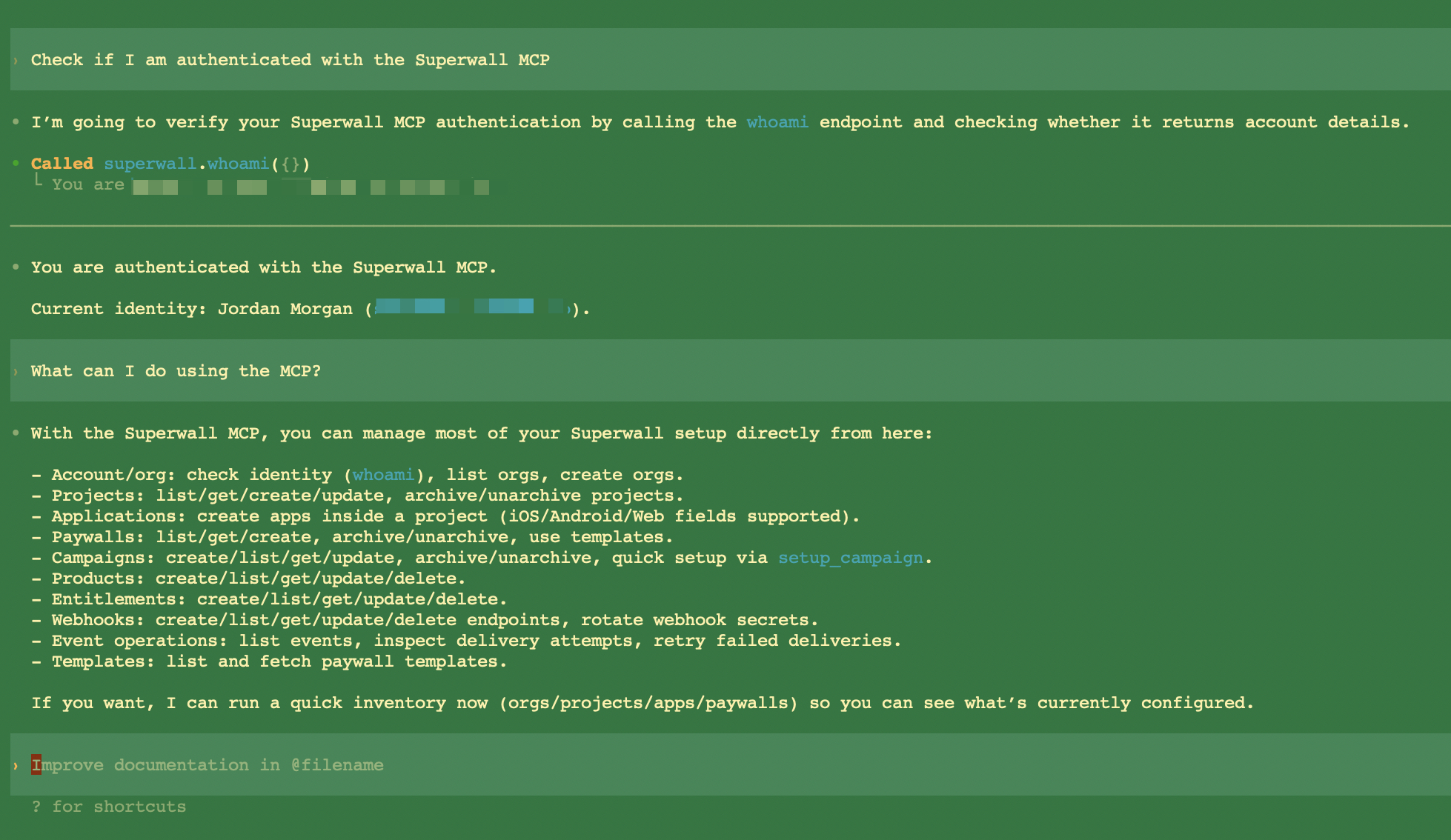
codex mcp add superwall --url https://mcp.superwall.com/mcpWhen you add the MCP via a CLI tool (Claude Code, Codex, or Cursor), a browser window will open to complete authentication. Log in to your Superwall account, and it will authenticate automatically. After that, ask the agent something like "check if you're connected to Superwall" — it will call the whoami tool and confirm the connection.
What you can do
The Superwall MCP can manage nearly everything you'd normally do in the dashboard:
- Organizations: list your organizations or create new ones.
- Projects: create, update, archive, and unarchive projects.
- Applications: add iOS, Android, or web apps to a project.
- Entitlements: create, update, list, and delete entitlements that define what features users unlock.
- Products: create and manage products linked to App Store Connect or Google Play, with subscription details and pricing.
- Templates: browse available paywall templates to use as a starting point.
- Paywalls: create paywalls from templates or from scratch, attach products, set presentation style and feature gating, and archive or unarchive them.
- Campaigns: set up simple campaigns that show a paywall to 100% of users, or create advanced campaigns with A/B testing, holdout groups, and automatic optimization.
- Webhooks: create and manage webhook endpoints, inspect event deliveries, rotate secrets, and retry failed deliveries.
- Analytics: pull chart data, and run the acquisition cohort report to see installs and install-cohorted revenue per campaign, ad set, ad, or country.
It does not directly control the live paywall editor canvas. For live design edits, use AI Chat Builder inside the editor or connect an external agent with Editor MCP.
Quick setup
You can use the Superwall MCP to go from zero to a fully working paywall setup without ever opening the dashboard. Just ask your AI agent to set up Superwall for your app. You can give it your app name, platform, bundle ID, and store product IDs, and it can create the project, application, products, paywall, and campaign for you.
When the agent creates an application, it returns a public_api_key. That's what you pass to Superwall.configure() in your app. From there, fire a placement event with register and your paywall will show.
Related
- Superwall Agents: AI workspace for Superwall analysis with connected tooling, automations, webhooks, and hosted machines.
- Plugins: The MCP and the skills in one install for Claude, Codex, and Cursor.
- Skills: Docs access, guided SDK integration, and account management through the CLI.
- Superwall CLI: Manage your account, query analytics, and integrate the SDK from the terminal.
- Editor MCP: Connect an external agent to the paywall currently open in the editor.
- AI Chat Builder: Build and refine paywalls with Superwall's built-in editor chat.
- Use Superwall with AI: Every AI tool for Superwall, and which one to pick.
How is this guide?
Recipes
Try prompts for experiment analysis, campaign review, implementation checks, recurring reports, and next-test planning.
Superwall CLI
Set up the SDK, manage products, campaigns, and paywalls, query your analytics data, and call the API from your terminal or coding agent using the Superwall CLI.