Feature Gating: Gated and Non-Gated Paywalls
Decide from the dashboard whether a Superwall paywall blocks a feature until the user pays (Gated) or lets them continue after closing it (Non Gated), with no app update.
Feature gating decides what happens after a paywall closes. Each paywall is Gated or Non Gated, and you can switch it at any time from the dashboard, so you can change what's paywalled in production without releasing your app.
How it works
In your app, you put a feature behind a placement by passing it to register:
Superwall.shared.register(placement: "caffeineLogged") {
  logCaffeine()
}
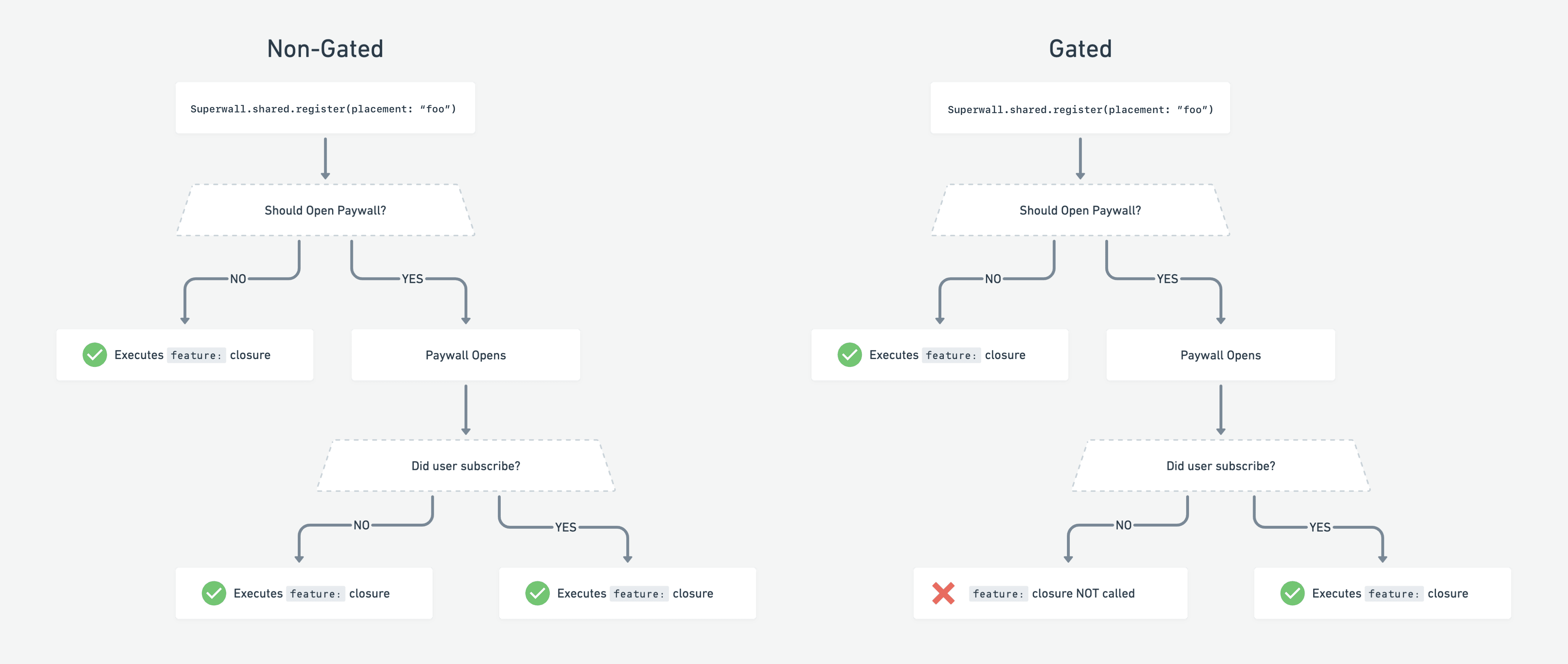
The code is the same for both modes. The paywall's setting decides when the feature block runs:
| Setting | What happens | Example |
|---|---|---|
| Non Gated (default) | The paywall shows, and the feature runs once it's dismissed, whether or not the user paid. | When someone taps Sign up, show a paywall, then continue onboarding when it closes. |
| Gated | The paywall shows, and the feature runs only if the user pays. Users who are already subscribed skip the paywall and get the feature right away. | When someone taps Start workout, show a paywall, and start the workout only if they subscribe. |
The feature always runs, without a paywall, when no campaign matches the placement for that user, or when the user already has an active entitlement.
Change the setting
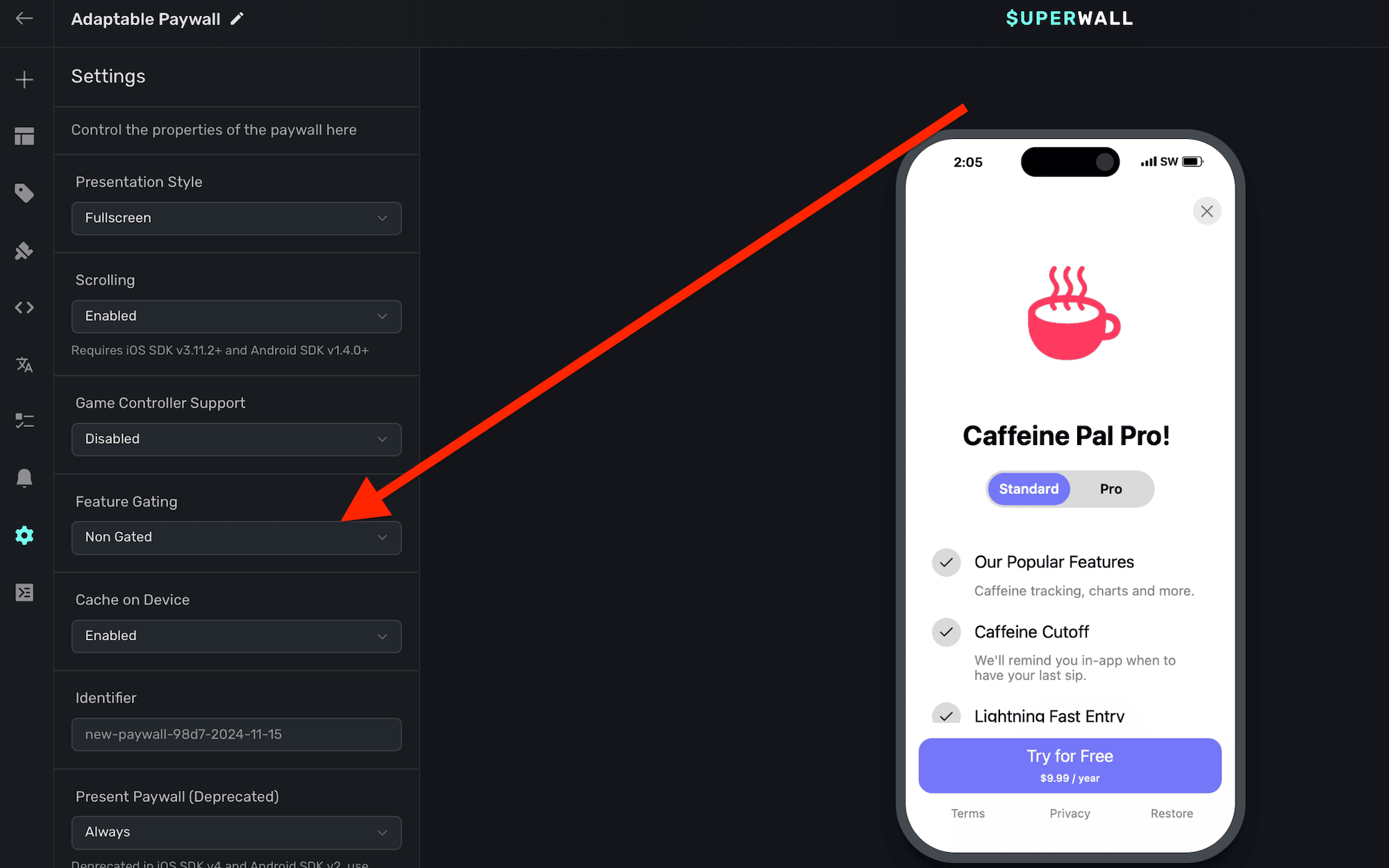
- Open the paywall in the editor.
- Click Settings in the sidebar.
- Under Feature Gating, choose Gated or Non Gated.
- Publish the paywall.
When to use Non Gated
Non Gated paywalls still give you a chance to convert, while letting people try the feature. For example, a caffeine tracking app could make logging free for a weekend: switch the paywall to Non Gated, and users still see it but can log caffeine after closing it. Switch it back to Gated when the promotion ends.
The same works during onboarding: users see a paywall, but can carry on and experience pro features that may convince them to subscribe later.
Things to know
- Feature gating doesn't apply to a paywall you get with
getPaywalland present yourself. - For what happens when the network is unavailable, see Presenting Paywalls.
Related
- Presenting Paywalls: registering placements in your app
- Placements
- Paywall settings
How is this guide?