Exit Offer Paywalls
Show a second paywall, such as a discount, when a user closes your paywall without buying. Set it up with the paywall_decline placement and an audience filter.
An exit offer is a paywall that shows right after a user closes another paywall without buying, often with a discount or a different plan. In Superwall, you build one with a campaign on the paywall_decline standard placement. It needs no code in your app.
Requirements
- A paywall to show as the offer, for example one with a discounted product.
- Nothing else.
paywall_declineis registered by the SDK itself, on iOS, Android, Flutter and Expo.
Set up an exit offer
-
Open the campaign you want the offer in, or create a new one.
-
Add the
paywall_declineplacement. It's listed with the other standard placements when you add a placement.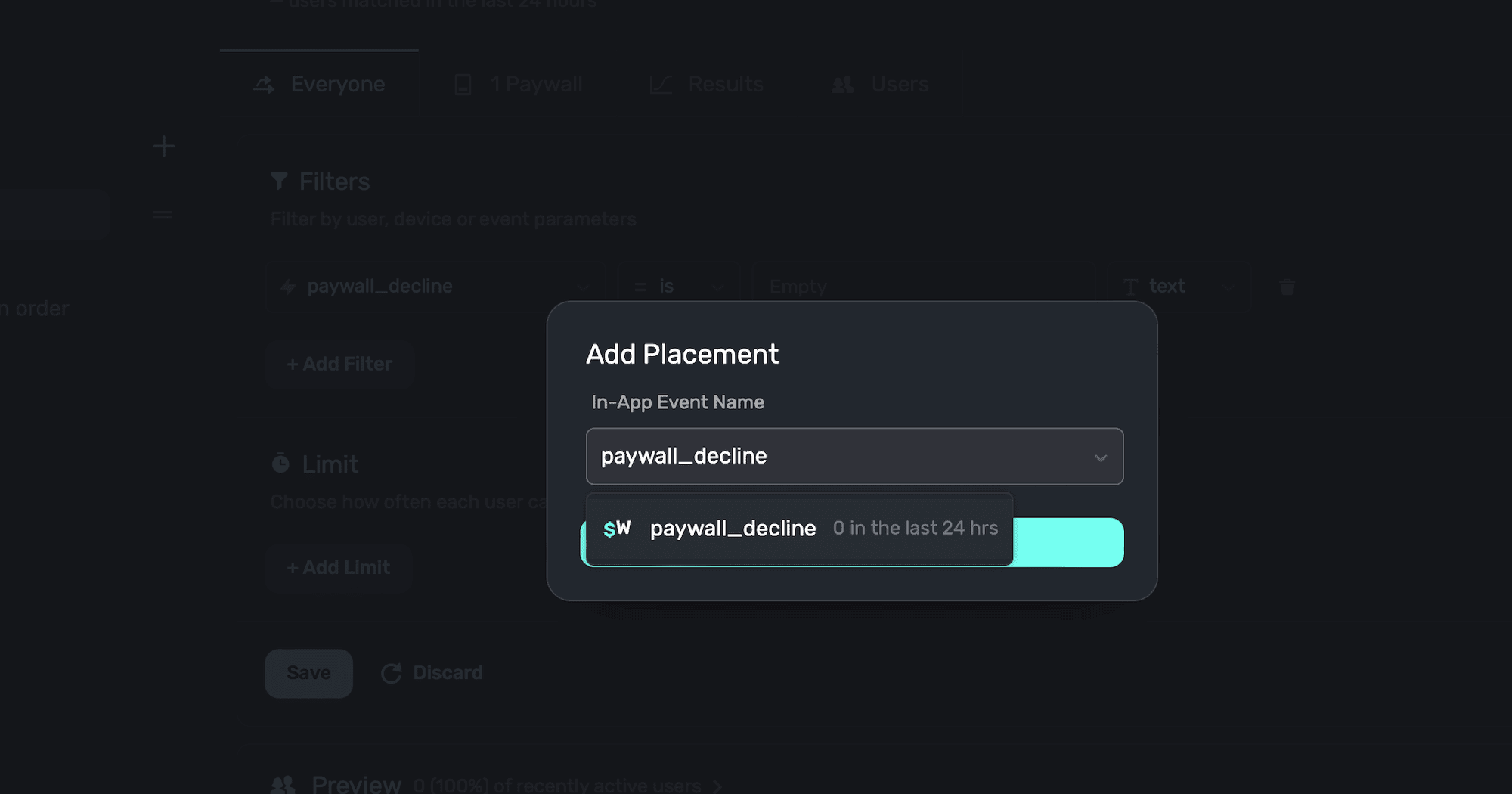
-
In the campaign's audience, add a filter for the paywall the user closed, such as
paywall_nameequal to the name of your main paywall. Without a filter, the offer shows after any paywall is closed.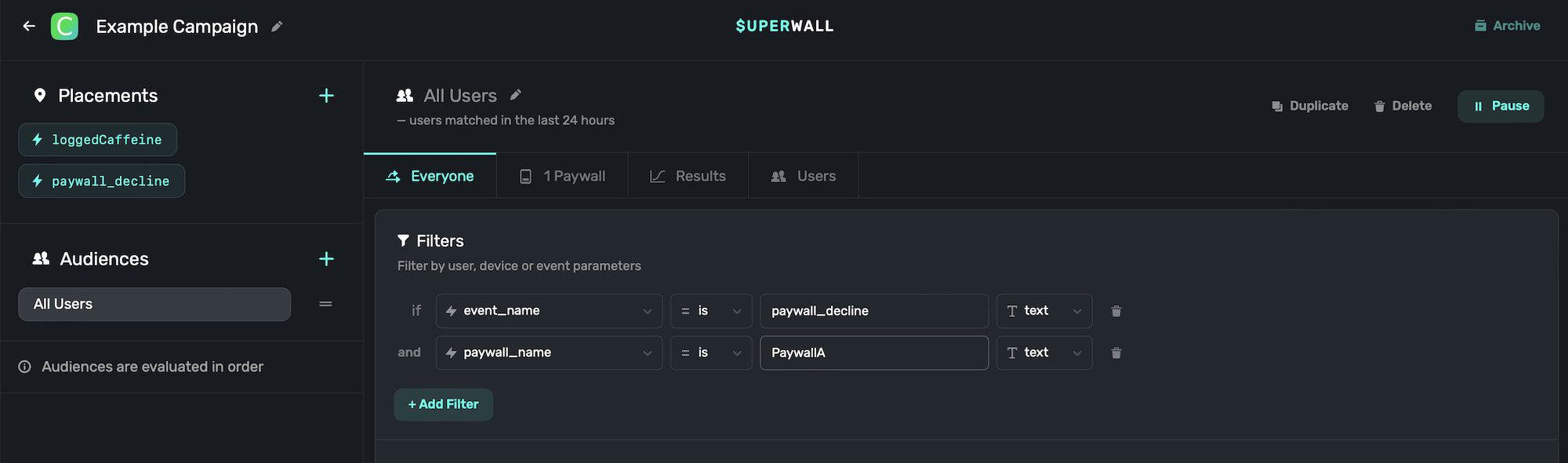
-
Add your offer paywall to the audience.
-
Publish, then close the main paywall on a test device. The offer paywall shows in its place.
Choose who sees the offer
These parameters describe the paywall the user closed, and you can use them in audience filters:
| Parameter | What it holds |
|---|---|
paywall_name | The closed paywall's name in the dashboard. |
paywall_id | The closed paywall's ID. |
presented_by_event_name | The placement that showed the closed paywall, such as onboarding. |
primary_product_id, secondary_product_id, tertiary_product_id | The closed paywall's products. |
For every parameter, see paywall_decline. Parameters you passed to your own register call aren't available here.
To show the offer only once, or only to some users, add a limit to the audience, or split users between the offer and a holdout to measure whether the offer helps.
What counts as closing
paywall_decline fires when the user closes the paywall themselves without buying:
- tapping a button whose tap behavior is Close;
- swiping down a Modal or Drawer paywall;
- tapping outside a Popup paywall.
It doesn't fire when the user buys, restores, or when your app dismisses the paywall in code.
If the closed paywall has a close survey, the survey shows first, then the exit offer.
Things to know
- Exit offers don't chain. Closing a paywall that was itself shown by
paywall_decline,transaction_abandonortransaction_failjust closes it. Users can't get stuck in a loop of offers. - Offers after a cancelled purchase are different. To react when a user starts a purchase and then cancels the store's sheet, use Abandoned Transaction Paywalls.
- The discount must be real. The paywall only shows prices. Create the discounted product or offer in App Store Connect or Google Play first.
Related
How is this guide?
Countdown Timers on Paywalls
Add a live countdown timer to a Superwall paywall with Liquid: count down from when the paywall opens, from install, or to a fixed sale end date, and hide the offer when time runs out.
Video and Lottie Animations on Paywalls
Add video and Lottie animations to a paywall in the editor: upload or link a file, set autoplay, loop, mute and speed, and keep media loading fast.