Observer Mode
Report purchases made outside Superwall in your Flutter app with observer mode and shouldObservePurchases, and see what Android needs from native code.
If you wish to make purchases outside of Superwall's SDK and paywalls, you can use observer mode to report purchases that will appear in the Superwall dashboard, such as transactions:
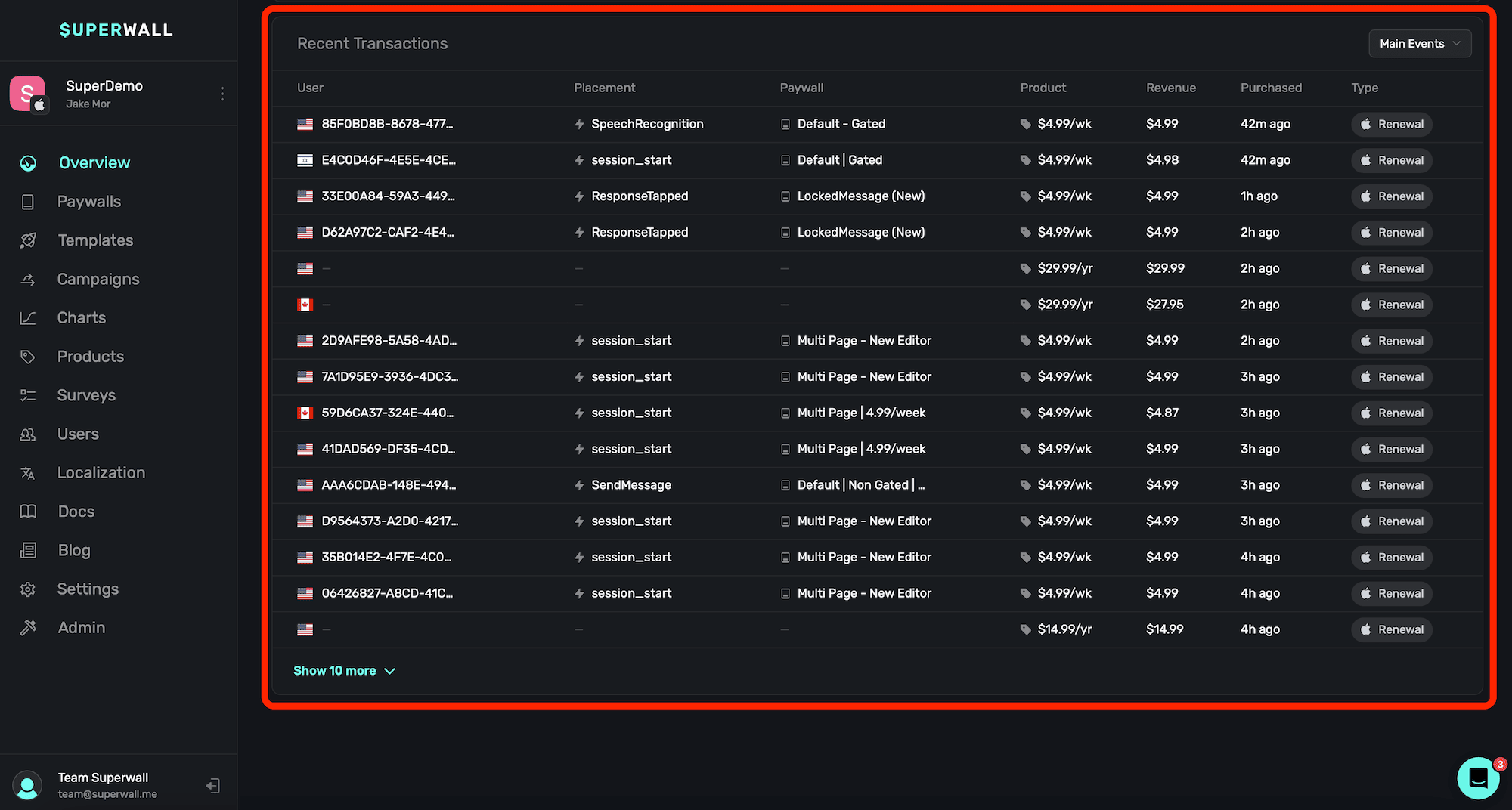
This is useful if you are using Superwall solely for revenue tracking, and you're making purchases using frameworks like StoreKit or Google Play Billing Library directly. Observer mode will also properly link user identifiers to transactions. To enable observer mode, set it using SuperwallOptions when configuring the SDK:
final options = SuperwallOptions();
options.shouldObservePurchases = true;

Superwall.configure(
  "YOUR_API_KEY",
  options: options,
);
On iOS, Superwall picks up StoreKit transactions by itself once the option is on. On Android, the native SDK only sees a Google Play purchase when billing code reports it with launchBillingFlowWithSuperwall, or with observePurchaseStart, observePurchaseResult and observePurchaseError. The Flutter SDK doesn't expose these methods to Dart, so Google Play purchases you make from Dart aren't reported as transactions. To report them, call the methods from native Android code in your app. See Observer Mode on Android.
There are a few things to keep in mind when using observer mode:
- On iOS, if you're using StoreKit 2, then Superwall solely reports transaction completions. If you're using StoreKit 1, then Superwall will report transaction starts, abandons, and completions.
- When using observer mode, you can't make purchases using our SDK — such as
Superwall.shared.purchase(aProduct).
For more on setting up revenue tracking, check out this doc.
How is this guide?
Custom Paywall Actions
Run your own Flutter app code when a paywall button is tapped: add a custom action in the paywall editor and handle it in handleCustomPaywallAction.
Game Controller Support
Let users navigate Superwall paywalls with a game controller in your Flutter app. Set isGameControllerEnabled to true and Superwall forwards gamepad input.