Why are my products showing 'Unknown' status in Superwall?
Fix products showing 'Unknown' status in Superwall: check the App Store Connect API setup, product IDs, app IDs, API key role, and agreements.
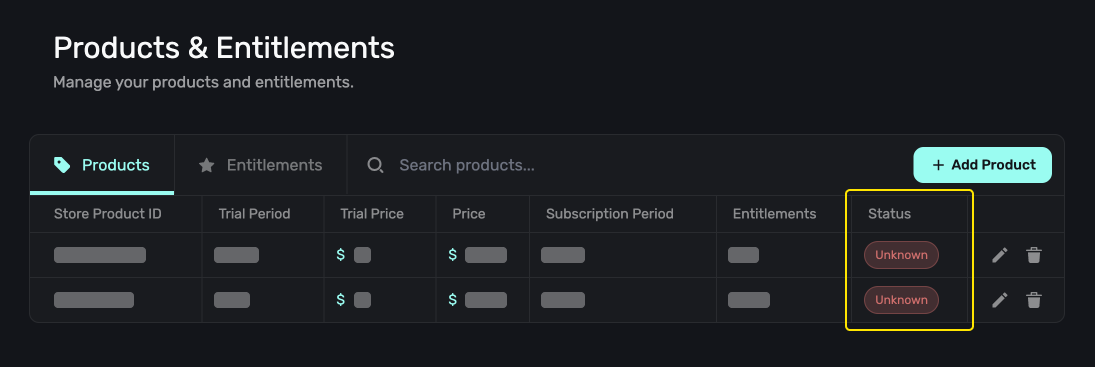
Products showing an "Unknown" status in the Products tab indicates an issue with Superwall's connection to App Store Connect, here's how to resolve it.
Debugging Steps
-
Set up the App Store Connect API configuration in your Superwall dashboard
-
Product IDs: check that they match exactly across Superwall and App Store Connect
-
IDs in Settings / General: check that the following are set correctly in the Superwall dashboard and match what's in App Store connect exactly:
-
App ID
-
Bundle ID
-
Team ID
-
-
App Store Connect API Key permissions: check that your API key has the "App Manager" role and access to your app
-
Unsigned agreements: Check if your developer agreement needs to be re-approved in App Store Connect. Even with proper API configuration, products may show "Unknown" status if your developer agreement has expired or needs re-approval
Important: This is not required for Superwall to work, but is strongly recommended to help keep track of your products status.
How is this guide?
Why does my entitlement show 'Missing App ID' after connecting App Store Connect API?
Fix the 'Missing App ID' warning on Superwall products after connecting the App Store Connect API by adding your Apple App ID in Settings, General.
Why is my paywall not loading on Android with Billing Service Unavailable?
Fix Superwall paywalls not loading on Android with Billing Service Unavailable: set subscription status in your PurchaseController or check Google Play Billing.