

Flows Analytics: see exactly where users drop off and why
Quick refresher: Flows let you build multi-screen user experiences in the Superwall editor: onboarding sequences, cancellation surveys, upsell paths, feature walkthroughs. You connect screens on a visual canvas, add branching logic, collect data, set user attributes mid-flow, and request native permissions. All remotely configured, A/B testable, cross-platform. We launched Flows in public beta last month. Getting started
This month we added the data layer. Inside experiment results you'll now see Flow Journey - a full picture of how users move through your flow.
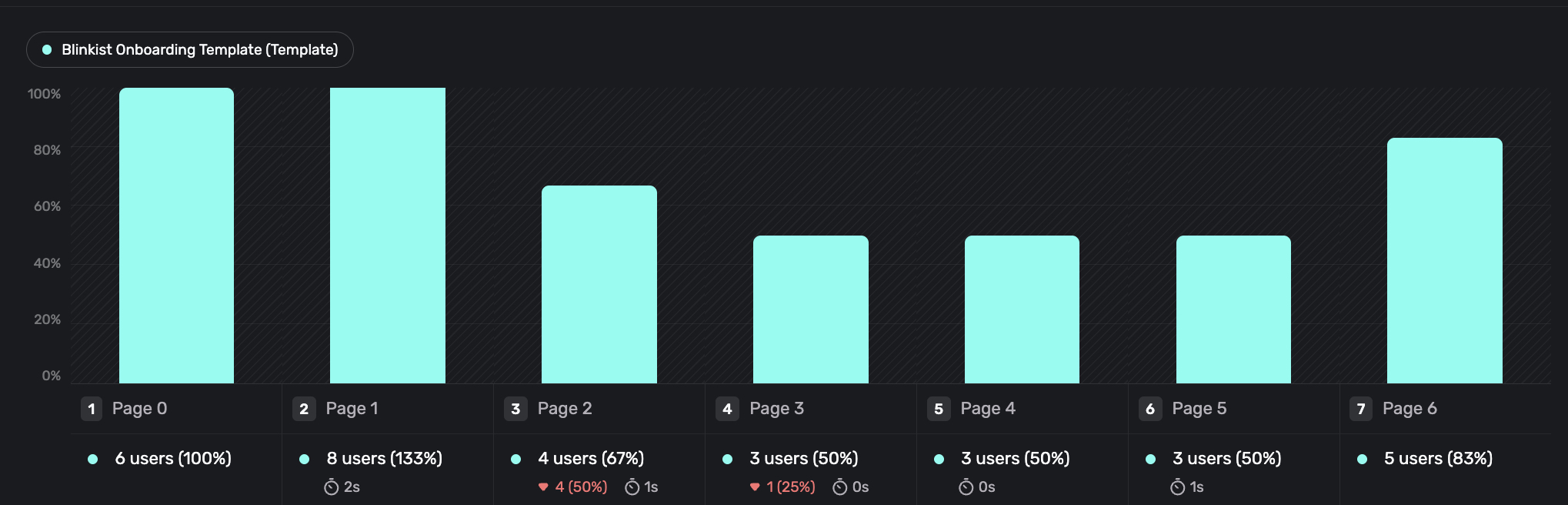
Drop-off by step. See where users leave. Each step shows the count of users who reached it and the median time they spent — so you can tell engaged reading from a stuck screen.
Branching view. A Sankey-style diagram showing how users split across conditional paths. Which branch pulls the most traffic? Is it the one converting? One glance.
Variant comparison. Testing two flow structures? Compare drop-off and conversion variant by variant. Not just which wins — where exactly they diverge.
Custom Store Products: sell from any payment system on any paywall
Superwall no longer requires the App Store or Play Store to sell things.
Attach products from Stripe, your own backend, or any payment system to a Superwall paywall with custom store products. Price variables, trial copy, eligibility checks, A/B testing, audience targeting — it all works the same as native store products. When a user taps purchase, Superwall calls your PurchaseController, and you handle checkout however you want.
Put a Stripe subscription next to an App Store subscription on the same paywall. Sell lifetime access or credit packs without StoreKit. Run the same experiment infrastructure on any payment provider.
iOS SDK 4.15.0 and Expo SDK 1.1.0. Docs
Web Checkout: App2Web and one-time purchases
Two additions to Superwall's web checkout platform:
App2Web. iOS paywalls can now open Stripe Checkout in Safari for U.S. storefront customers - outside the app, following Apple's external purchase guidelines. Filter a campaign to storeFrontCountryCode == USA, attach a Stripe product, and users complete checkout in the browser. Entitlements sync automatically when they return. Docs
One-time purchases. Web checkout now supports Stripe one-time prices - lifetime access, credit packs, consumables. Attach an entitlement for permanent access, or leave it off and handle crediting yourself. Same flow as subscriptions, nothing extra to configure. Docs
AI Agent: ask anything about Superwall, right in the dashboard
There's an AI agent built into the dashboard now. Bottom right corner.
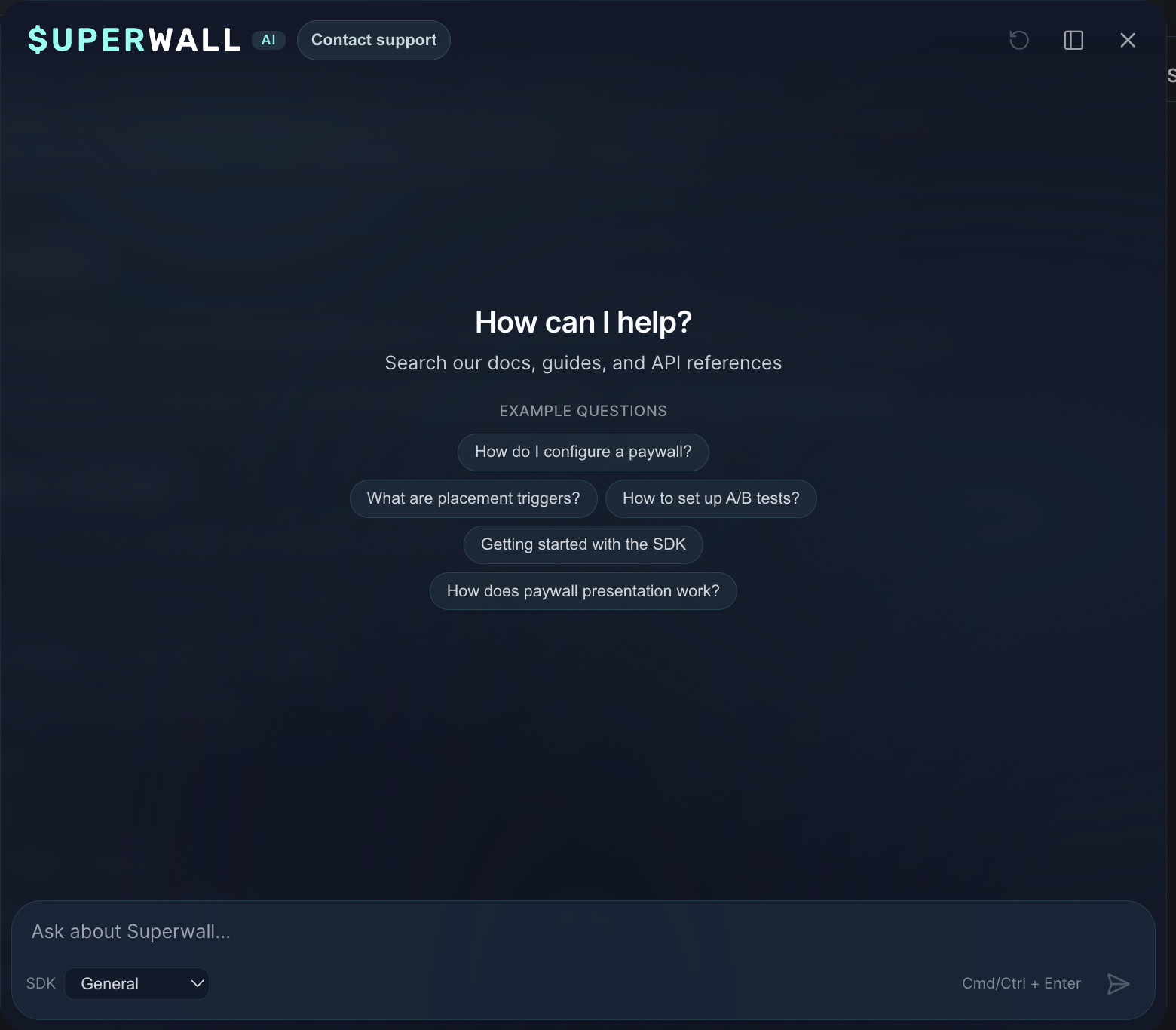
It has access to every Superwall doc page and the SDK codebase. Ask it anything - how a feature works, how to set something up, why a paywall is behaving a certain way. It gives you a precise answer with links and you can follow up in the same conversation. No more tab-switching between docs and dashboard.
Available now for everyone.
Superwall iOS App: every chart in your pocket, completely rebuilt
We rewrote the iOS app. Version 2 is a different product.
Every chart from the dashboard is now on your phone - all 20+. Tap into any chart to change dates, add filters and breakdowns, or scrub across data points with your finger. One-tap export to JSON or Markdown if you work with AI tools.
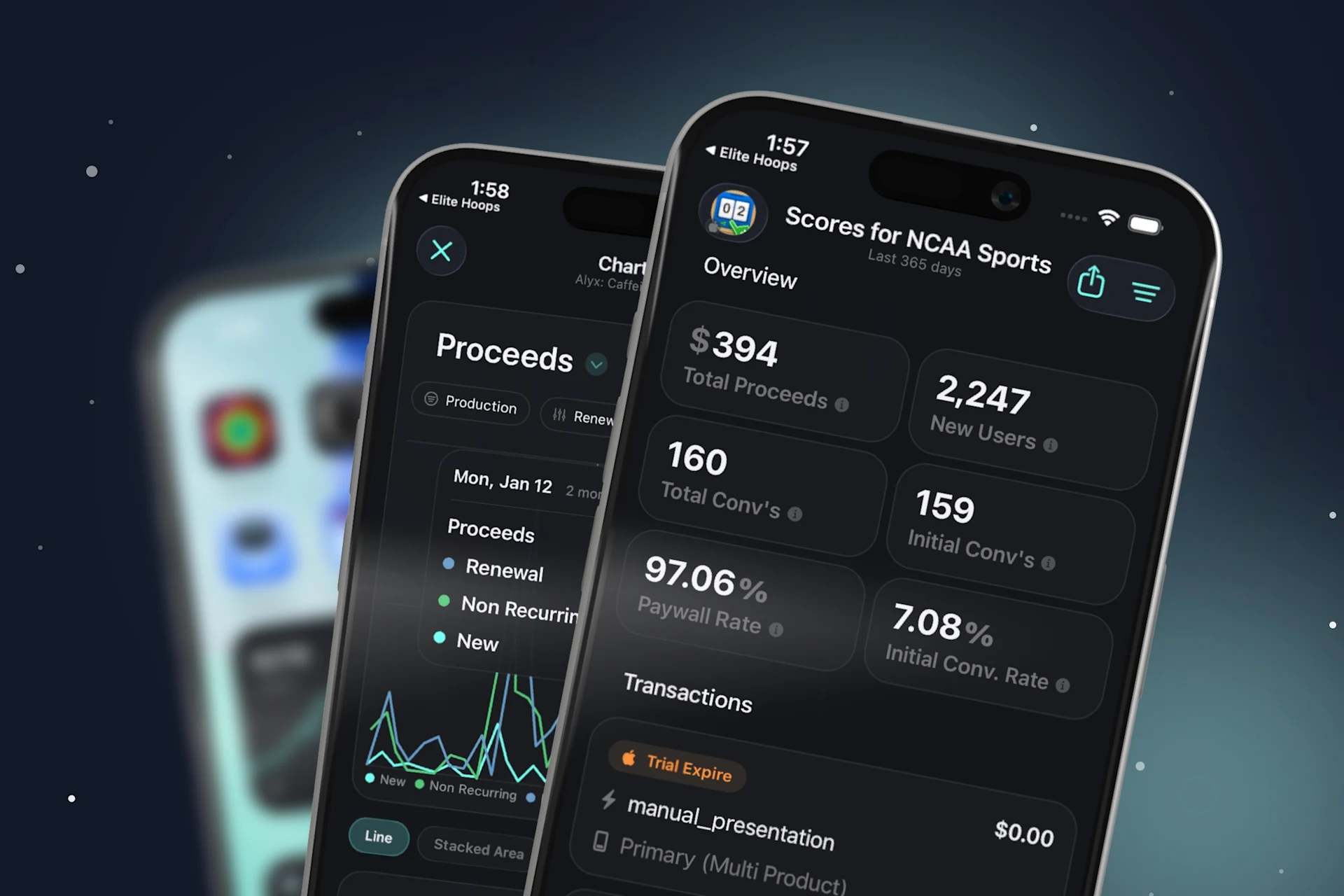
Transactions got a redesign. Overview and transaction history are now one view - tap any transaction for the full breakdown with SDK events and purchase info.
New home screen widgets: MRR, ARR, and a Recent Transaction widget that shows the latest purchase for whatever app you choose.
Apple Retention Messaging: control what users see when they cancel
Superwall now integrates with Apple's Retention Messaging API. When a subscriber taps "Cancel Subscription" in the App Store, Apple shows a retention message on the confirmation screen - and you control what that message says from the Superwall dashboard.
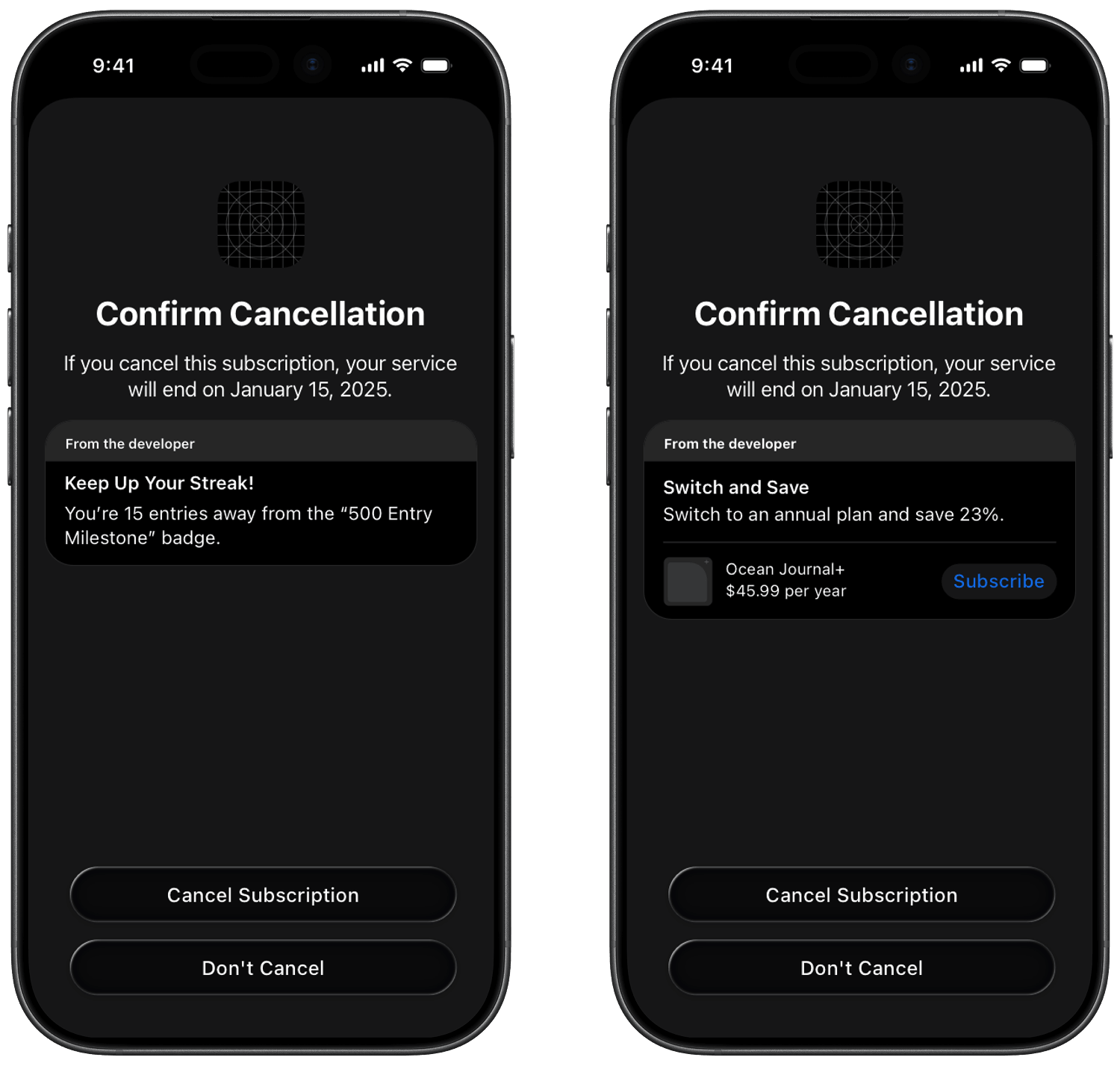
Configure text messages, image messages, alternate product offers, or promotional offers. Set default messages per product and locale, or use real-time configurations to target specific cancellation contexts. Apple calls Superwall's callback URL, and Superwall returns the message you've configured.
This is native App Store churn recovery - no paywall, no push notification, just a message at the exact moment a user is about to leave. Requires Apple approval for the Retention Messaging API first.
Also shipped in April
Priority Placements - flag one campaign as priority and its paywalls preload first. One toggle, no code changes.
Multipage paywall tracking - paywall_page_view event on every page inside a multi-page paywall. Step-by-step drop-off data.
SDK updates - iOS 4.14.2- 4.15.1, Android 2.7.10 - 2.7.13, Flutter 2.4.12, Expo 1.0.9 - 1.1.1. Faster Android startup, onboarding analytics for Flows, Samsung fixes, xcasset support in iOS, and custom store products bridged to Expo.
Docs - code block tabs fixed, Vibe Coding guides updated (MCP vs Skill clarified), intro offer eligibility updated to iOS 16+.
That's April. Analytics for Flows, store-agnostic products, web funnels for growth, AI where you work, and a rebuilt app in your pocket.
May is already underway. If something here solves a problem you've been sitting on - or if it raises a new question - let us know. Every message shapes what comes next.