Superwall as your MMP
Use Superwall as your mobile measurement partner (MMP). Attribute installs to your ad campaigns, send conversion events back to ad networks, and measure ROAS without adding another SDK.
A mobile measurement partner (MMP) attributes app installs to the ad campaigns that drove them and reports conversions back to ad networks so they can optimize delivery. Traditionally that means integrating a separate attribution SDK like AppsFlyer, Adjust, or Branch alongside your paywall tooling.
Superwall does this for you. Because the SDK already sits at the start of your monetization funnel, it can attribute installs, send conversion events back to the ad network, and tie ad spend directly to trials and paid subscriptions. You get ROAS, cost per trial, and cost per paid user in charts with no extra SDK to install.
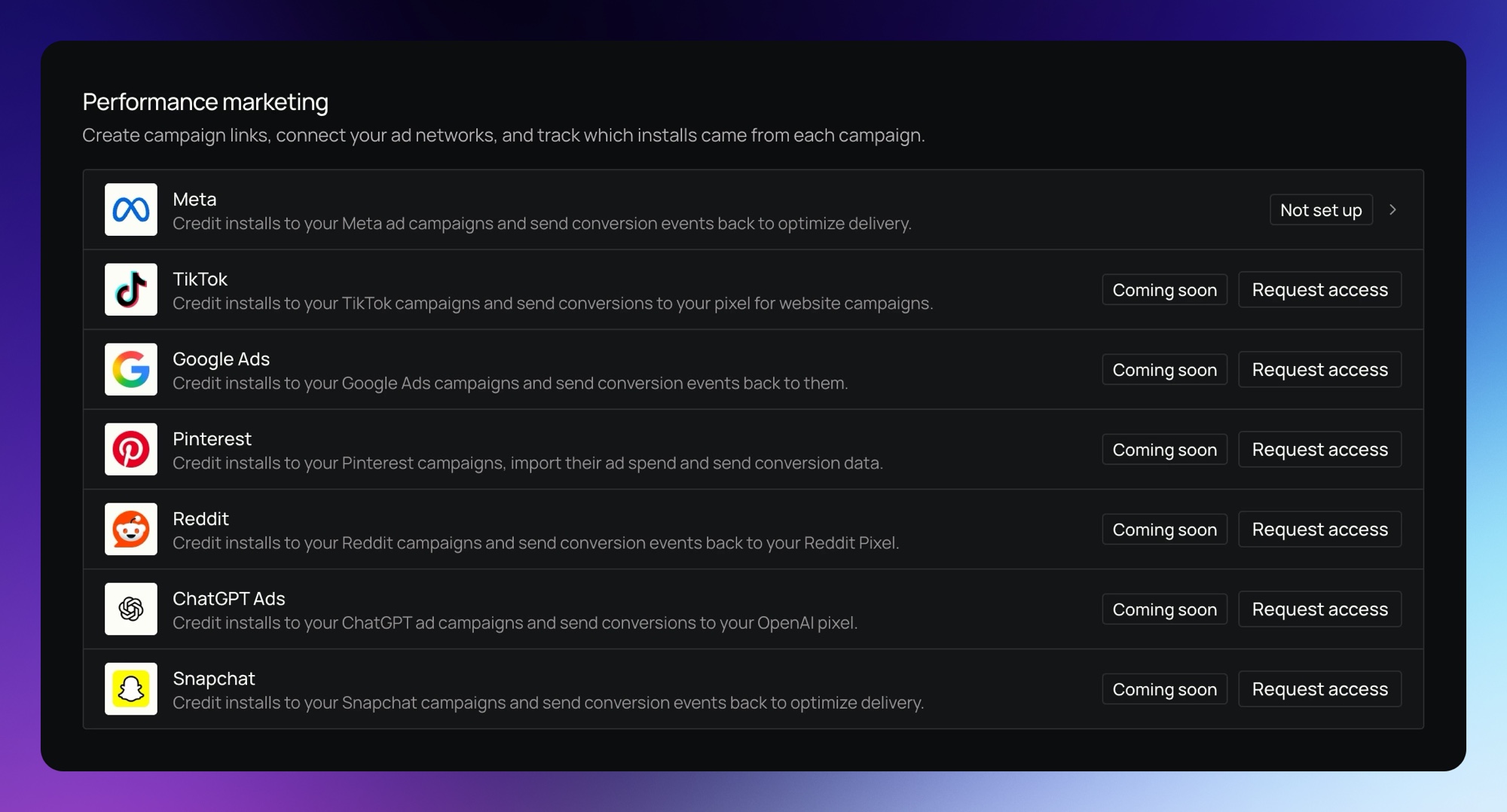
In the dashboard, this lives under Integrations as Performance marketing.
Supported ad networks
Meta Ads
Run Meta campaigns with Superwall as your MMP. Generate ad links, attribute installs to the campaign, ad set, and ad that drove them, and send conversion events back to Meta.
Google Ads
Run Google Ads campaigns with Superwall as your MMP. Generate ad links, attribute installs to the campaign, ad group, and ad that drove them, and upload conversions back to Google Ads for Smart Bidding. In beta.
Reddit Ads
Run Reddit campaigns with Superwall as your MMP. Connect your Reddit account, send conversion events to your Reddit Pixel, attribute installs to your campaigns, and import ad spend. In beta.
TikTok Ads
Run TikTok campaigns with Superwall as your MMP. Connect your TikTok for Business account, send conversion events to your TikTok pixel, attribute installs to your campaigns, and import ad spend. In beta.
Networks in beta show Coming soon with a Request access button until we turn them on for you. Pages for the other networks are coming soon.
How it works
- Connect an ad network under Integrations > Performance marketing and create a link for each ad.
- When someone taps your ad and installs, the Superwall SDK triggers a match on first app open and the install is attributed to the campaign, ad set, and ad that drove it.
- Superwall sends conversion events, like trials started and subscriptions purchased, back to the ad network so it can optimize delivery.
- Spend and results appear in charts as Ad Spend, ROAS, CPM, cost per trial, and cost per paid user, with breakdowns by network and campaign.
How is this guide?
Integrations
Connect Superwall to revenue tracking, webhooks, analytics, ad networks and messaging tools. See what each section of the Integrations page does.
Meta Ads
Run Meta ads with Superwall as your mobile measurement partner. Superwall attributes installs to your campaigns and sends conversion events back to Meta.