Retention Messaging Save Rate
Learn what the Retention Messaging Save Rate chart measures and when to use it.
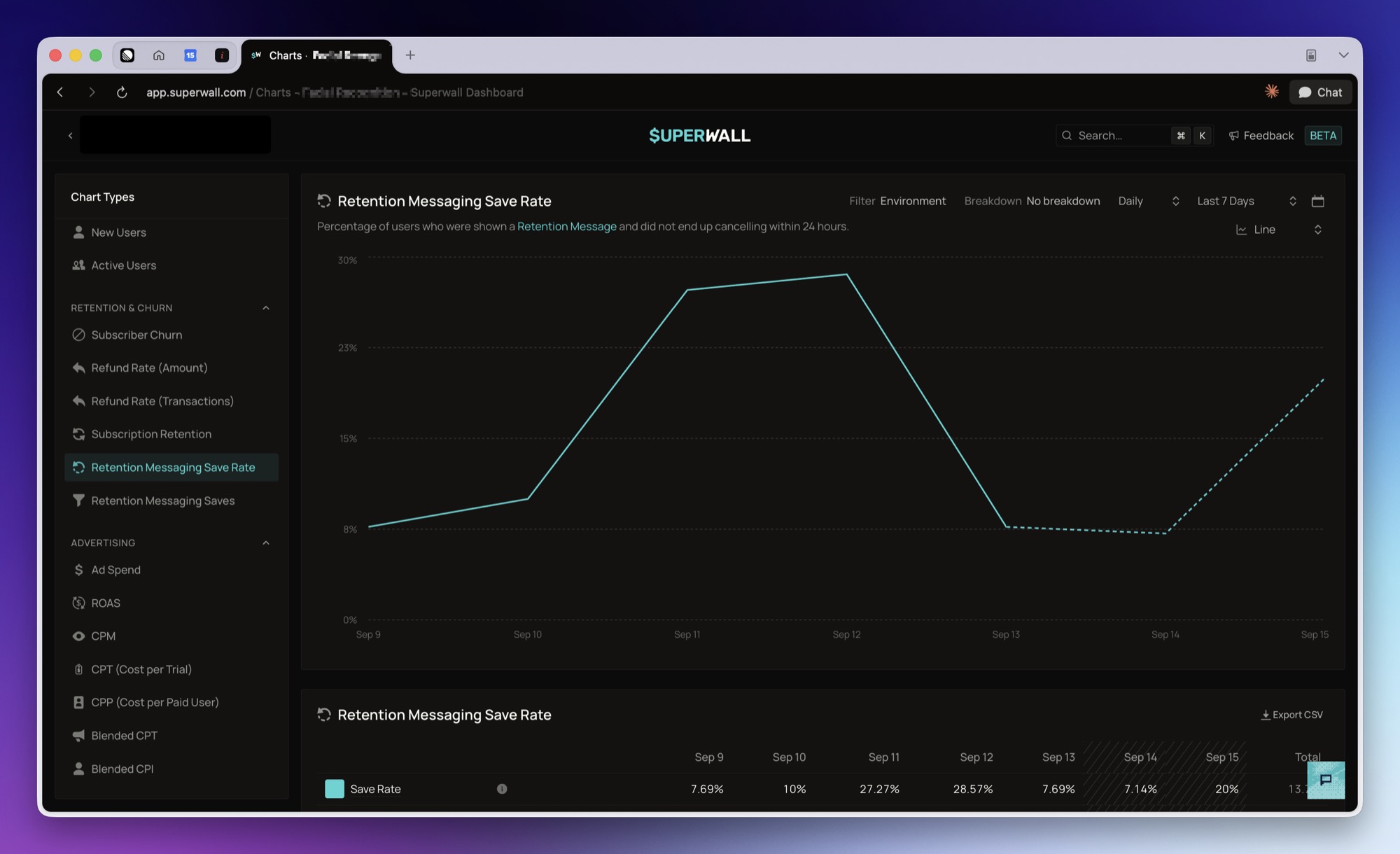
What it shows
Retention Messaging Save Rate shows the percentage of retention messages sent where the subscriber did not cancel within 24 hours of being shown the message.
The chart reads from Apple Retention Messaging, so it only appears for iOS apps. Retention Messages Sent and Saves are reported alongside the rate, so both sides of the ratio are visible in the chart's table.
How to use it
Use this chart to see whether your retention messages are holding onto subscribers who reached the cancellation screen.
Break the chart down by Retention Message, Retention Configuration, Response Type, Retention Locale, Save Outcome, or Product to compare which messages and rules save the most subscriptions. Filter by Retention Message Group or Retention Configuration Group to narrow the chart to one group. With retention campaigns, break it down by Retention Campaign, Retention Audience or Retention Variant to compare campaigns, audiences and the messages in an A/B test. Retention Selection shows why each response was chosen, such as a matched audience or the Fallback.
Good to know
The most recent points read high and settle downward. A message sent less than 24 hours ago has not had time to be cancelled against, so it counts as a save until its window closes. Those points are drawn as a dashed tail.
Totals over a multi-day range are recomputed from summed sends and saves rather than averaged across days, so a quiet day does not weigh the same as a busy one.
For how sends and saves are counted, see Reporting.
How is this guide?