Retention Messaging Saves
Learn what the Retention Messaging Saves chart measures and when to use it.
What it shows
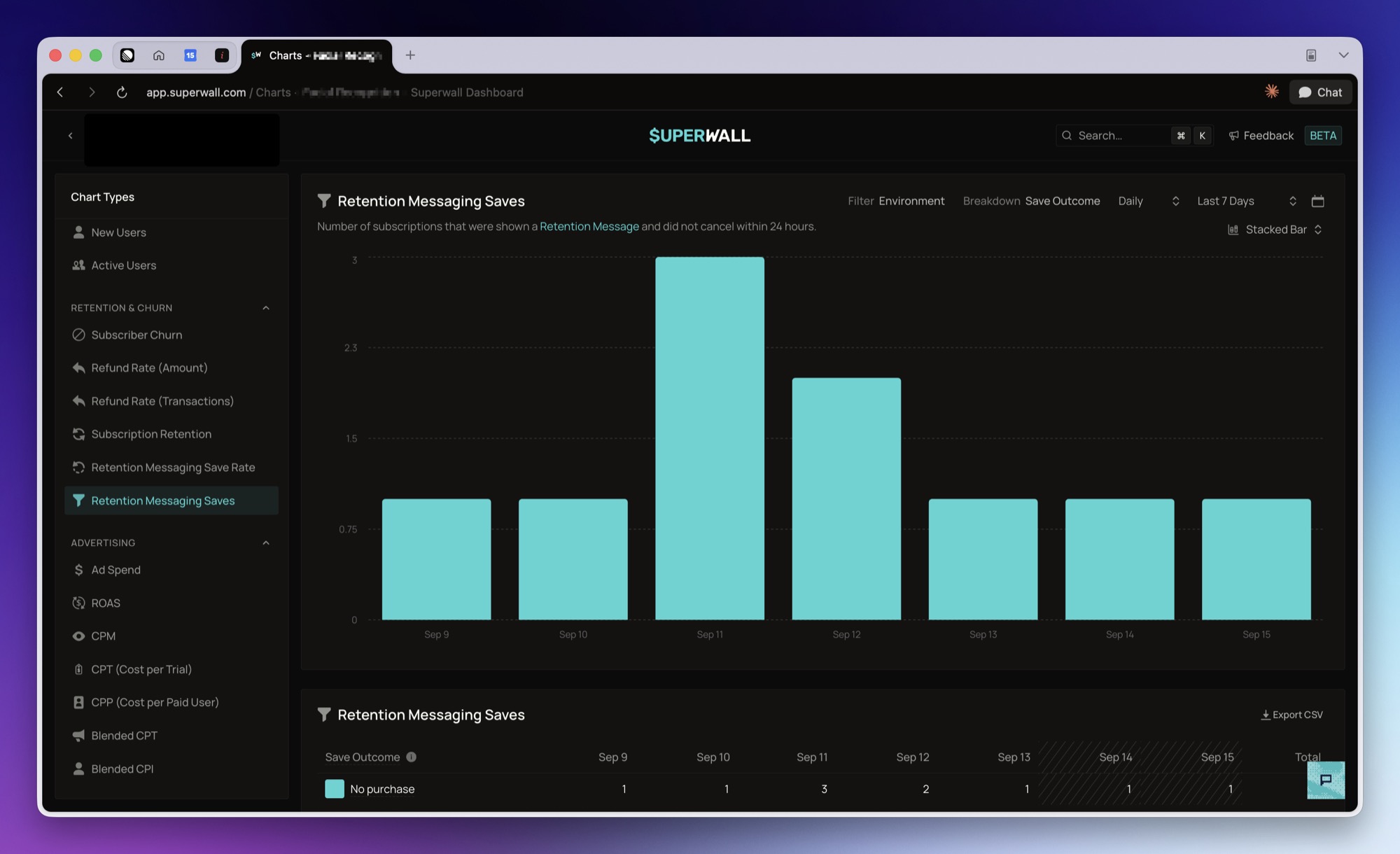
Retention Messaging Saves shows the number of subscriptions that were shown a retention message and did not cancel within 24 hours, broken down by what the subscriber did next:
Redeemed promotional offer: redeemed the promotional offer that was served to them.Redeemed alternate plan: changed to a different product within the window.No purchase: bought nothing and did not cancel.
The three segments cover every save, so the stacked total equals the Saves figure on Retention Messaging Save Rate. Cancelled subscriptions are excluded from this chart.
The chart reads from Apple Retention Messaging, so it only appears for iOS apps. It opens as a stacked bar with the Save Outcome breakdown already applied.
How to use it
Use this chart to see how saved subscribers behaved. A save that redeemed an offer or switched plans is a different outcome from one that simply left the cancellation screen without buying anything.
Break the chart down by Retention Message, Retention Configuration, Response Type, Retention Locale, or Product to compare outcomes across your messages and rules. With retention campaigns, break it down by Retention Campaign, Retention Audience or Retention Variant to compare campaigns, audiences and the messages in an A/B test. Retention Selection shows why each response was chosen, such as a matched audience or the Fallback.
Good to know
Redeemed alternate plan counts any product change inside the 24 hour window, not only a change
to the alternate product you suggested. An unrelated plan change during the window lands in this
segment.
Redeemed promotional offer currently under-reports. Superwall does not yet receive the App
Store's offer redemption event, so redemptions are only detected through a later renewal, which
usually falls outside the 24 hour window. A near-zero segment is not evidence that subscribers
are declining your offers.
The most recent points read high and settle downward, for the same reason as the save rate chart.
For how sends and saves are counted, see Reporting.
How is this guide?